46 47_processor_Regatta_um_UK_40
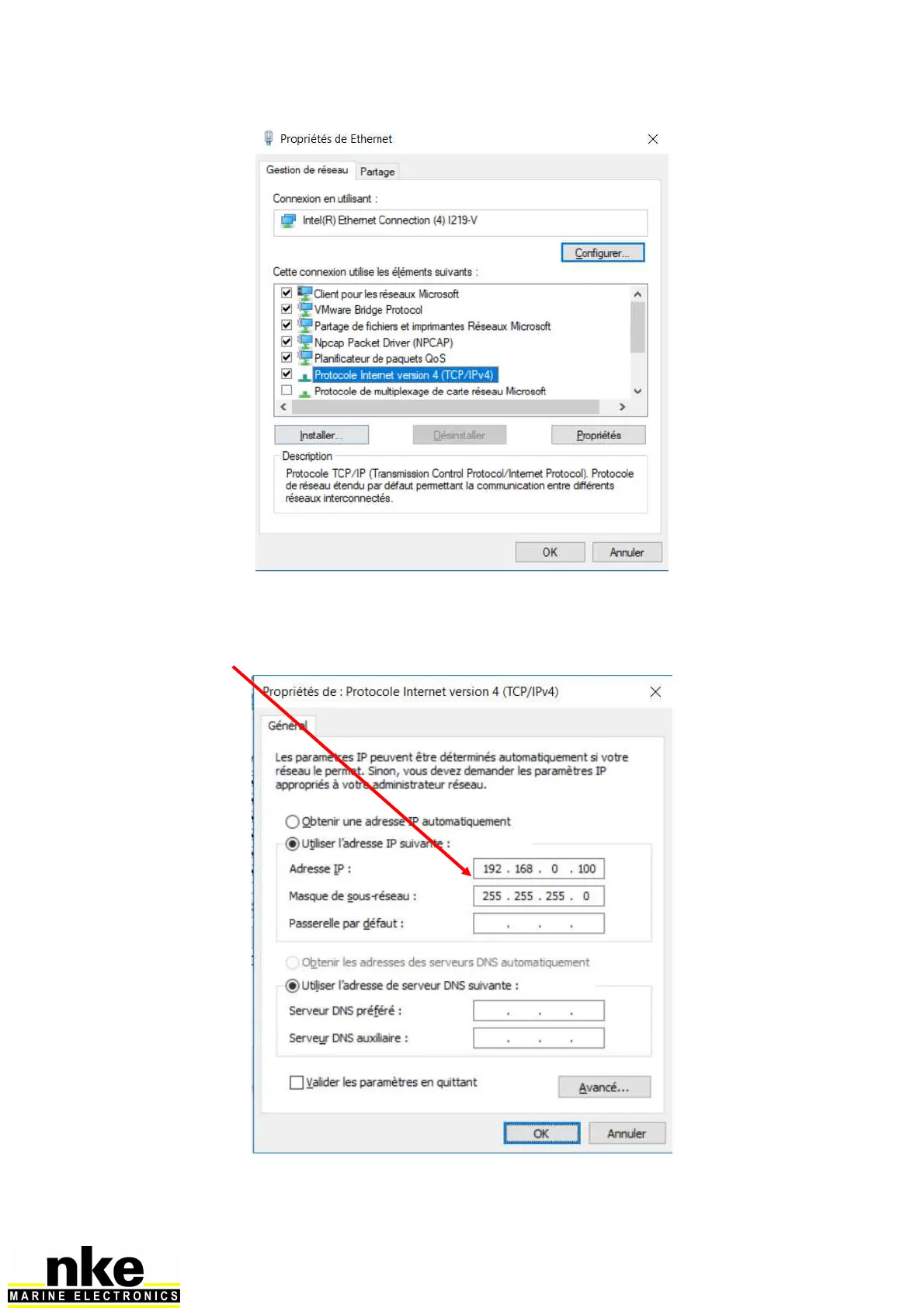
Double-click on the “Internet Protocol version 4 (TCP / IPv4)”
A new window appears. Check Use the following IP address. IP address put
192.168.0.233 * (you can replace 233 with any number between 2 and 254, except 232),
at Subnet mask enter 255.255.255.0
* By default, the Processor HR is configured to work with a PC at this address. Click on
OK to validate.


 To Next Page