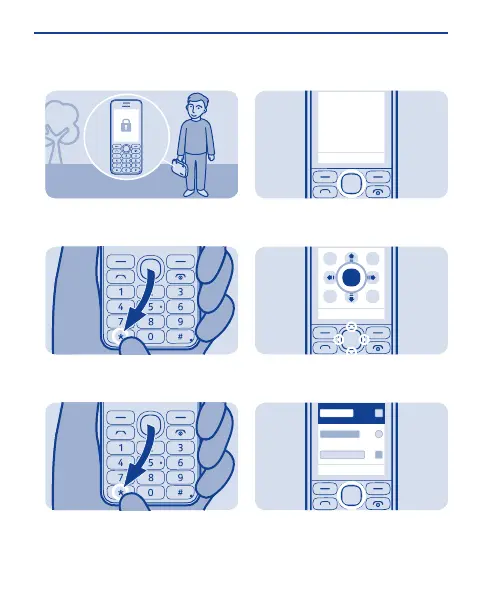
Lock the keys
Lock the keys when not using your
phone.
Select Menu, then press *.
1
To unlock, select Unlock, then press
*.
2
Explore your phone
To see the features and apps in your
phone, press Menu.
1
To go to an app or feature, press the
scroll key up, down, left, or right.
2
To open the app or select the feature,
press Select.
3
10


 To Next Page
 Loading...