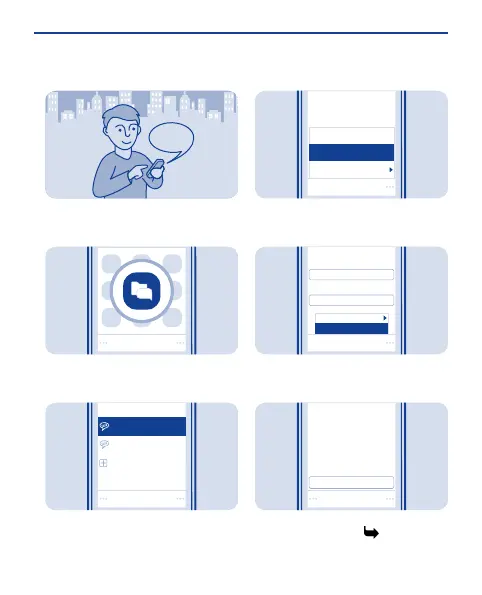
Chat with your friends
You can chat with your friends online
while on the move.
Select Menu > Chat. If asked, select
which SIM to use.
1
Sign in
Select account
funchat@chatserv2.com
mychat@chatserv1.com
Add new account
Select a chat account, and sign in.
2
mychat@chatserv1.com
Collapse all
More
Chat with
Select
Select Options > Chat with.
3
Chat with
Select mail domain:
User ID:
Select
Editor options
Send
Select a chat service, write the
username, and select Options >
Send.
4
Hello!
friend@chatserv1.com
Send
Write your message in the text box,
and select Send. See 8.
5
36








 To Next Page