Call the last dialled
number
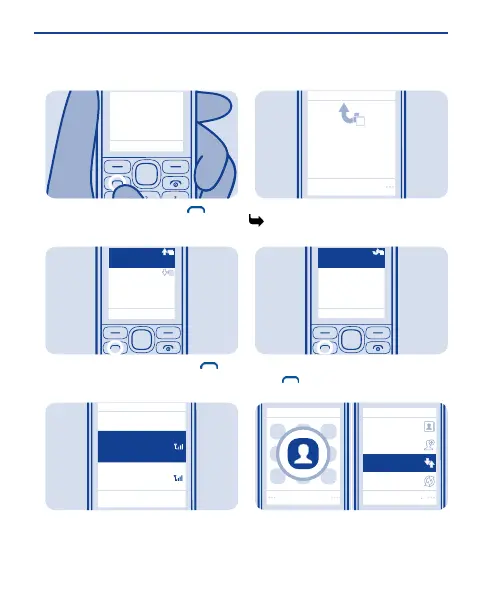
On the home screen, press .
1
123456789
Today, 08:29
987654321
Today, 07:29
1
1
Select the number, and press .
2
Back
SIM2
Call using:
SIM1
Select
If asked, select which SIM to use.
3
View your missed calls
View
1
1 missed call
123456789
09:00
On the home screen, select View. See
5.
1
To call back, select the number, and
press .
2
Select
Select
Names
Add new
Log
Synchronise all
Tip: To view missed calls later, select
Menu > Contacts > Log > Missed
calls.
16


 To Next Page
 Loading...