ACCESS GATEWAY
System Administration 201
Displaying the Port-Location Mappings {List}
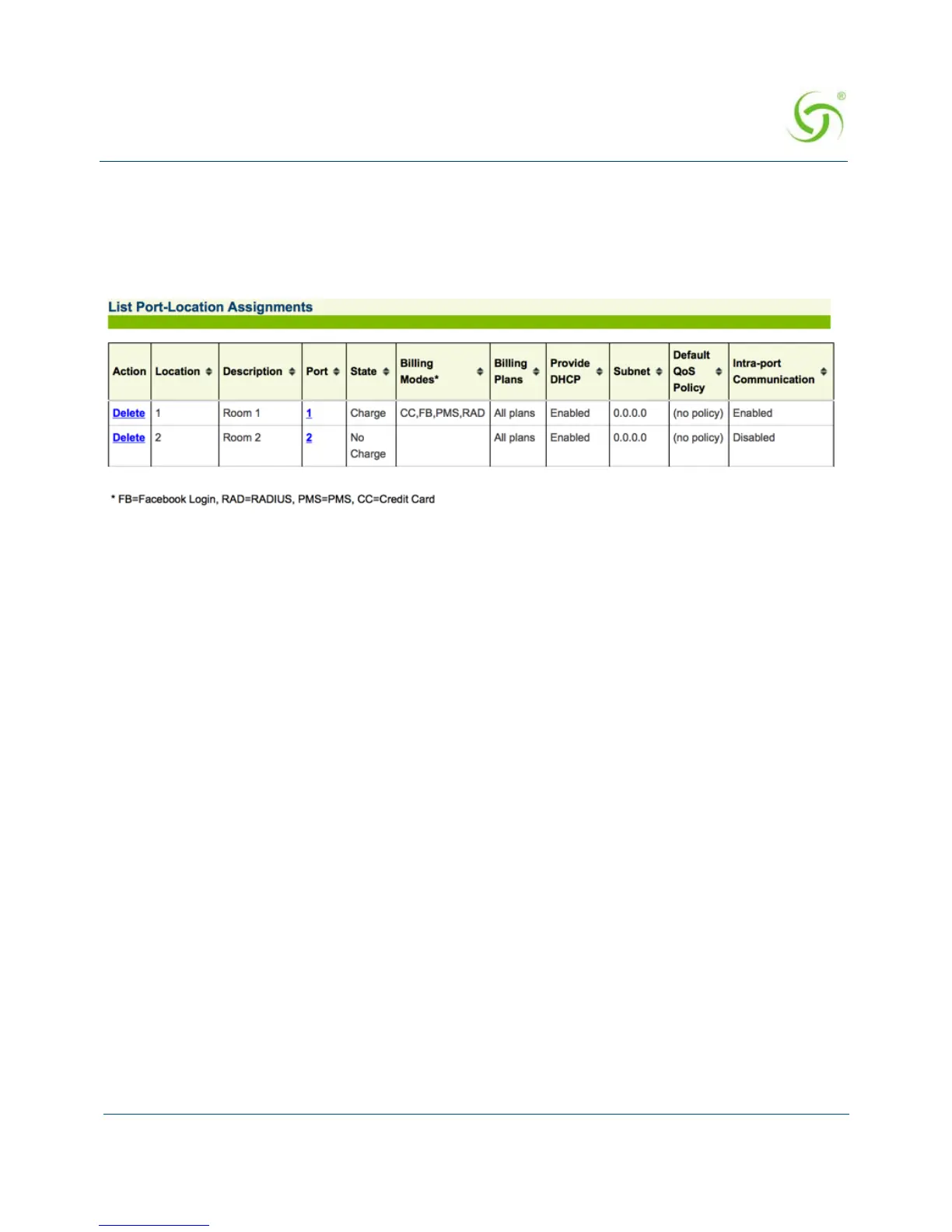
You can display a listing of all port-locations assigned to this system.
To view the listing of port-location assignments, select
Port-Location>List. The List Port-
Location Assignments screen appears:
Deleting Port-Location Assignments
To delete port-location assignments:
1. From the Web Management Interface, select Port-Location>List.
2.
Click on the Delete link to delete a particular port-location assignment.
You can also delete port-location assignments from the
Find by Description, Find by
Location, or Find by Port results.
Enabling Facebook Login for a Port Location
1. Click Port-Location -> List. Click on the Port number. The Process Port-Location
Assignment screen appears.



 To Next Page