ACCESS GATEWAY
268 System Administration
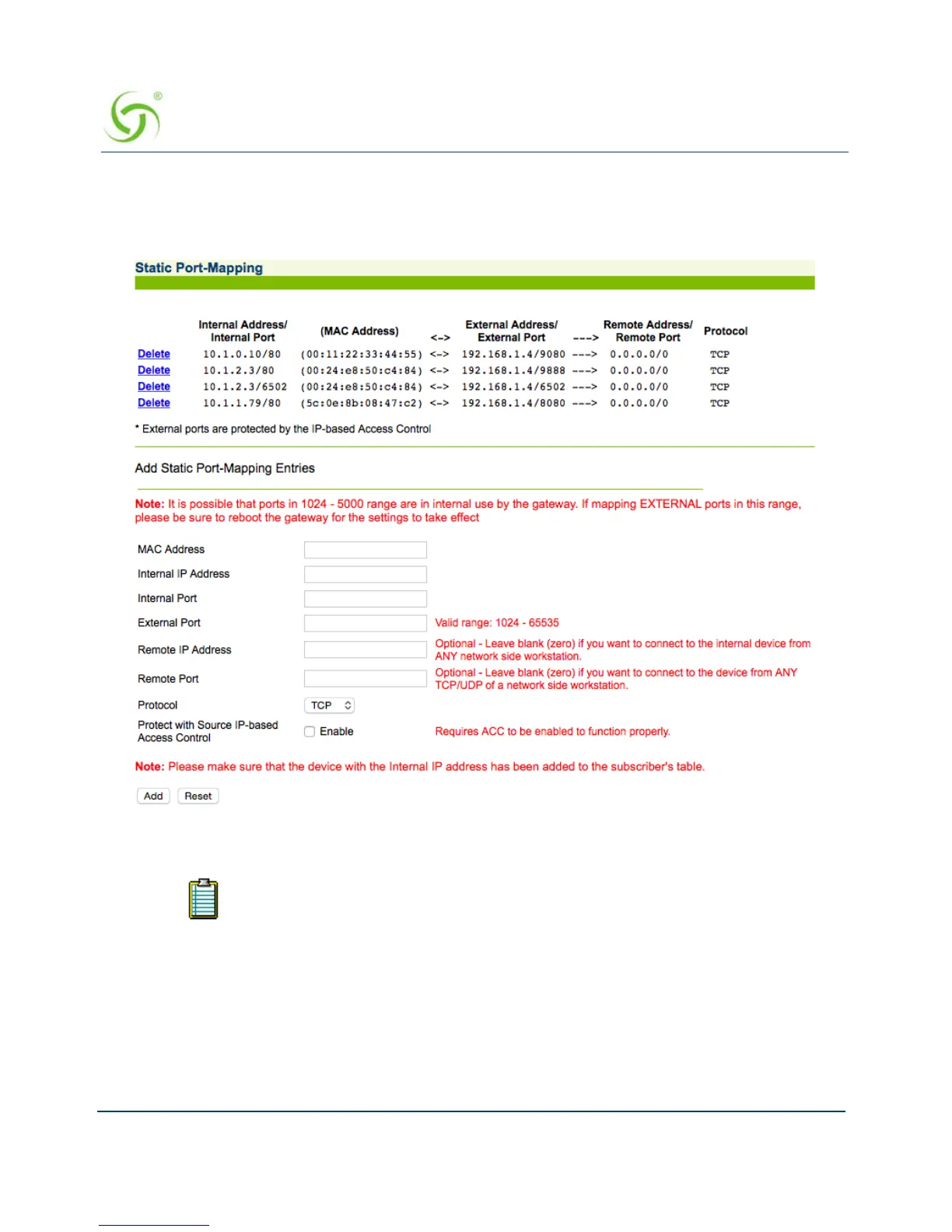
To add static ports
1. From the Web Management Interface, click on System, then Static Port-Mapping. The
Static Port-Mapping screen appears:
2. Enter the Internal IP Address.
3. Enter the Internal Port reference.
4. Enter a valid MAC Address.
Ensure that the device with the Internal IP Address has been added to the
subscriber’s table.



 To Next Page