ACCESS GATEWAY
System Administration 81
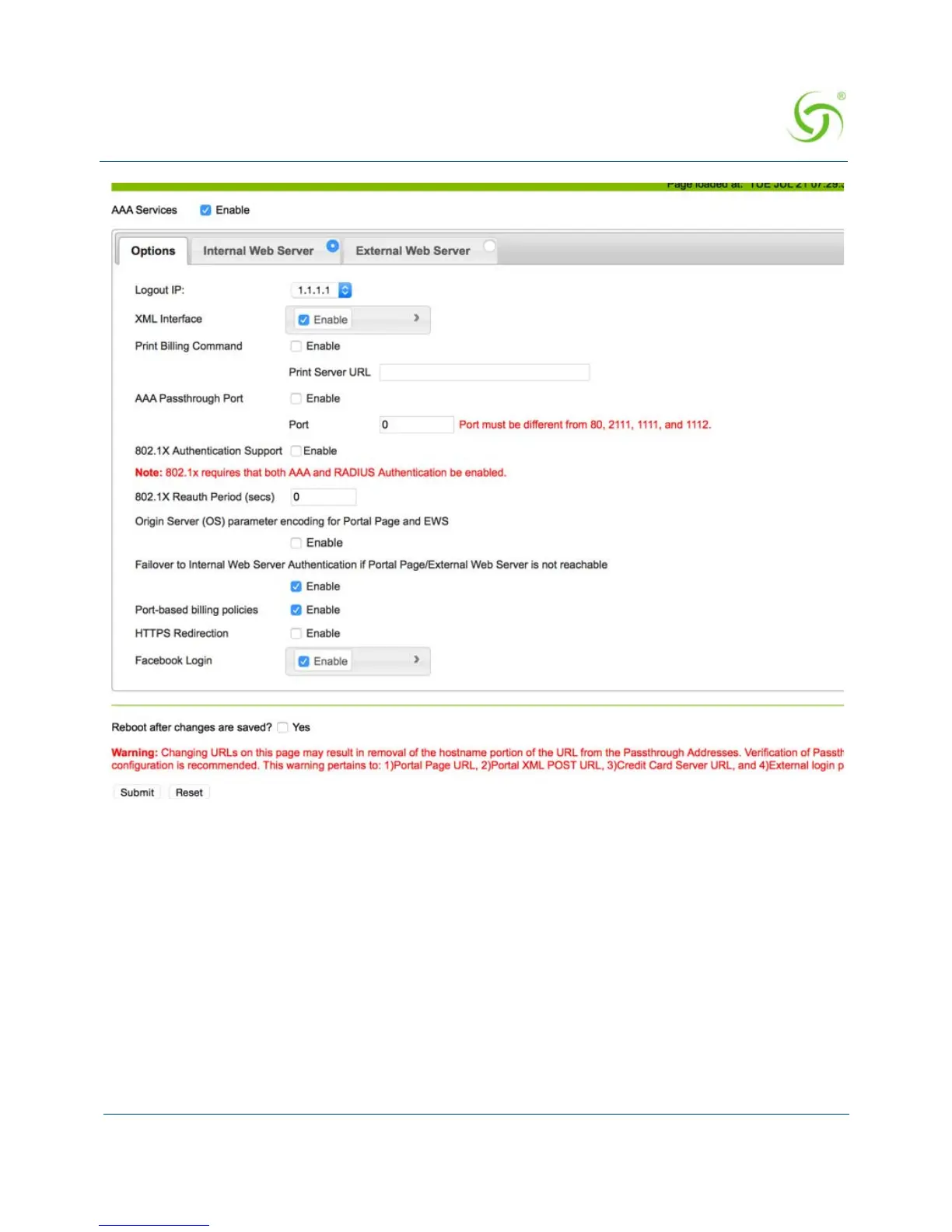
2. Enable or disable AAA Services. If you enable AAA Services, go to Step 3, otherwise this
feature is disabled and you can exit the procedure.
3. Select a Logout IP address from the drop-down list. The list contains IP address that can
be used as the logout IP address. The default IP address is 1.1.1.1.
4. Enable or disable the XML Interface, as required.
XML is used by the Access Gateway’s subscriber management module for port location
and user administration. Enabling the XML interface allows the Access Gateway to accept
and process XML commands from an external source. XML commands are sent over the
network to the Access Gateway. The Access Gateway parses the query string, executes the
commands specified by the string, and returns data to the system that initiated the
command request.
5. If you enabled the XML Interface feature, enter the XML IP (server) address.



 To Next Page