ACCESS GATEWAY
208 System Administration
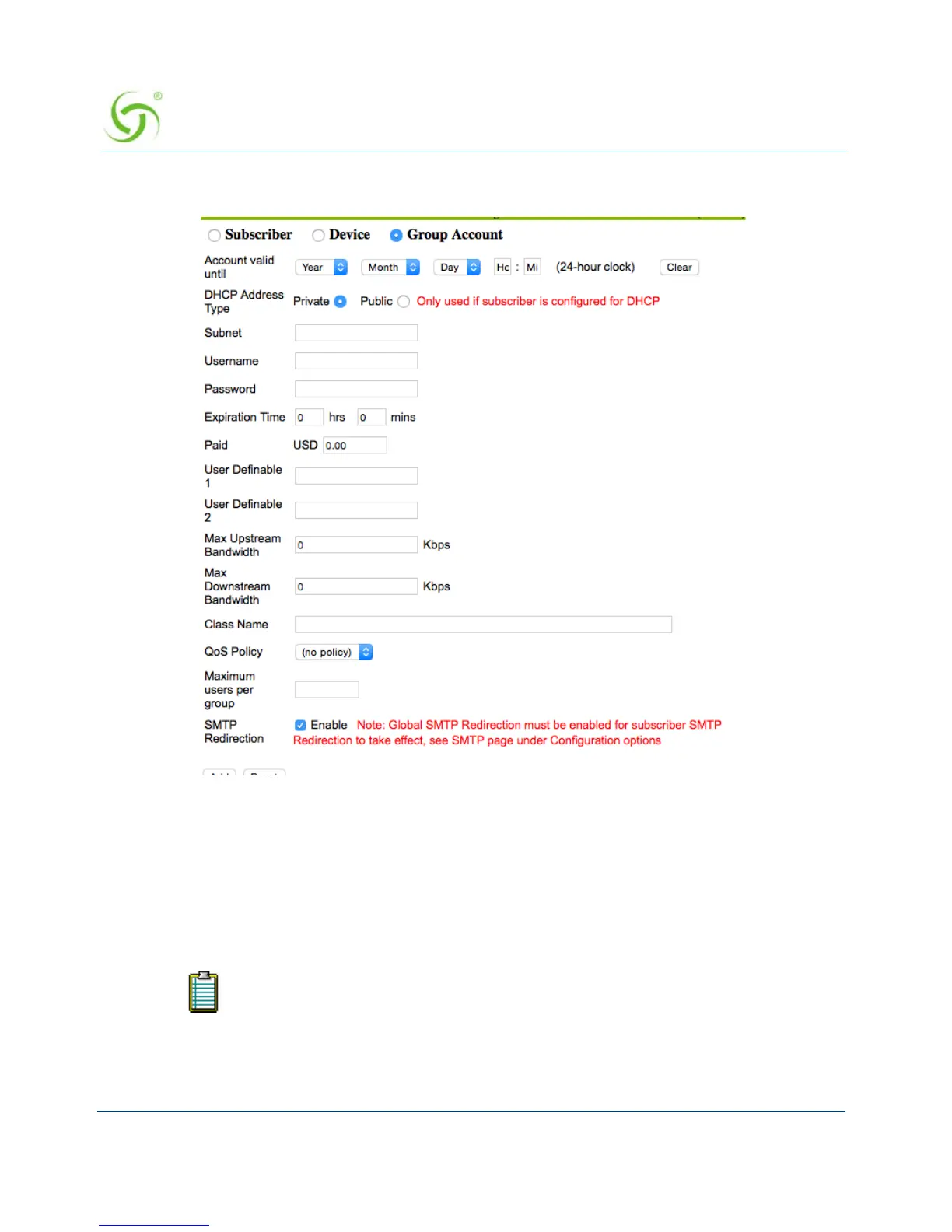
1. From the Web Management Interface, click on Subscriber Administration, then Add.
The Add a Subscriber Profile to the Database screen appears:
2. Choose the Group Account type for this profile.
3. Set the Account valid until field to set an expiration date for the group account.
4. Define the DHCP Address Type: Public or Private (only used when the IP Upsell feature
is enabled, otherwise leave this set to “private”).
5. Enter a valid Subnet address for this subscriber.
6. In the Username field, enter a user name for this subscriber.
7. If you assigned a user name, you must now assign a Password.
User names and passwords are required for Group Accounts.


 To Next Page
 Loading...








