3
3 BASIC UC4+ OPERATION
• Upon power-up a sequence of messages are temporarily displayed on
the control panel LCD screen. If the system is running in metric,
METRIC will be displayed briefly on the screen during set up.
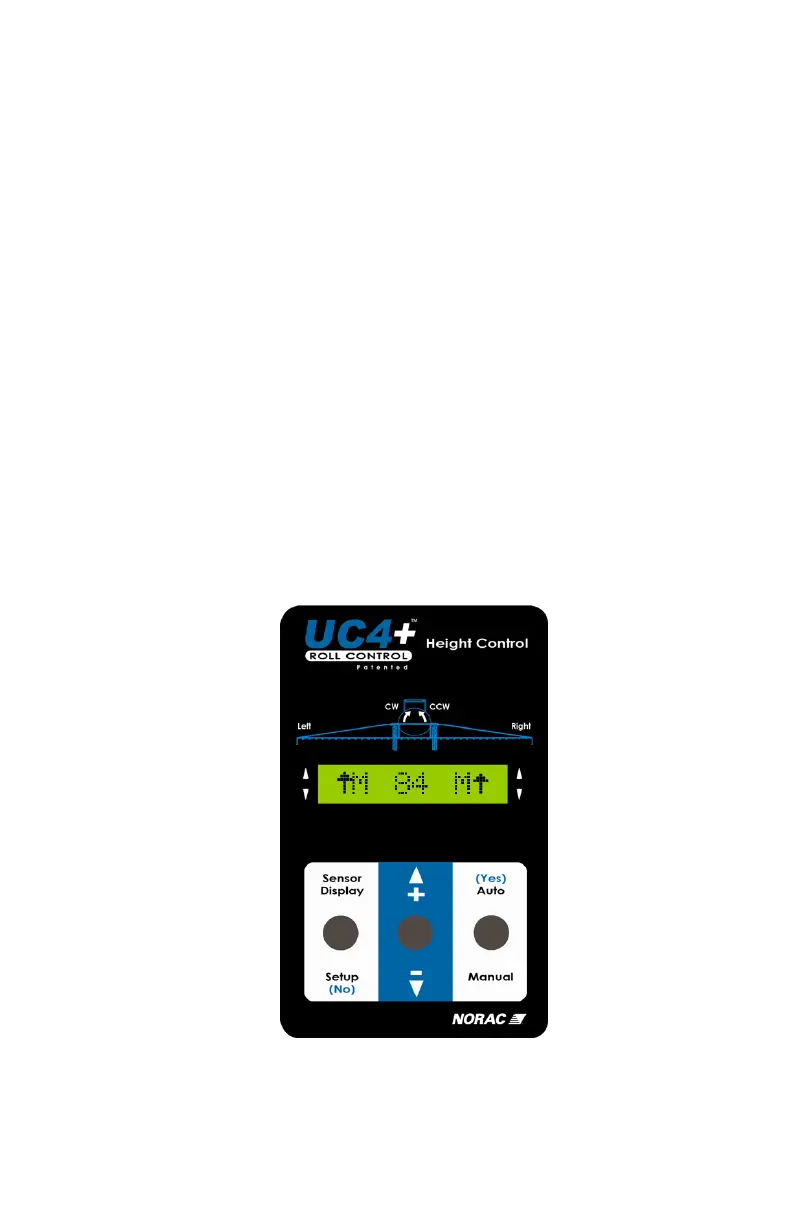
- The system is ready for use once the Normal Operating Screen
(Figure 1) is displayed.
• To access either the SENSOR DISPLAY or SETUP menus ensure you
are at the Normal Operating Screen.
- Toggle toward the menu you wish to access.
- Adjust the menu settings using the " +/- " switch while the prompt
is displayed.
• After 30 seconds menu prompts will return to the Normal Operating
Screen.
• To return to the Normal Operating Screen toggle and hold the "SETUP
(NO)" switch for two seconds.
• New settings take effect once the Normal Operating Screen is displayed.
Figure 1 – Normal Operationg Screen



 To Next Page