5
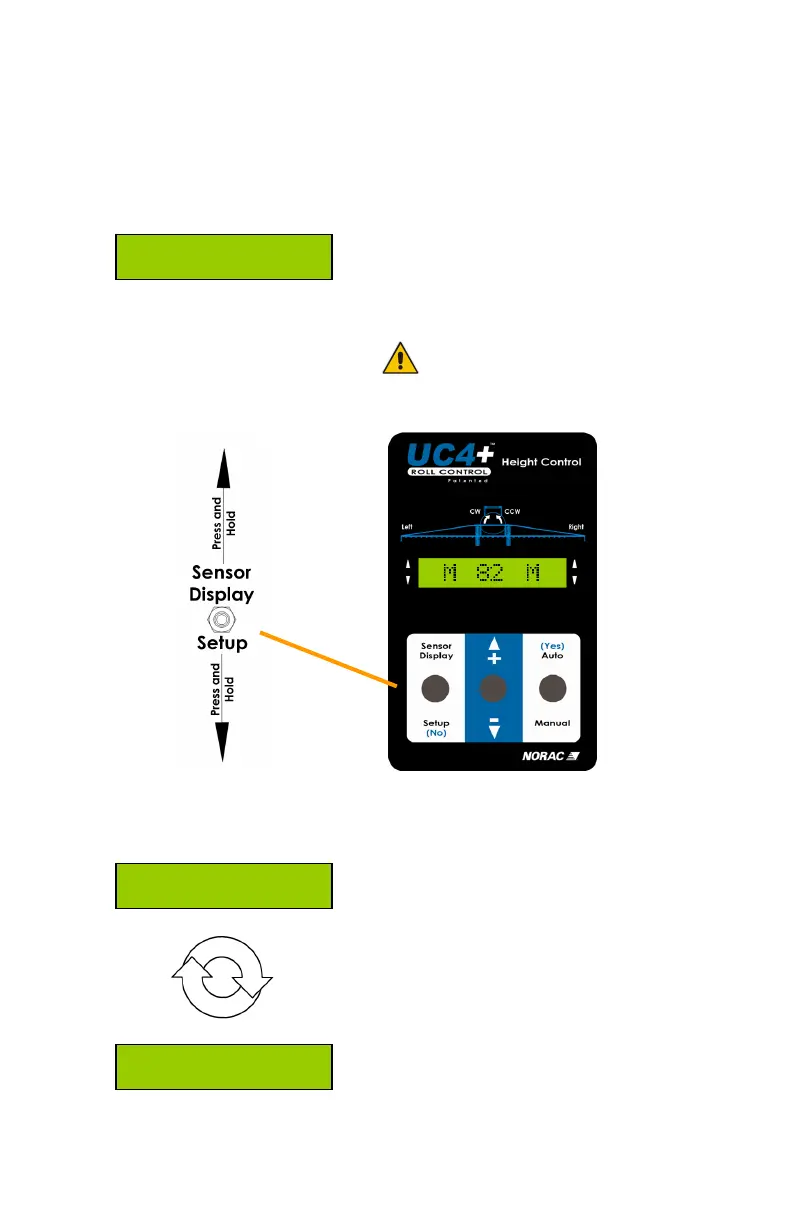
3.2 PRESS-AND-HOLD FUNCTIONS
VT. 53
Valve and Air Temperature:
Pressing and holding SETUP will
cycle the display between the valve
block temperature (VT) and the air
temperature (AT).
The valve block temperature is
related to the hydraulic oil
temperature.
Metric (cm height) = Celsius
Imperial (inch height) = Fahrenheit
Main
Operating
Screen
AT. 48
Alrm On
Alarm:
Pressing and holding SENSOR
DISPLAY will enable/disable the
alarm. If enabled, the alarm will
sound if an ultrasonic sensor has
lost a reading.
The alarm is defaulted OFF.



 To Next Page