Step 9. Configure Optional LiDAR Properties
If the optional iLiDAR is installed, the orientation base must be set in device properties. This should
be set to Down-Across assuming the scanner is installed in the standard configuration with
connector aft. Refer to the PDS manual for more details.
Step 10. Configure Height Source
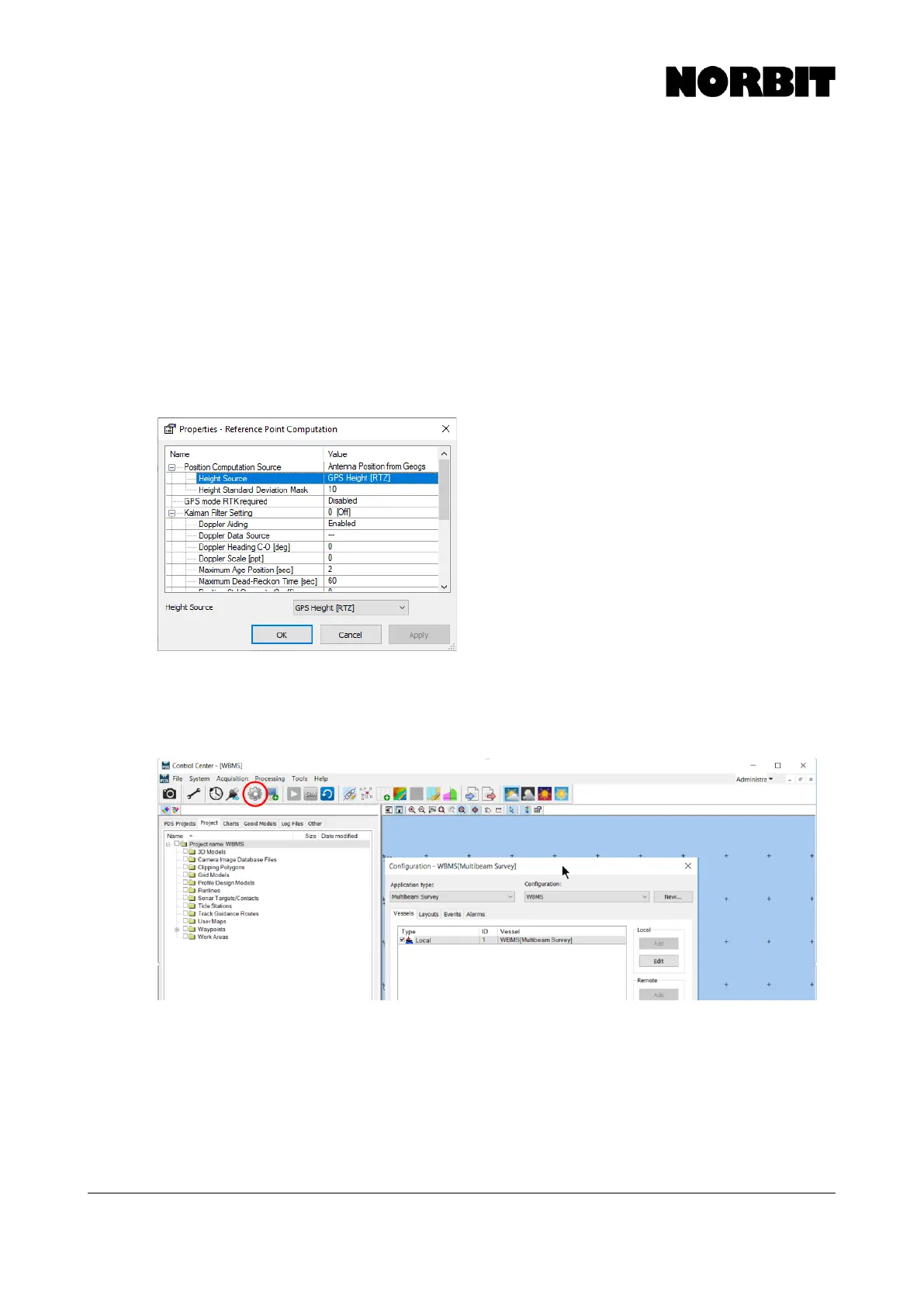
Select Reference Point Computation under the positioning device and double click, or press Edit.
The height source can be set to GPS Height [RTZ] if RTK positioning is available, and if you wish
for these heights to be used for depth reduction. Otherwise, set this to None.
Height Standard Deviation Mask is a user-defined quality threshold for utilizing RTK heights in the
depth calculation. By default, it is set to 0.1m, which means that the GPS Height source will only be
applied if the altitude quality reported by the sensor is <0.1m. To ensure that RTK heights are always
used regardless of reported quality, set the deviation mask to a high value, e.g. 10m.
Step 11. Complete the Wizard
Now the essential steps are complete. The next pages of the wizard contain optional setup steps,
details of which are available in the PDS manual. Finish the wizard to return to PDS Control Center.
To return to these settings and modify the vessel configuration, click the gear icon on the toolbar.



 To Next Page