10.4.3 User Manual Contents April 17, 2020
Firmware: 5.2.1 Page 107 of 142
NaviPac Setup
NaviPac is required to perform a multibeam survey with EIVA. It is utilized by the helmsman display,
and some additional information is shared with the online recording module, NaviScan.
The configuration is performed via the NaviPac Configuration utility. Applanix POS MV is the only
required device. Additional survey information may be configured here, but this guide only addresses
the essential setup steps required to perform a survey.
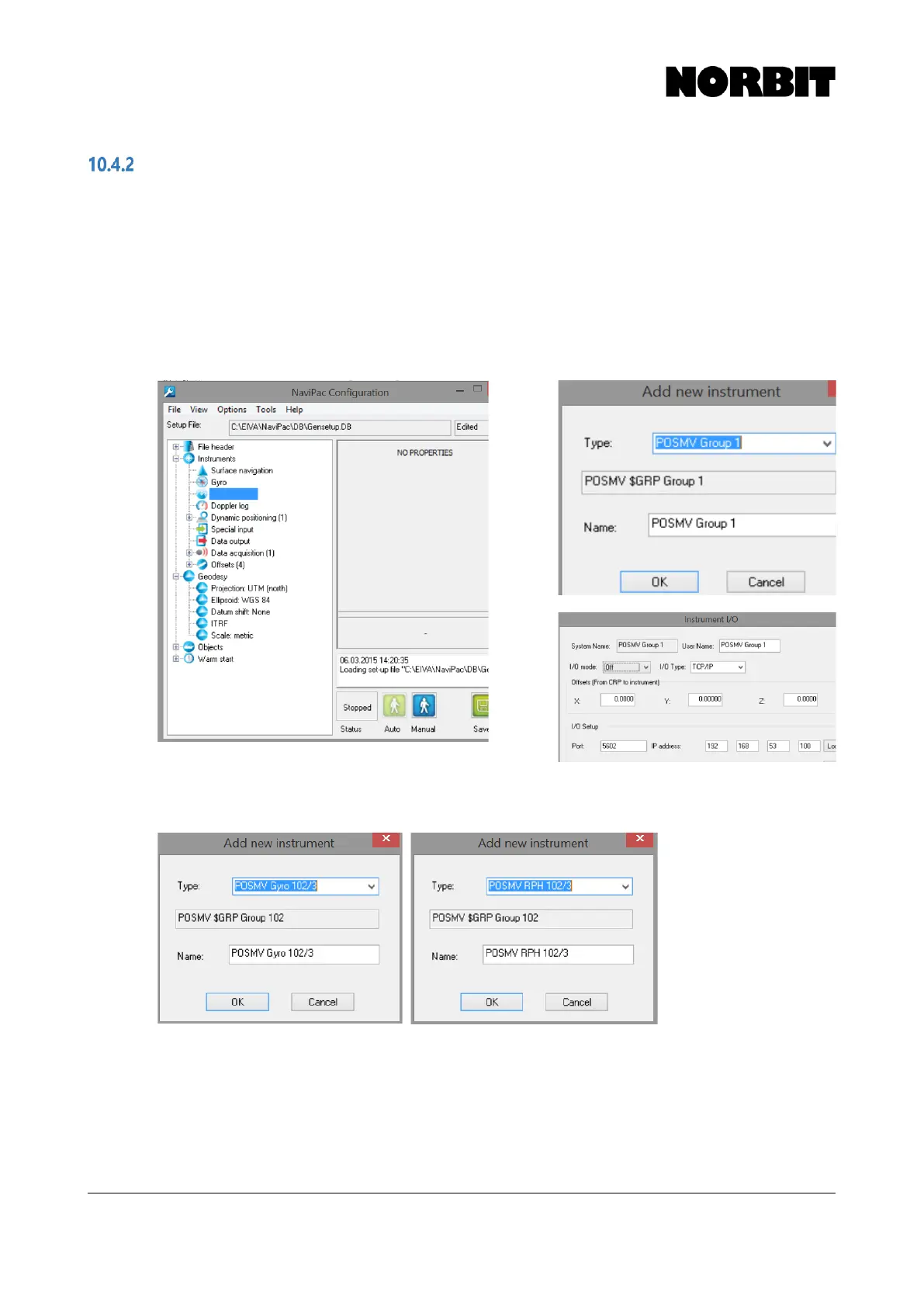
Step 1. Add Surface Navigation Instrument
Under Instruments, right click Surface Navigation and add new item. Select POSMV Group 1 from
the dropdown list. Enter the network communication parameters, as per below:
Step 2. Add Gyro and Motion Instruments
Add a Gyro instrument and select POSMV Gyro 102/3. For Motion, select POSMV RPH 102/3



 To Next Page