10.4.3 User Manual Contents April 17, 2020
Firmware: 5.2.1 Page 108 of 142
NaviScan Setup
The next step involves adding sensors to NaviScan under the equipment, add sensor drop down
menu. To integrate the Applanix INS with EIVA each function must be brought in separately.
Therefore, a separate system must be installed for attitude, heading/gyro, and positioning.
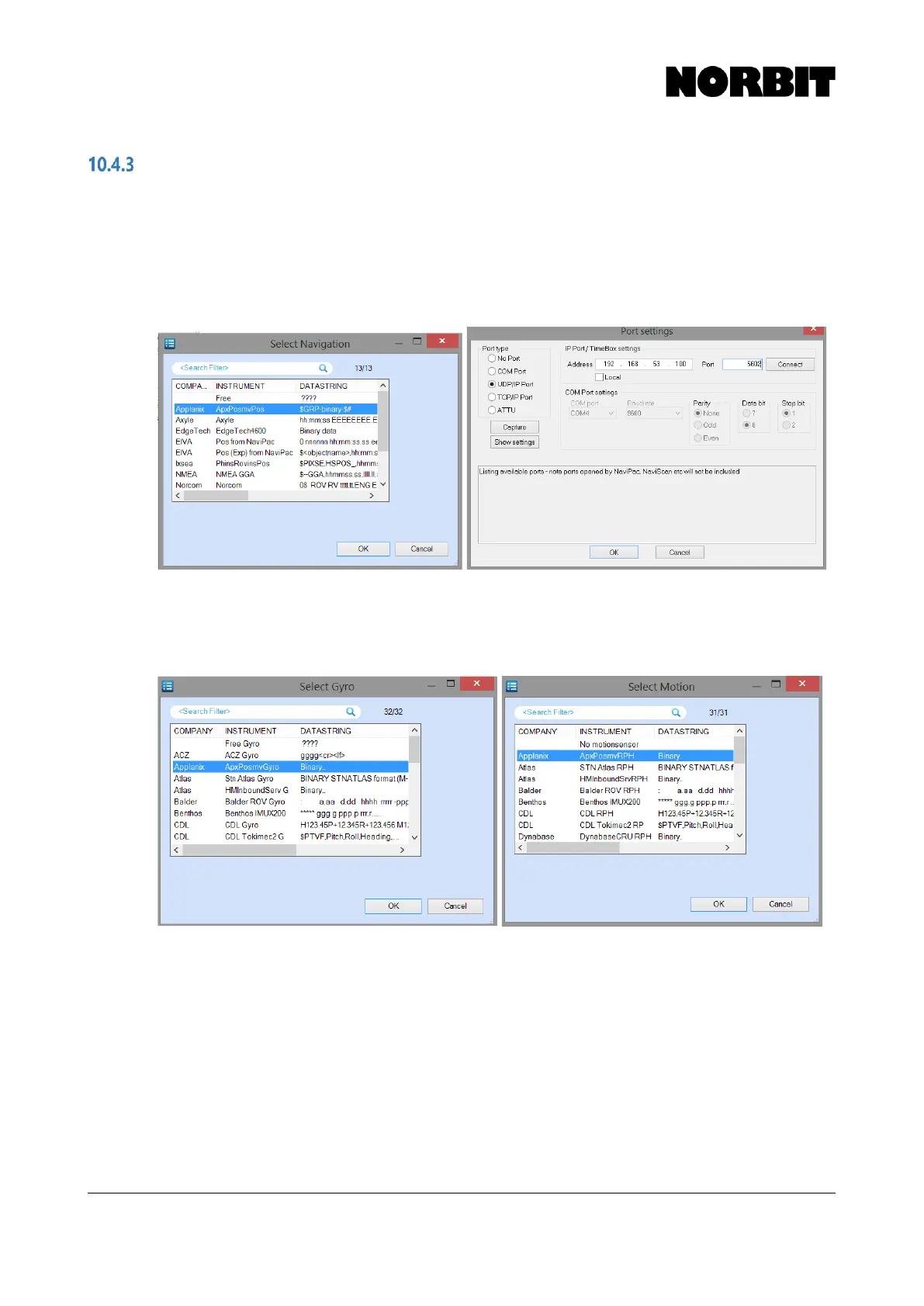
Step 3. Add Position Sensor
Begin by adding the position sensor. Select position sensor and add Applanix POS MV and configure
the network settings to IP address 192.168.53.100, on UDP port 5602.
Step 4. Add Gyro Sensor and Motion Sensor
Repeat the previous step to add the Gyro sensor and the Motion sensor. Under add sensor, select
Gyro and Motion, respectively, and in each case choose the Applanix option. Configure the network
settings as per the previous step.



 To Next Page