10.4.3 User Manual Contents April 17, 2020
Firmware: 5.2.1 Page 109 of 142
Step 5. Add Echosounder
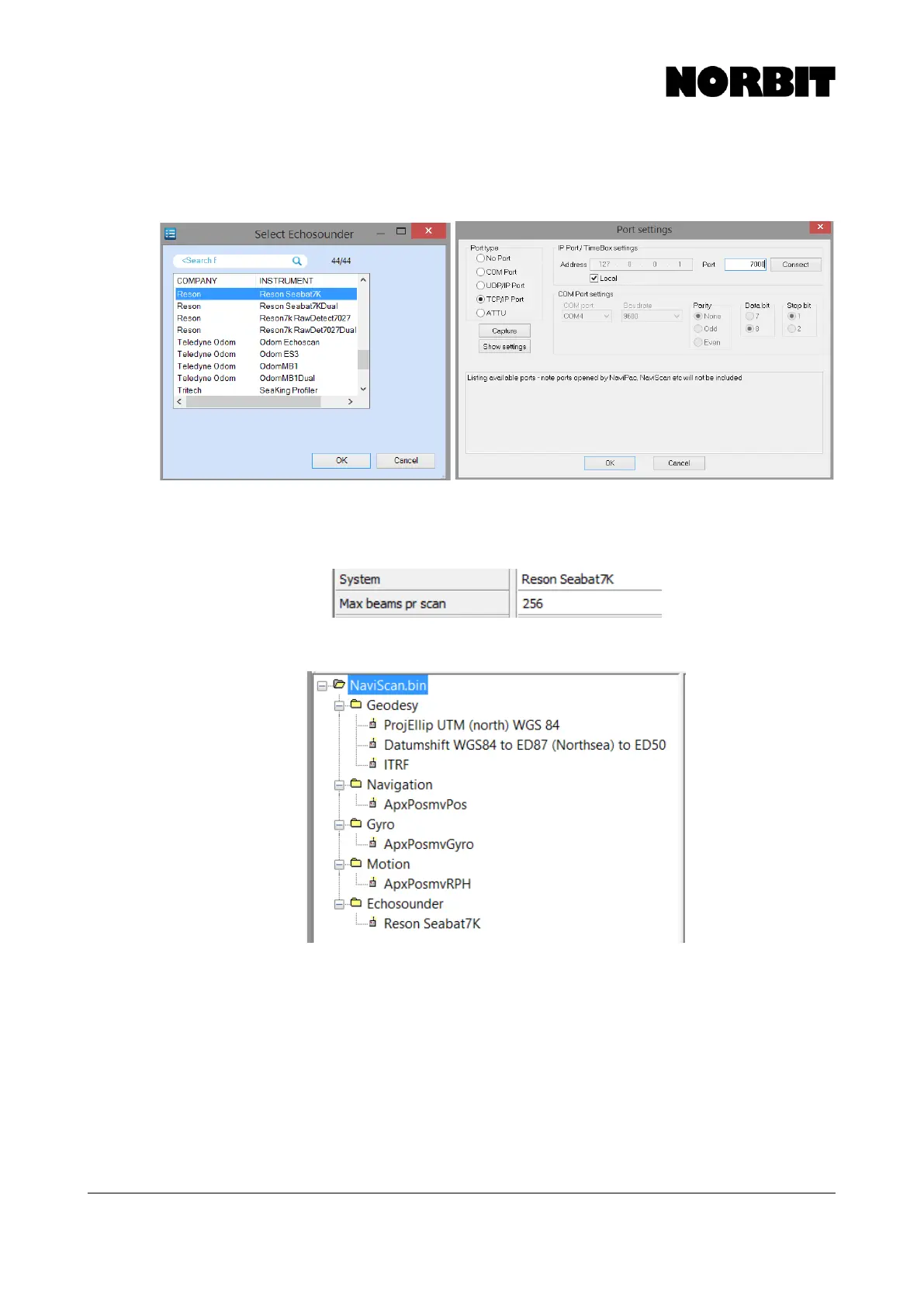
To integrate the WBMS, go to Add Sensor and choose Echosounder. Select the Reson SeaBat 7k
driver. In the port settings select TCP/IP Port, enable Local, and use port 7000.
Step 6. Configure Max Beams
Click on Reson SeaBat 7k under multibeam in the project tree. To the right of the project tree, under
enter 256 for Max beams per scan.
The final NaviScan project tree looks like the following:



 To Next Page