10.4.3 User Manual Contents April 17, 2020
Firmware: 5.2.1 Page 74 of 142
QINSY, double-click SNTP Server – this should automatically start the
server. If not, the user may have to change (UDP) port in the Options
menu inside SNTP Server. Once server is running, go to the NORBIT
GUI and go to Advanced > Options > Timing and Triggering, select
NTP+PPS pos, select the proper IP and click Apply.
“Sonar timing incorrect”
pop-up window remains
even after antennas pick
up satellites
• This may happen sometimes if the POS MV reboots slower than the
sonar. You can manually close the pop-up window in this case. If
sonar timing is incorrect, the timing row in the main GUI display will
remain red.
iWBMSc has incorrect
heading after powering up
• Restart the SIU. Make sure vessel has some motion during alignment
process. See NovAtel section of this manual for further information.
No NORBIT data in PDS or
EIVA
• Ensure that force push is checked under Connection settings in GUI.
Smears appear in the
snippets record
• PC load is too high, and it is unable to properly process the high data
load. Try reducing PC load by closing unused programs and non-
critical windows in the acquisition software. Older slower computers
may not be able to handle the data load and a newer computer may
need to be used.
Text in GUI appears too
cramped
• In Windows, go to Change Display Settings, and change the Scale
and Layout values; more specifically, change the value under
“Change the size of text, apps, and other items”
INS Logging light it Red or
Orange
• Open INS Setup Wizard and apply Factory defaults
• Reboot PC
• Turn off firewalls.
9.3
SIU Grounding
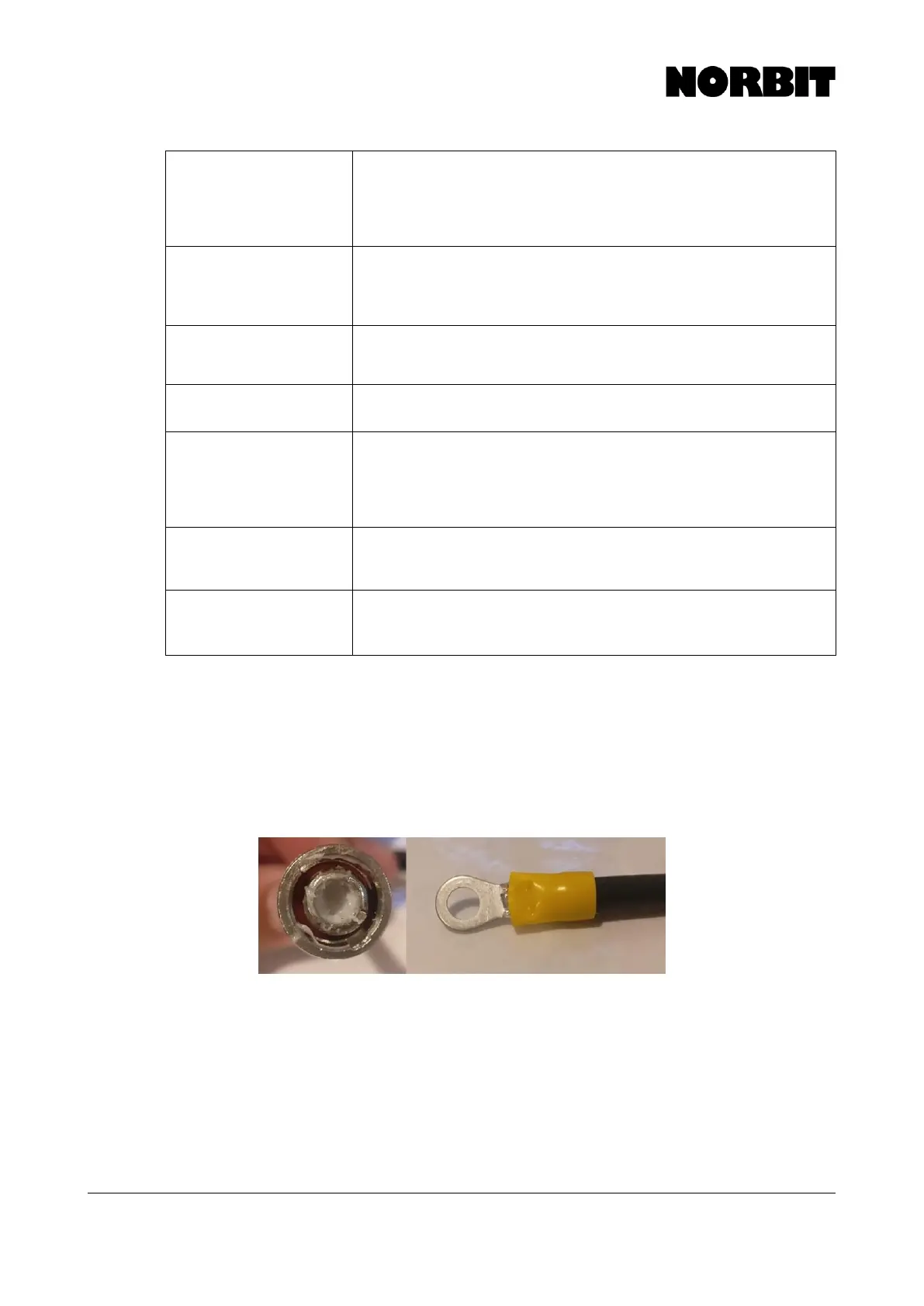
In some cases, the SIU may need to be grounded for proper operation. Some symptoms of possible
grounding issues are, IMU failures, sonar boot up issues. If you do not see a grounding screw on
the SIU, NORBIT advises that you use the BNC connection. To ground the system, find a BNC cable
and break off the pin inside the connector. On the other end expose the ground shielding, using the
outer braid of wires and crimp a connection to them (see below image). Connect the BNC connection
to the SIU and the other end to either a metal part of the vessel or a wire that is in the water.
9.4
Finding the Computer IP Address
To find the IP address of the PC operating the NORBIT GUI, open command prompt from the
Windows Start Menu and then type ipconfig and press enter. Then search for the IPv4 IP address.
Depending on what type of connection is present, either look for the wired or wireless IPv4 address.
Note, you may need to run command prompt with administrator rights (right-click and select Run as
administrator).



 To Next Page