10.4.3 User Manual Contents April 17, 2020
Firmware: 5.2.1 Page 79 of 142
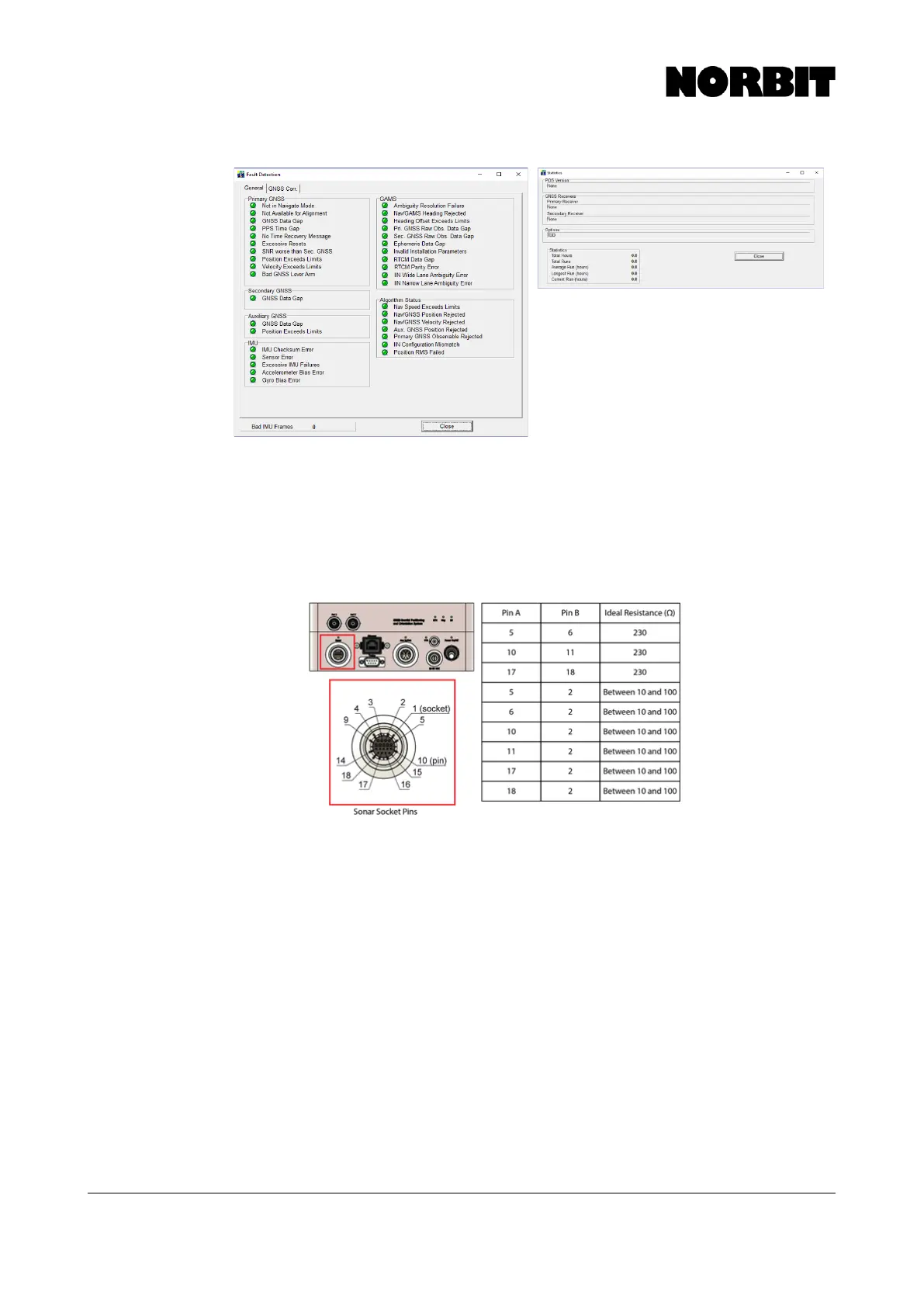
8. Resistance/Continuity Test: If the IMU remains unresponsive or POSView shows IMU
Failure, perform the “resistance test” to check the status of circuit components. A
multimeter is required for the measurement of resistances across nine pairs of sonar
socket pins. The illustration below shows the socket diagram and corresponding
resistance when functioning correctly. Please measure the resistances and send the
results to NORBIT Support.
9. Factory Reset: For users of iWBMS(x) with Applanix inertial sensors, and NORBIT GUI
10.2 or later, if errors pertaining to the INS persist, attempt a Factory Reset. Go to INS
Tools > INS Setup Wizard and select Factory. Then close the window.
10. Applanix/POSPac Recording: For motion, heading or position artefacts in the data,
please send NORBIT Support a *.000 file for further diagnosis and troubleshooting.



 To Next Page