10.4.3 User Manual Contents April 17, 2020
Firmware: 5.2.1 Page 95 of 142
Step 6. Add Side Scan System (Optional)
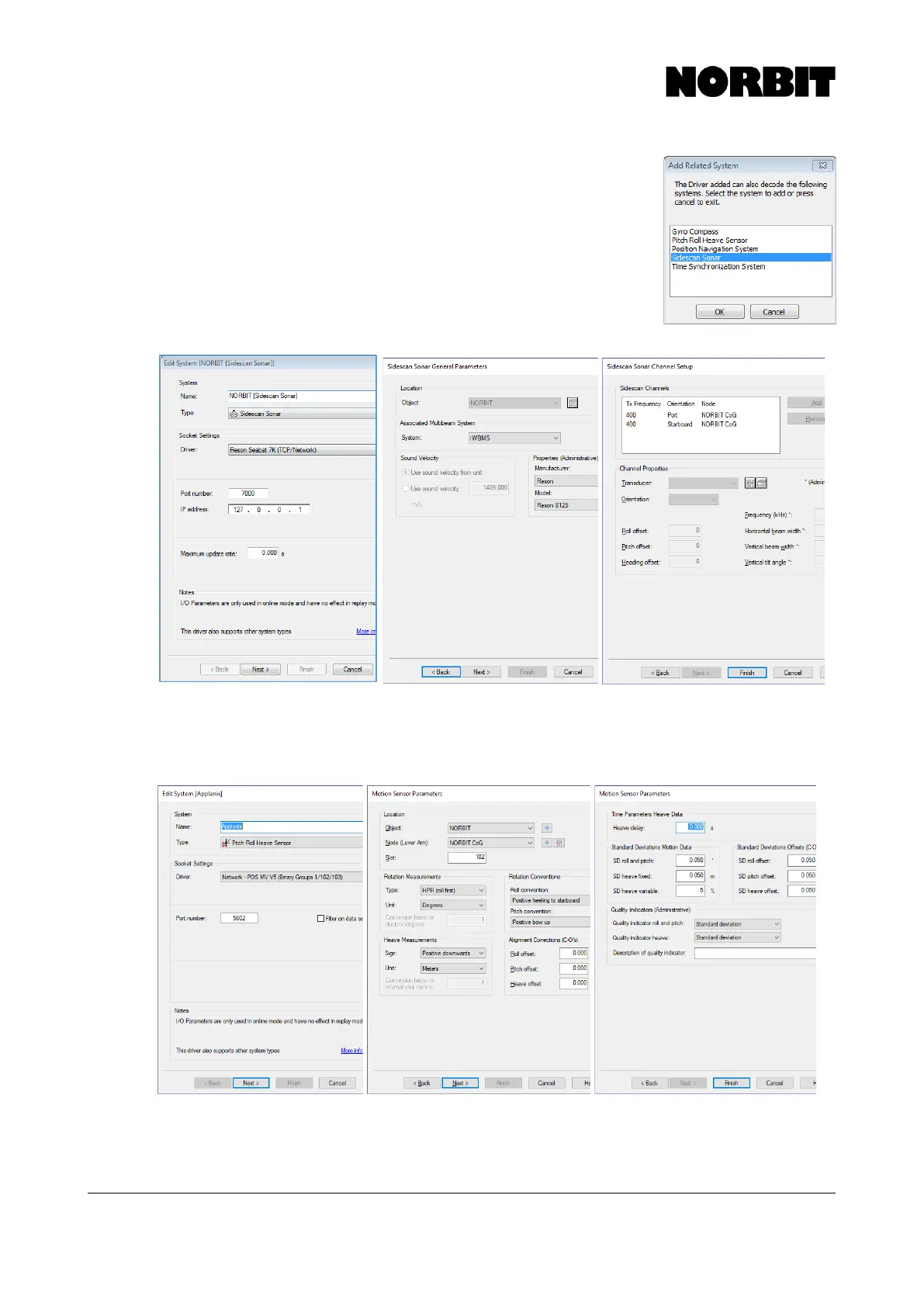
After completing the previous step, the user is prompted to configure
additional related systems. If side scan data is required, add it now.
To set up the NORBIT side scan in QINSy configure the pages as shown
below. A port and starboard channel must be added and specify the
frequency. Items marked with an asterisk (*) will not impact the data and
are only for record keeping. Click Finish when done.
Step 7. Add Pitch/Roll/Heave System
From the Database Setup window, right-click System, click New System and add a Pitch/Roll/Heave
sensor. Please note that for Applanix POS MV systems, the sign convention is positive downwards:



 To Next Page