10.4.3 User Manual Contents April 17, 2020
Firmware: 5.2.1 Page 97 of 142
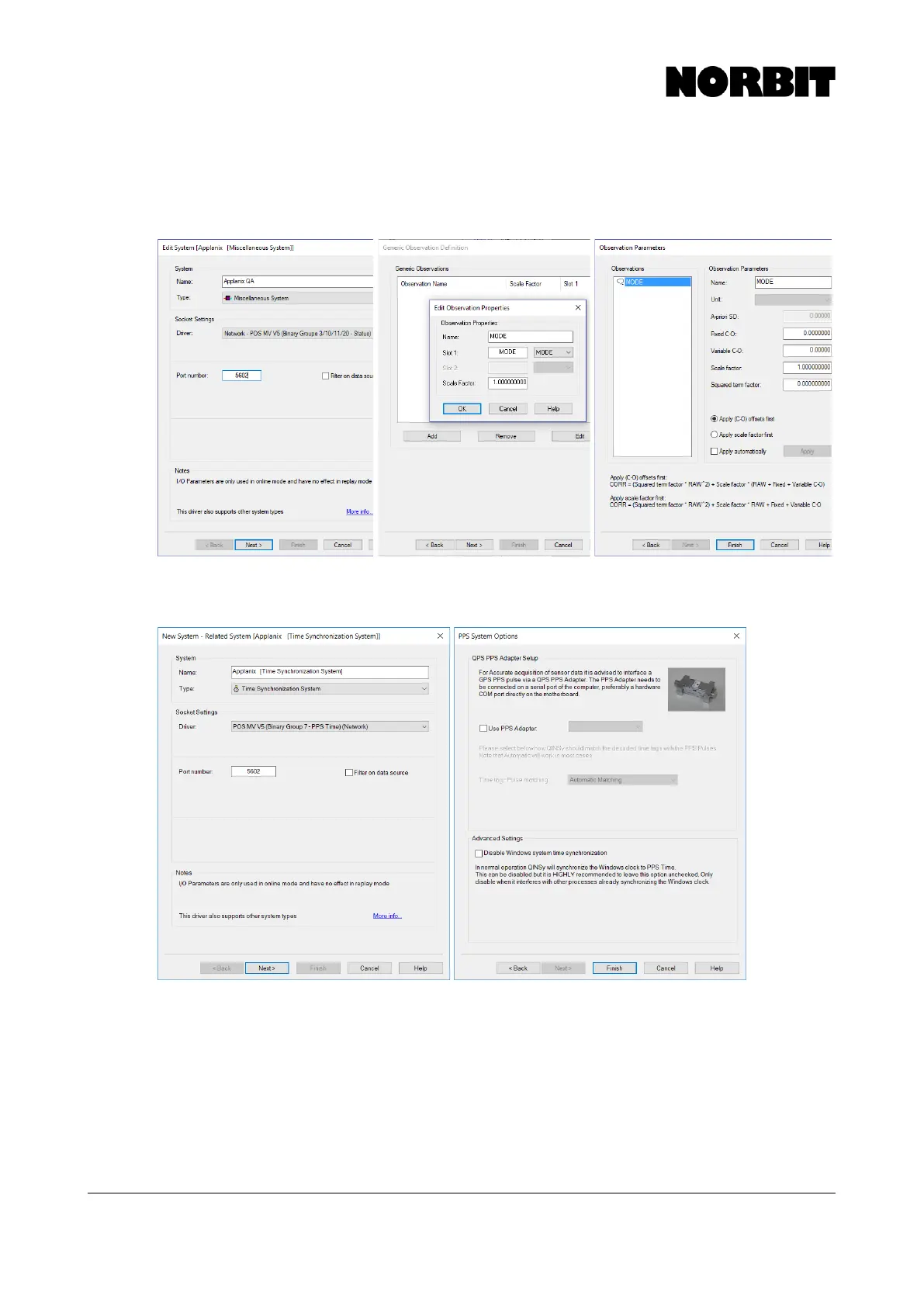
Step 10. Output Quality Information (Optional)
To configure the iWBMS, iWBMSh or iWBMSe (with Applanix) to output quality information, add a
Miscellaneous system as per below:
Step 11. Add Time Synchronization System
A time synchronization system must be added. Use binary group 7 without a PPS box.



 To Next Page