EasyManua.ls Logo

NordicTrack RW 850 - User Manual

NordicTrack RW 850
28 pages
Print Icon
To Next Page IconTo Next Page
Loading...
Serial Number
Decal (under rail)
USER’S MANUAL
Model No. NTEVRW10918.0
Serial No.
Write the serial number in the space
above for reference.
iconeurope.com
CAUTION
Read all precautions and
instructions in this manual before
using this equipment. Keep this
manual for future reference.
CUSTOMER SERVICE
UNITED KINGDOM
Call: 0330 123 1045
From Ireland: 053 92 36102
Website: iconsupport.eu
E-mail: csuk@iconeurope.com
Write:
ICON Health & Fitness, Ltd.
Unit 4, Westgate Court
Silkwood Park
OSSETT
WF5 9TT
UNITED KINGDOM
AUSTRALIA
Call: 1800 993 770
E-mail: australiacc@iconfitness.com
Write:
ICON Health & Fitness
PO Box 635
WINSTON HILLS NSW 2153
AUSTRALIA
Question and Answer IconNeed help?

Do you have a question about the NordicTrack RW 850 and is the answer not in the manual?

Summary

Warning Decal Placement

Important Precautions

Before You Begin

Assembly

How to Use the Rower

How to Plug in the Power Adapter

Instructions for connecting the power adapter to the rower and outlet.

How to Adjust the Resistance

How to adjust resistance digitally and manually using the console and handle.

How to Adjust the Foot Pads

Steps to adjust the foot pads for proper fit and security.

How to Adjust the Console Viewing Angle

Guide to adjusting the console's viewing angle for comfort.

How to Use the Tablet Holder

Instructions for inserting, securing, and adjusting a tablet in the holder.

How to Fold and Store the Rower

Steps for folding the rower for storage and how to unfold it.

How to Move the Rower in the Unfolded Position

How to move the rower on its wheels when unfolded.

How to Move the Rower in the Folded Position

How to move the rower on its wheels when folded.

How to Row on the Rower

Detailed explanation of the three phases of rowing: Catch, Drive, Finish.

Console Diagram

How to Use the Manual Mode

Understanding Console Displays

Explanation of various data displayed on the console during workouts.

How to Use an Onboard Workout

How to Connect Your Tablet to the Console

How to Connect Your Heart Rate Monitor to the Console

How to Use the Sound System

The Optional Chest Heart Rate Monitor

How to Change Console Settings

Maintenance and Troubleshooting

Maintenance

Guidelines for regular maintenance and cleaning of the rower.

Console Troubleshooting

Steps to troubleshoot issues with the console not turning on.

Tablet Holder Troubleshooting

How to fix the tablet holder if it doesn't stay in place.

How to Adjust the Reed Switch

Exercise Guidelines

Exercise Intensity

Explains how to use heart rate zones for fat burning and aerobic exercise.

Workout Guidelines

Recommendations for warming up, training zone duration, and cooling down.

Exercise Frequency

Guidance on how often to exercise for condition maintenance or improvement.

Suggested Stretches

Toe Touch Stretch

Instructions for performing a toe touch stretch.

Hamstring Stretch

Instructions for performing a hamstring stretch.

Calf;Achilles Stretch

Instructions for performing a calf/achilles stretch.

Quadriceps Stretch

Instructions for performing a quadriceps stretch.

Part List

Exploded Drawing A

Exploded Drawing B

Ordering Replacement Parts

Recycling Information

Overview

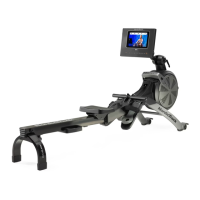
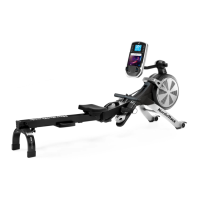
The NordicTrack RW 850 is a home-use rowing machine designed to enhance cardiovascular fitness, build endurance, and tone the body. It features both digital and manual resistance adjustments, a console for tracking workout progress, and connectivity options for tablets and heart rate monitors.

Function Description:

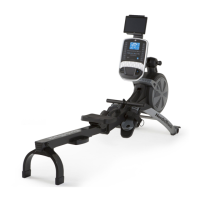
The NordicTrack RW 850 rower provides a full-body workout by simulating the motion of rowing. Users sit on a seat that slides along a rail, placing their feet in adjustable foot pads, and pulling a row bar with an overhand grip. The resistance can be adjusted to vary the intensity of the exercise. The console displays various workout metrics, and the rower can be folded for storage to conserve space.

Important Technical Specifications:

  • Model Number: NTEVRW10918.0
  • User Weight Limit: 286 lbs. (130 kg)
  • Dimensions (Unfolded):
    • Length: 7 ft. 3 in. (221 cm)
    • Width: 1 ft. 10 in. (56 cm)
  • Weight: 90 lbs. (41 kg)
  • Power: Requires a power adapter (included) for console operation.
  • Connectivity: Bluetooth® Smart for tablets (via iFit-Smart Cardio Equipment app) and compatible heart rate monitors.
  • Resistance: Adjustable both digitally via console buttons and manually via a resistance handle.

Usage Features:

  • Console Operation: The console turns on by beginning to row or pressing any button. It offers a manual mode and various onboard workouts.
  • Manual Mode: Allows users to adjust resistance digitally using increase/decrease buttons or quick resistance buttons, and fine-tune it manually with the resistance handle. The console displays continuous exercise feedback including Calories, Calories per Hour (Cals/Hr), Meters Per Minute, Pulse (BPM), Pulse Average (BPM AVG), Resistance level, Strokes, Strokes Per Minute (SPM), Strokes Per Minute Average (SPM AVG), Time, Watts, Average Watts, 500 Meter Split, and 500 Meter Split Average. It also features Scan Mode and Priority Mode for display customization.
  • Onboard Workouts: The console offers pre-programmed workouts (Calorie or Performance based) that automatically adjust resistance levels. Users can manually override resistance settings during a workout.
  • Tablet Holder: Designed for most full-size tablets, allowing users to secure their tablet for entertainment or to use the iFit-Smart Cardio Equipment app.
  • iFit®-Smart Cardio Equipment App: Connects to the console via Bluetooth to record and track workout information. Users must download and install the app on their iOS® or Android™ tablet.
  • Heart Rate Monitoring: Compatible with Bluetooth® Smart heart rate monitors. The console displays heart rate in BPM and average BPM. If connecting both a heart rate monitor and a tablet, the heart rate monitor must be connected first.
  • Sound System: Allows users to play music or audio books through the console's sound system by connecting a 3.5 mm audio cable (not included) from a personal audio player to the console. Volume can be adjusted via console buttons.
  • Adjustable Foot Pads: Foot pads can be slid to the desired position and secured with straps to accommodate different foot sizes.
  • Adjustable Console Viewing Angle: The console's neck can be raised or lowered to achieve an optimal viewing angle by loosening and tightening a knob.
  • Folding and Storage: The rower can be folded into a compact position for storage. To store, slide the seat to the rear, lift the frame and rail handles, and tip the rower forward onto the shields and storage feet. The folding clamp then engages a bar on the stabilizer. To unfold, place a foot on a stabilizer foot, pull the rail handle outward to disengage the clamp, and lower the rail to the floor.
  • Moving the Rower: In the unfolded position, the rower can be moved by lifting the rail until it rolls on its wheels. In the folded position, hold the frame handle, place a foot on a stabilizer foot, and tip the rower until it rolls on its wheels.
  • Exercise Guidelines: The manual provides guidelines for exercise intensity (fat burning and aerobic exercise zones based on age and heart rate), workout structure (warming up, training zone exercise, cooling down), and exercise frequency.

Maintenance Features:

  • Regular Inspection: Users should inspect and properly tighten all parts each time the rower is used and replace any worn parts immediately.
  • Cleaning: The rower should be cleaned with a damp cloth and a mild detergent. It is important to keep liquids away from the console and keep the console out of direct sunlight to prevent damage. The rail, seat carriage, and carriage rollers should be cleaned daily for best results.
  • Console Troubleshooting: If the console does not turn on, ensure the power adapter is fully plugged in. Only a manufacturer-supplied regulated power adapter should be used for replacement.
  • Tablet Holder Troubleshooting: If the tablet holder does not stay in place, rotate it backward and tighten the indicated screw until it remains in the desired position.
  • Reed Switch Adjustment: If the console does not display correct feedback, the reed switch may need adjustment. This involves removing the resistance handle and shields, locating the reed switch and magnet, and adjusting the switch's position relative to the magnet.

NordicTrack RW 850 Specifications

General IconGeneral
BrandNordicTrack
ModelRW 850
CategoryFitness Equipment
LanguageEnglish

Related product manuals