EasyManua.ls Logo

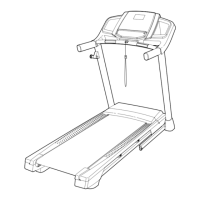
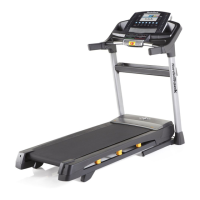
NordicTrack T 12.2 Treadmill - User Manual

NordicTrack T 12.2 Treadmill
36 pages
Print Icon
To Next Page IconTo Next Page
Loading...
USER’S MANUAL
CAUTION
Read all precautions and instruc-
tions in this manual before using
this equipment. Keep this manual
for future reference.
Model No. NETL12812.0
Serial No.
Write the serial number in the space
above for reference.
Serial Number
Decal
www.iconeurope.com
CUSTOMER SERVICE
UNITED KINGDOM
Call: 08457 089 009
From Ireland: 053 92 36102
Website: www.iconsupport.eu
E-mail: csuk@iconeurope.com
Write:
ICON Health & Fitness, Ltd.
c/o HI Group PLC
Express Way
CASTLEFORD
WF10 5QJ
UNITED KINGDOM
AUSTRALIA
Call: 1800 993 770
E-mail: australiacc@iconfitness.com
Write:
ICON Health & Fitness
PO Box 635
WINSTON HILLS NSW 2153
AUSTRALIA

Other manuals for NordicTrack T 12.2 Treadmill

Questions and Answers

  • K
    Katherine ClaytonJul 29, 2025
    Why does my NordicTrack T 12.2 Treadmill power turn off during use?
    • M
      maria36Jul 29, 2025
      If your NordicTrack Treadmill turns off during use, it might be due to the switch tripping. Wait five minutes, then press the switch back in. Ensure the power cord is securely plugged in. If the issue persists, unplug the treadmill, wait five minutes, and plug it back in. Also, try removing and reinserting the key from the console.
  • P
    Philip RodriguezAug 2, 2025
    What to do if my NordicTrack T 12.2 Treadmill power does not turn on?
    • E
      Eric BlackAug 3, 2025
      If your NordicTrack Treadmill power does not turn on, ensure the power cord is plugged into a surge suppressor, and the surge suppressor is plugged into a properly grounded outlet. Also, verify that the key is inserted into the console. If it still doesn't turn on, the switch may have tripped; wait five minutes, then press the switch back in to reset it.
  • E
    Elizabeth GutierrezAug 7, 2025
    How to fix NordicTrack T 12.2 walking belt slipping?
    • E
      elizabethstevensonAug 7, 2025
      If the walking belt on your NordicTrack Treadmill slips when walked on, use the hex key to turn both idler roller screws clockwise, 1/4 of a turn.
  • A
    Allen MooreAug 11, 2025
    What to do if NordicTrack T 12.2 console displays remain lit?
    • T
      Tanya EdwardsAug 11, 2025
      If the console displays on your NordicTrack Treadmill remain lit even after you remove the key, the demo mode may be turned on. To turn off the demo mode, hold down the Stop button for a few seconds.
  • T
    Tiffany KnoxAug 15, 2025
    How to center the walking belt on my NordicTrack Treadmill?
    • S
      Samantha CookeAug 16, 2025
      If the walking belt on your NordicTrack Treadmill is not centered between the foot rails: - If the walking belt has shifted to the left, use the hex key to turn the left idler roller screw clockwise 1/2 of a turn. - If the walking belt has shifted to the right, turn the left idler roller screw counterclockwise 1/2 of a turn.
  • D
    David HowardAug 19, 2025
    What to do if my NordicTrack T 12.2 Treadmill displays do not function properly?
    • B
      brodriguezAug 19, 2025
      If the displays of the console on your NordicTrack Treadmill do not function properly, remove the key from the console and unplug the power cord. Also, ensure that the gap between the Magnet and the Reed Switch is about 1/8 in. (3 mm). If the walking belt is overtightened, use the hex key to turn both idler roller screws counterclockwise, 1/4 of a turn.
  • S
    Sarah MoralesAug 25, 2025
    How to fix incline on NordicTrack Treadmill?
    • J
      Jessica LopezAug 25, 2025
      To correct the incline on your NordicTrack Treadmill, hold down the Stop button and the Speed increase button, insert the key into the console, and then release the Stop button and the Speed increase button.

Summary

Warning Decal Placement

Decal Location Overview

Shows the locations of warning decals on the treadmill.

Important Precautions

Before You Begin

Part Identification Chart

Assembly

The Chest Heart Rate Monitor

Wearing the Heart Rate Monitor

Instructions for wearing and using the heart rate monitor.

Heart Rate Monitor Care

Guidance on cleaning and storing the heart rate monitor.

Heart Rate Monitor Troubleshooting

Solutions for common heart rate monitor issues.

Operation and Adjustment

Connecting the Power Cord

Steps for safely connecting the treadmill's power cord.

Console Diagram

Console Features Overview

Overview of the console's features and workout modes.

How to Turn On the Power

Using the Manual Mode

Instructions for operating the treadmill in manual mode.

How to Use an Onboard Workout

How to Use a Set-a-Goal Workout

Using iFit Workouts

Guide to using the iFit module for online workouts.

How to Use the Stereo Sound System

The Information Mode

How to Fold and Move the Treadmill

Folding the Treadmill

Steps to safely fold the treadmill for storage.

Moving the Treadmill

Instructions for moving the folded treadmill.

Unfolding the Treadmill

Steps to unfold the treadmill for use.

Troubleshooting Power and Display

Power Issues

Resolving problems related to power not turning on or turning off.

Console Display Problems

Fixing issues with the console display and demo mode.

Troubleshooting Incline and Belt Speed

Incline System Calibration

Steps to recalibrate the treadmill's incline system.

Walking Belt Speed Adjustment

Troubleshooting walking belt speed and lubrication.

Troubleshooting Belt Alignment

Centering the Walking Belt

Adjusting the walking belt to keep it centered between foot rails.

Preventing Walking Belt Slipping

Instructions for tightening the walking belt to prevent slipping.

Exercise Guidelines

Exercise Intensity and Zones

Understanding heart rate zones for fat burning and aerobic exercise.

Workout and Frequency Recommendations

Recommendations for workout structure and exercise frequency.

Part List

Exploded Drawing A

Exploded Drawing B

Exploded Drawing C

Exploded Drawing D

Ordering Replacement Parts

Recycling Information

Guidelines for environmentally responsible disposal of the product.

NordicTrack T 12.2 Treadmill Specifications

General IconGeneral
Incline12%
Speed0 - 12 mph
iFit CompatibilityYes
FoldingYes
BluetoothYes
Cooling FanYes

Related product manuals