EasyManua.ls Logo

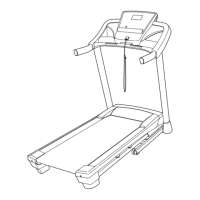
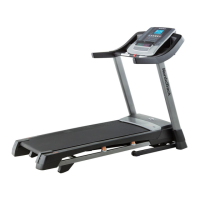
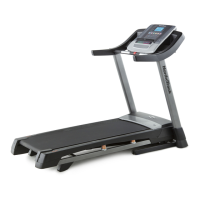
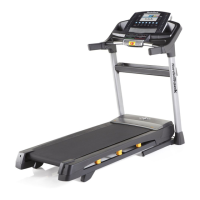
NordicTrack T 9.2 Treadmill - User Manual

NordicTrack T 9.2 Treadmill
36 pages
Print Icon
To Next Page IconTo Next Page
Loading...
USER’S MANUAL
www.iconeurope.com
CAUTION
Read all precautions and instruc-
tions in this manual before using
this equipment. Save this manual
for future reference.
QUESTIONS?
If you have questions, or if there are
missing parts, please contact us:
UNITED KINGDOM
Call: 08457 089 009
From Ireland: 053 92 36102
Website: www.iconsupport.eu
E-mail: csuk@iconeurope.com
Write:
ICON Health & Fitness, Ltd.
c/o HI Group PLC
Express Way
CASTLEFORD
WF10 5QJ
UNITED KINGDOM
AUSTRALIA
Call: 1800 993 770
E-mail: australiacc@iconfitness.com
Write:
ICON Health & Fitness
PO Box 635
WINSTON HILLS NSW 2153
AUSTRALIA
Model No. NETL99811.0
Serial No.
Write the serial number in the space
above for reference.
Serial Number
Decal

Other manuals for NordicTrack T 9.2 Treadmill

Questions and Answers

  • A
    Alexis GomezAug 16, 2025
    Why does my NordicTrack Treadmill power turn off during use?
    • C
      Christopher CaldwellAug 17, 2025
      The power may turn off during use due to several reasons. First, check the power switch located on the treadmill. If the switch has tripped, wait five minutes, and then press the switch back in. Second, ensure the power cord is properly plugged in. If it is, unplug it, wait five minutes, and then plug it back in. Finally, try removing the key from the console and then reinserting it.
  • A
    Angel HendersonAug 19, 2025
    What to do if the displays of my NordicTrack T 9.2 console do not function properly?
    • R
      Rachel RossAug 19, 2025
      If the console displays are not functioning correctly, there are a few things you can check. If the power switch has tripped, which is located on the treadmill frame near the power cord, wait five minutes, and then press the switch back in. Also, ensure that the power cord is plugged into a properly earthed outlet and that the key is inserted into the console after plugging in the power cord. If problems persist, remove the key and unplug the power cord, then place the treadmill in the storage position.
  • D
    Douglas DanielAug 22, 2025
    How to turn off demo mode on NordicTrack T 9.2?
    • D
      David SilvaAug 22, 2025
      The console may be in display demo mode, which is designed for use in retail stores. To turn off the demo mode, hold down the Stop button for a few seconds.
  • F
    fnelsonAug 25, 2025
    What to do if the NordicTrack T 9.2 console displays are not working properly?
    • C
      Caleb WarrenAug 26, 2025
      If your NordicTrack Treadmill's console displays are not working correctly, check the following: * Ensure the power cord is plugged into a properly grounded outlet (see page 15 of the manual). * Make sure the key is correctly inserted into the console after plugging in the treadmill. * Examine the circuit breaker on the treadmill frame near the power cord. Reset the circuit breaker by waiting five minutes and pressing the switch back in.
  • M
    mcurtisAug 27, 2025
    What to do if the NordicTrack T 9.2 loses power during use?
    • K
      Kendra WatkinsAug 27, 2025
      If your NordicTrack Treadmill loses power during use: * Check the circuit breaker. * Ensure the power cord is securely plugged into the outlet. * Remove and re-insert the key into the console.
  • P
    pingramAug 30, 2025
    Why does my NordicTrack T 9.2 Treadmill walking belt slip when walked on?
    • L
      Lisa OrtizAug 30, 2025
      If the walking belt slips when walked on, first remove the key and unplug the power cord. Then, using the hex key, turn both idler roller screws clockwise 1/4 of a turn. When the walking belt is correctly tightened, you should be able to lift each edge of the walking belt 2 to 3 inches (5 to 7 cm) off the walking platform.
  • P
    Paula BartlettSep 2, 2025
    How to center the walking belt on my NordicTrack Treadmill?
    • G
      grantmelendezSep 2, 2025
      To center the walking belt, first remove the key and unplug the power cord. If the walking belt has shifted to the left, use the hex key to turn the left idler roller screw clockwise 1/2 of a turn. If the walking belt has shifted to the right, turn the left idler roller screw counterclockwise 1/2 of a turn.
  • D
    David StephensSep 4, 2025
    What to do if NordicTrack Treadmill belt is slipping?
    • H
      Heather QuinnSep 4, 2025
      If the NordicTrack Treadmill belt slips when you walk on it, remove the key and UNPLUG THE POWER CORD. Use the allen wrench to turn both screws of the rear roller a quarter turn clockwise.
  • M
    Michelle CarrSep 7, 2025
    Why does the NordicTrack T 9.2 Treadmill slow down when I walk on it?
    • A
      amandacampbellSep 7, 2025
      If the NordicTrack Treadmill belt slows down when you walk on it, the belt may be too tight, which can impair performance and cause damage. Remove the key and UNPLUG THE POWER CORD. Use the allen wrench to turn both screws of the rear roller a quarter turn counterclockwise.
  • A
    April WhiteSep 10, 2025
    Why do the NordicTrack Treadmill displays stay on after removing the key?
    • R
      Ronald VargasSep 10, 2025
      If the console displays on your NordicTrack Treadmill remain lit even after removing the key, the console may be in demo mode. The console has a demo setting.

Summary

Warning Decal Placement

Important Precautions

Part Identification Chart

Assembly

The Chest Heart Rate Monitor

How to Put on the Heart Rate Monitor

Instructions for attaching the heart rate monitor sensor and chest strap to the body.

Troubleshooting

Common issues and solutions for the heart rate monitor not functioning correctly.

Operation and Adjustment

How to Plug in the Power Cord

Steps for safely connecting the treadmill's power cord to an electrical outlet.

Console Diagram

How to Fold and Move the Treadmill

Troubleshooting

Exercise Guidelines

Ordering Replacement Parts

NordicTrack T 9.2 Treadmill Specifications

General IconGeneral
Running Area20" x 60"
FoldableYes
Incline12%
Speed0 – 12 MPH
User Weight Capacity300 lbs
iFit CompatibilityYes

Related product manuals