EasyManua.ls Logo

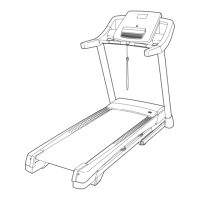
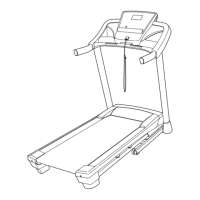
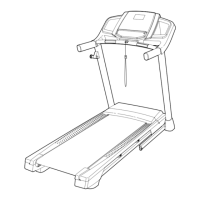
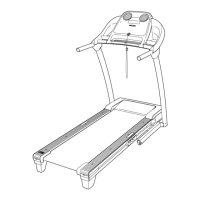
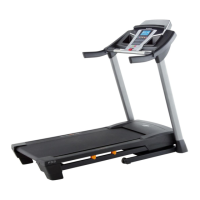
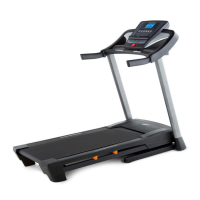
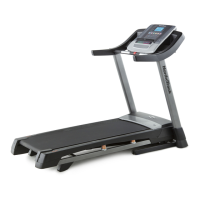
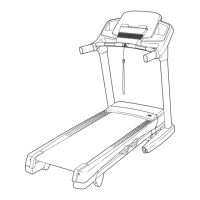
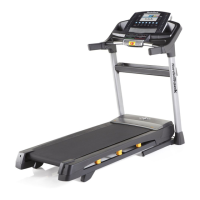
NordicTrack T 7.0 Treadmill - User Manual

NordicTrack T 7.0 Treadmill
36 pages
Print Icon
To Next Page IconTo Next Page
Loading...
USER’S MANUAL
CAUTION
Read all precautions and instruc-
tions in this manual before using
this equipment. Keep this manual
for future reference.
Model No. NTL79011.1
Serial No.
Write the serial number in the space
above for reference.
QUESTIONS?
If you have questions, or if parts
are damaged or missing, DO NOT
CONTACT THE STORE; please
contact Customer Care.
IMPORTANT: Please register this
product (see the limited warranty
on the back cover of this manual)
before contacting Customer Care.
CALL TOLL-FREE:
1-800-TO-BE-FIT
(1-800-862-3348)
Mon.–Fri. 6 a.m.–6 p.m. MT
Sat. 8 a.m.–4 p.m. MT
ON THE WEB:
www.nordictrackservice.com
www.nordictrack.com
Serial Number
Decal

Other manuals for NordicTrack T 7.0 Treadmill

Questions and Answers

  • M
    michaelespinozaJul 30, 2025
    How to turn on NordicTrack T 7.0 Treadmill if it doesn't power on?
    • J
      Jeffrey LopezJul 30, 2025
      First, ensure the power cord of your NordicTrack Treadmill is securely plugged into a surge suppressor, and the surge suppressor is connected to a properly grounded outlet. Note that the treadmill is not compatible with GFCI-equipped outlets and may not be compatible with AFCI-equipped outlets. Then, make sure the key is properly inserted into the console. Lastly, check the power switch located on the treadmill frame near the power cord. If the switch is tripped (protrudes), wait five minutes before pressing it back in to reset it.
  • D
    Dawn RiosAug 4, 2025
    What to do if NordicTrack T 7.0 turns off during use?
    • B
      barnespatriciaAug 4, 2025
      If your NordicTrack Treadmill turns off during use, check the power switch to see if it has tripped; if so, wait five minutes, then press it back in. Ensure the power cord is fully plugged in; if it is, unplug it, wait five minutes, and plug it back in. Also, try removing and reinserting the key from the console. If these steps do not resolve the issue, please refer to the front cover of this manual.
  • D
    Diana RoseAug 14, 2025
    How to turn off demo mode on NordicTrack T 7.0 Treadmill?
    • D
      Denise GreenAug 14, 2025
      The console of your NordicTrack Treadmill might be in display demo mode, which is designed for store displays. To disable this mode, press and hold the Stop button for a few seconds. If the displays remain lit, refer to THE INFORMATION MODE on page 23 to turn off the demo mode.
  • A
    Andre BurchAug 19, 2025
    Why is the walking belt off-center or slipping on my NordicTrack Treadmill?
    • C
      Christopher ClarkAug 20, 2025
      If the walking belt on your NordicTrack Treadmill is off-center, remove the key and unplug the power cord. If the belt has shifted left, turn the left idler roller screw clockwise 1/2 turn; if it has shifted right, turn it counterclockwise 1/2 turn. Be careful not to overtighten the belt. Plug the power cord back in, insert the key, and run the treadmill for a few minutes. If the walking belt slips, remove the key and unplug the power cord. Turn both idler roller screws clockwise 1/4 turn. The belt should be tight enough to allow lifting each edge 2 to 3 inches off the platform. Keep the belt centered. Plug in the power cord, insert the key, and carefully walk on the treadmill to ensure proper tightening.
  • D
    Daniel BarkerAug 25, 2025
    How to fix incline on NordicTrack T 7.0?
    • M
      mckayamandaAug 25, 2025
      To recalibrate the incline system on your NordicTrack Treadmill, hold down the Stop button and the Speed increase button simultaneously. Then, insert the key into the console and release both buttons. Press the Stop button, followed by either the Incline increase or decrease button. The treadmill should automatically rise to the maximum incline and then return to the minimum level. If calibration doesn't start, press the Stop button again, then press the Incline increase or decrease button again. Once calibrated, remove the key from the console.
  • D
    David MasonNov 9, 2025
    What to do if NordicTrack T 7.0 Treadmill console displays don't work?
    • C
      Chelsea HopkinsNov 9, 2025
      If the console displays on your NordicTrack Treadmill aren't functioning correctly, start by removing the key from the console and unplugging the power cord. Then, locate the Reed Switch and the Magnet on the left side of the Pulley. Turn the Pulley until the Magnet aligns with the Reed Switch, ensuring a gap of about 1/8 inch (3 mm). If needed, loosen the #8 x 3/4" Tek Screw, adjust the Reed Switch slightly, and retighten the screw. Reattach the Motor Hood and test the treadmill for a few minutes to check the speed reading. Also, if the walking belt is overtightened, it can decrease treadmill performance. Remove the key and unplug the power cord. Use the hex key to turn both idler roller screws counterclockwise 1/4 of a turn. When properly tightened, you should be able to lift each edge ...

Summary

Important Precautions

Assembly

Console Wiring and Crossbar

Connect console wiring and attach pulse crossbar.

Operation and Adjustment

Surge Suppressor and Power Connection

Guidelines for using surge protectors and connecting the power cord.

How to Turn On the Power

How to Use the Manual Mode

How to Use an Onboard Workout

How to Use an iFit Live Workout

How to Fold and Move the Treadmill

Folding and Moving Procedures

Steps for folding, moving, and unfolding the treadmill.

Troubleshooting

Power and Display Issues

Resolve problems with power not turning on or display malfunctions.

Incline and Belt Speed Problems

Address issues with incline not changing or belt speed slowing.

Belt Alignment and Slipping

Correct off-center or slipping walking belt issues.

Exercise Guidelines

NordicTrack T 7.0 Treadmill Specifications

General IconGeneral
iFit CompatibleYes
BluetoothYes
Built-in SpeakersYes
Cooling FanYes
Device HolderYes
Warranty10-Year Frame, 2-Year Parts, 1-Year Labor
Motor2.6 CHP DurX™ Commercial Plus Motor
Display7" Smart HD Touchscreen
Weight Capacity300 lbs
FoldingYes

Related product manuals