58
Setting the Outdoor Reset Control
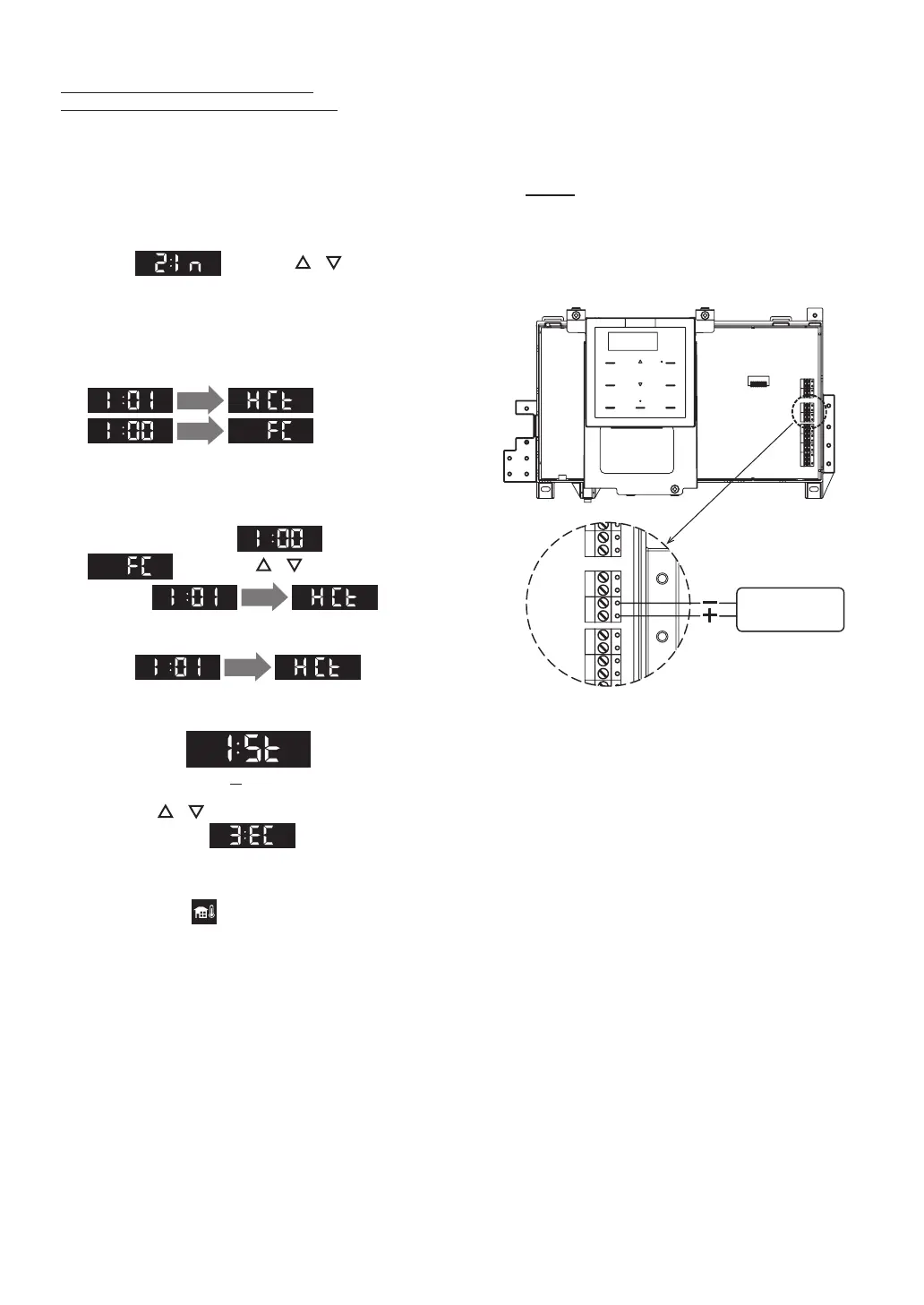
[0-10 Volt Input control] - [I:01_HCt]
1. Connect Heat Demand (0-10 VDC) to terminal.
(Refer to the figure on the right for details.)
2. The ON/OFF button is OFF.
The Operation Display must be off.
3. Press the SETTING button.
Select using the / buttons,
and then press the ENTER button.
Heat Demand
(0-10 VDC)
* This terminal has
[CN235]
0 - 10 V
(
(
)
)
• Do NOT connect room thermostat to heat
demand (T-T) when an external control system is
connected.
* The Combi Boiler is activated only by receiving
voltage.
NOTE
DO NOT mix [Room Thermostat
Control], [External Voltage Control
System (without Room Thermostat)]
and [Outdoor Temperature Control
with Outdoor Temperature Sensor
and Room Thermostat]
• The ”Installer Mode” screen appears.
4. When entering the “Installer Mode”, display
will change to
1 sec.
, or
1 sec.
.
• This function will appear within the first 10
minutes of connecting electrical power and
before pressing the ON/OFF button.
5. When display shows after 1sec.
, press the / buttons to
navigate
1 sec.
in the
“Installer Mode”.
6. Select
1 sec.
, then
press the the ENTER button to enter the
function.
(St: Standard)
7. Press the / buttons to change the
parameter value , and then press
the ENTER button to save the settings and to
exit the function.
• The icon will flash if the Heat Demand
Input (0-10 VDC) is not detected.
Connecting Electricity


 To Next Page