60
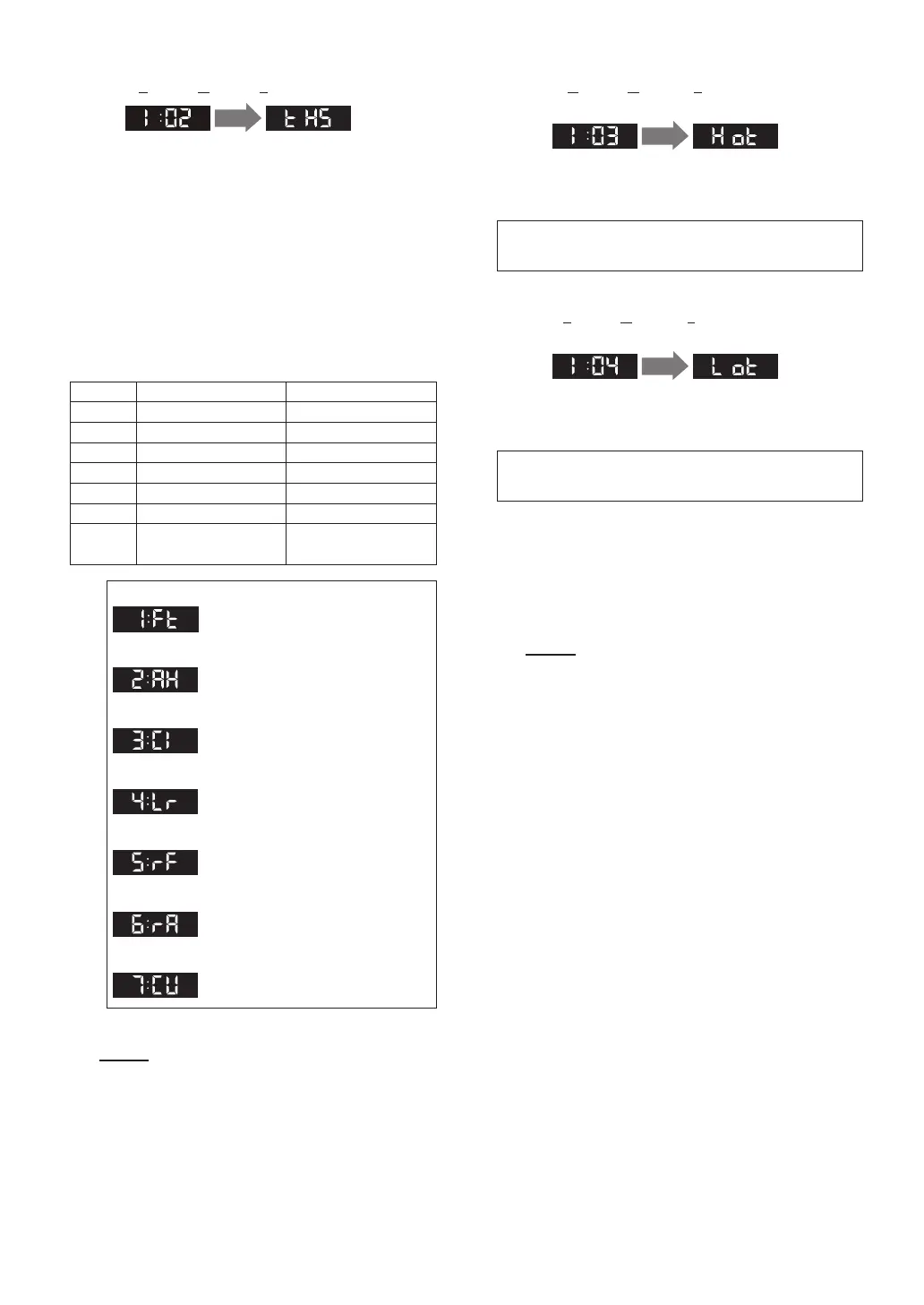
[I:02_tHS (Type of Heating System)] (page 53-56)
1 sec.
NOTE
When [I:01_HCt] setting is “1:St” or
“3:EC”, this function will not appear.
This mode is for choosing Type of Heating System,
when [I:01_HCt] setting is “2:or”.
There are 6 typical Heating Systems that are
available.
For these 6 heating types the low and high
temperature points are pre-programmed.
(See ranges to the below)
If “2:AH” is selected, additional steps are needed
to be programmed, see [I:08_Air].
To use custom low and high temperature points,
select “7:CU” and follow [I:03_Hot], [I:04_Lot],
[I:05_HHt] and [I:06_HLt] to set custom low and
high temperature points.
LOW [°F (°C)] HIGH [°F (°C)]
1:Ft 120 (49) 180 (82)
2:AH 140 (60) 180 (82)
3:CI 100 (38) 170 (76)
4:Lr 80 (27) 140 (60)
5:rF 80 (27) 120 (49)
6:rA 120 (49) 170 (76)
7:CU
80 (27) or more
[Max Set-point - 30 (17)]
[Min Set-point +30 (17)]
or more 180 (82)
(Default setting = 1: Ft)
[1: Ft] Ft: Fin Tube Baseboard
[2: AH] AH: Air Handler
[3: CI] CI: Cast Iron Baseboard
[4: Lr] Lr: Low Mass Radiant Floor
[5: rF] rF: Mass Radiant Floor
[6: rA] rA: Radiator
[7: CU] CU: Custom
[I:03_Hot (Highest Outdoor Temperature)]
(page 53)
1 sec.
This should be set to the highest average outdoor
temperature during the winter season.
(not the highest possible outdoor temperature.)
settings:
[Min Set-point + 10°F (5°C)] or more 110°F (43°C)
[I:04_Lot (Lowest Outdoor Temperature)]
(page 53)
1 sec.
This should be set to the lowest average outdoor
temperature during the winter season.
(not the lowest possible outdoor temperature.)
NOTE
When [I:02_tHS] setting is “7:CU”,
[I:03_Hot] and [I:04_Lot] functions
will appear.
[I:03_Hot] and [I:04_Lot] are for changing the
highest and the lowest outdoor temperature range.
You can set the Highest Outdoor Temperature
[I:03_Hot] and the Lowest Outdoor Temperature
[I:04_Lot], when [I:02_tHS]_“7:CU” is selected.
settings:
-4°F (-20°C) or more [Max Set-point - 10°F (5°C)]
(Default setting = 70°F (21°C))
(Default setting = 20°F (-7°C))
Installer Mode (Parameter Settings)


 To Next Page