Need help?
Do you have a question about the Norman SmartDial and is the answer not in the manual?
Installation steps for the PerfectTilt™ Motor Module including securing and calibration.
Process to pair the motor module with the remote control for operation.
Method 1 for setting the horizontal louver position using the remote and reset function.
Method 2 for setting the horizontal louver position using the remote and reset function.
Instructions on how to operate the shutters using the remote control buttons.
Detailed functions of the motor module: Power, Pairing, Reboot, and USB Charging.
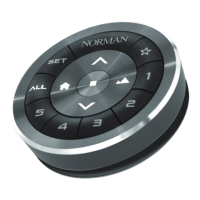
Explanation of each button's function and operation on the SmartDial™ remote.
Methods to set the horizontal louver position using the remote.
Method to set the bottom louver position as the limit.
Instructions for connecting the Norman Hub to power and network (Ethernet/WiFi).
Steps to connect a remote control to the Norman Hub network.
Procedure to perform a factory reset on the Norman Hub.
Troubleshooting steps when louvers become stuck or unresponsive.
Steps to diagnose and resolve issues when the system does not respond.
Steps to resolve issues when the mobile app cannot connect to the Norman Hub.
Critical safety warnings regarding battery handling, including immersion and high temperatures.
Precautions for using correct chargers and conditions for battery charging.
Warning against inserting the battery with incorrect polarity to avoid damage.
Prohibition of connecting the battery directly to power outlets.
Warning against using the battery in equipment for which it was not intended.
Instructions to keep batteries away from heat and fire to prevent damage.
Warning against short-circuiting battery terminals to prevent overheating.
Keep batteries away from children; seek medical attention if swallowed.
 General
| Brand | Norman |
|---|---|
| Model | SmartDial |
| Category | Remote Control |
| Language | English |

 To Next Page