Installing and connecting a Series 2332 Access Point 47
Nortel WLAN Series 2332 Access Point Installation Guide
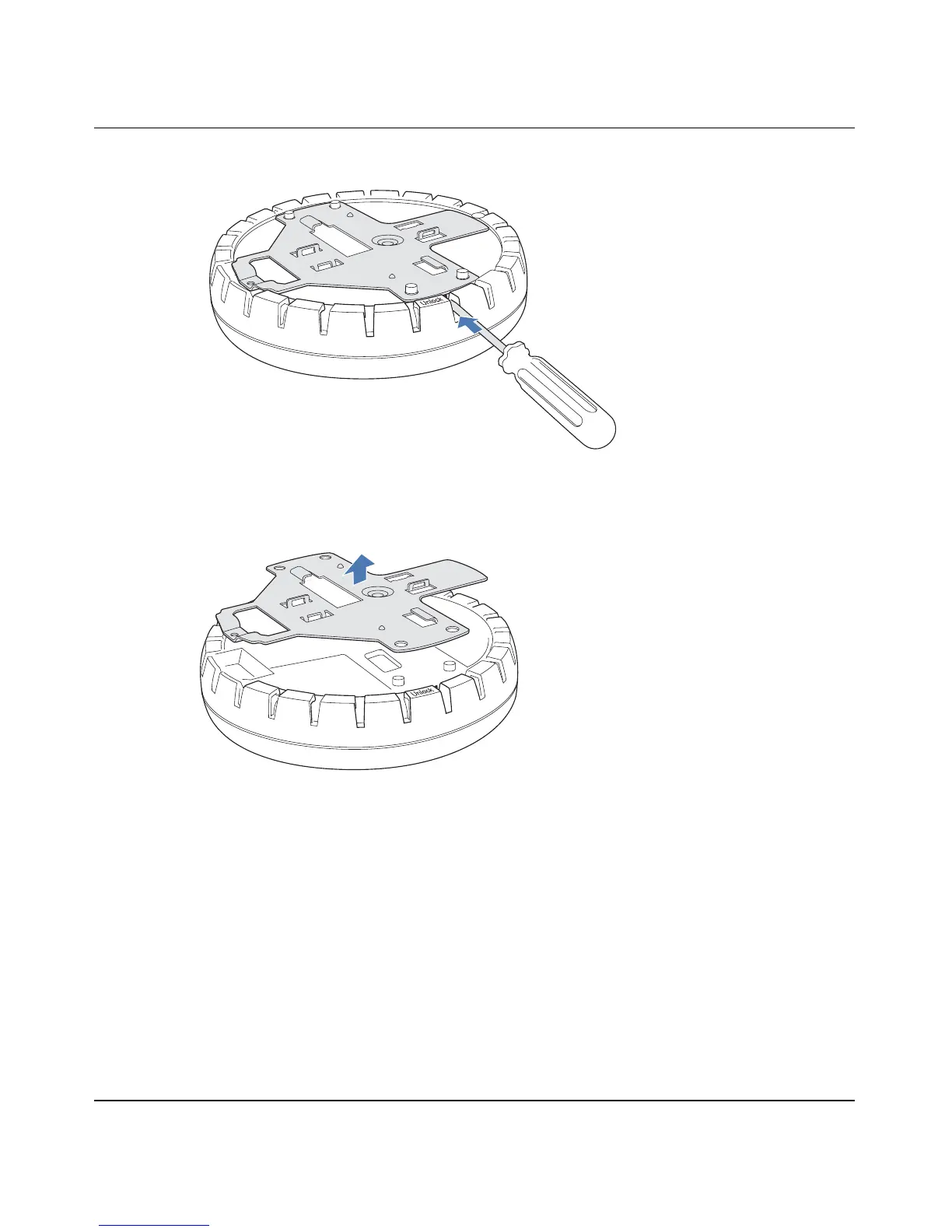
Figure 21. Step 1—Unlocking the Bracket
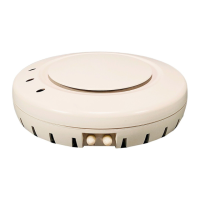
2 Remove the bracket as shown in Figure 22 on page 47.
Figure 22. Step 2—Removing the Bracket
3 Attach the universal mounting bracket to the junction box as shown in Figure 23:
a Place the universal mounting bracket against the junction box so that the two screw holes face the
junction box and align over the screw holes in the box.
b Insert the #6-32 x 1-inch machine screws in the universal mounting bracket’s screw holes, and use a
#2 Phillips-head screwdriver to tighten them.
840-9502-0011
840-9502-0008


 To Next Page