18 Installing the chassis
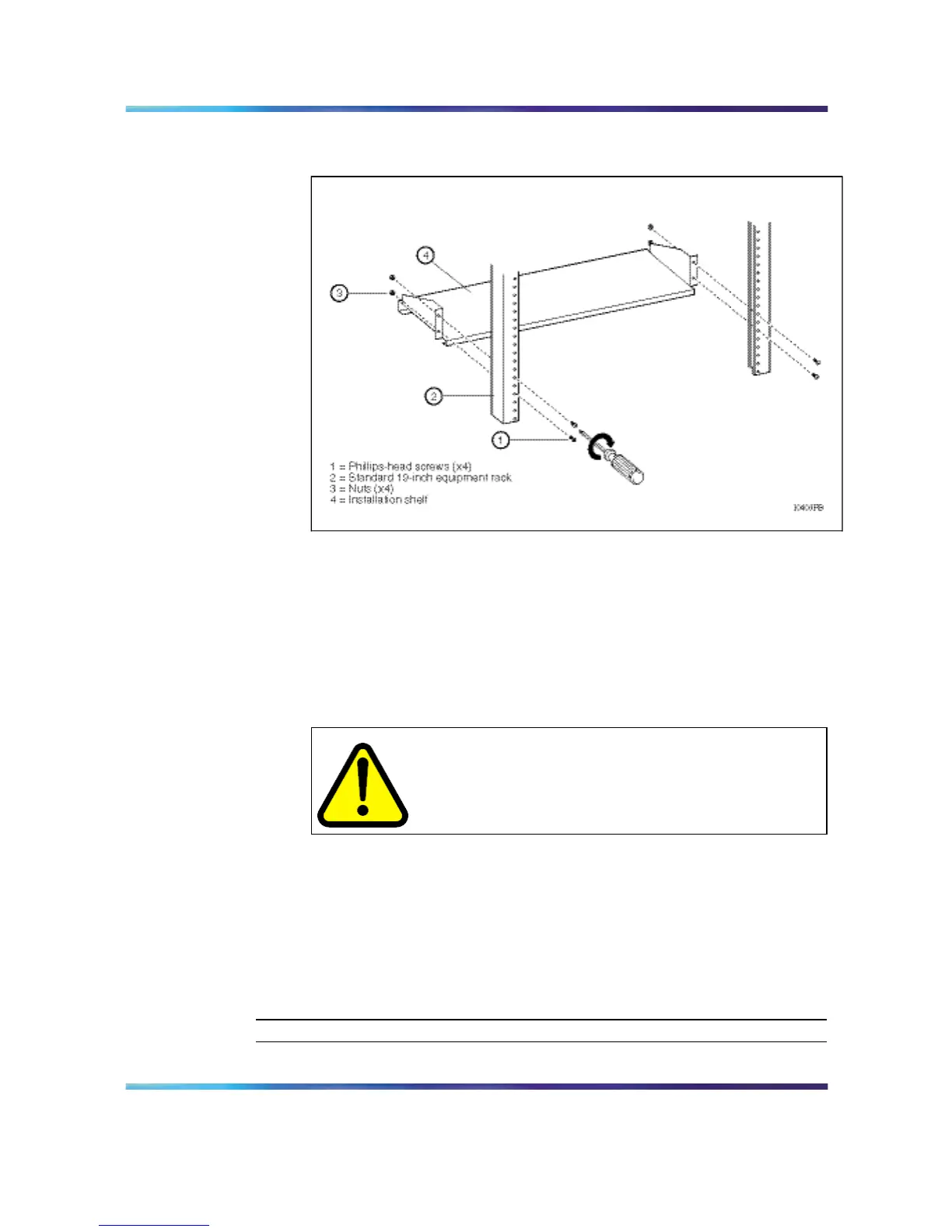
Figure 5
Installing the shelf in a 19-inch equipment rack: 8010co chassis
4
Add a hex nut to each screw and tighten using a hex wrench.
5
Tighten each screw with a Phillips screwdriver.
6
If the holes in the rack’s vertical supports require clip nuts, insert a
clip nut in each of the 12 locations.
7
Lift the 8010co chassis onto the installation shelf.
CAUTION
Risk of injury
It requires three people to lift the 8010co chassis. To
make the chassis lighter, remove the I/O modules and
power supplies before lifting .
8
Holding the 8010co chassis in position, align the flanged end of the
chassis mounting rail with six holes on each side of the vertical rack
support.
Make sure that the hole pairs on either side of the vertical support
match horizontally.
9
Tighten each screw with a Phillips screwdriver.
—End—
Nortel Ethernet Routing Switch 8600
Quick Start
NN46205-310 01.01 Standard
4.1 21 December 2006
Copyright © 2006 , Nortel Networks Nortel Networks Confidential
.



 To Next Page