Northstar FISH 457/467 Installation and Operation Manual34
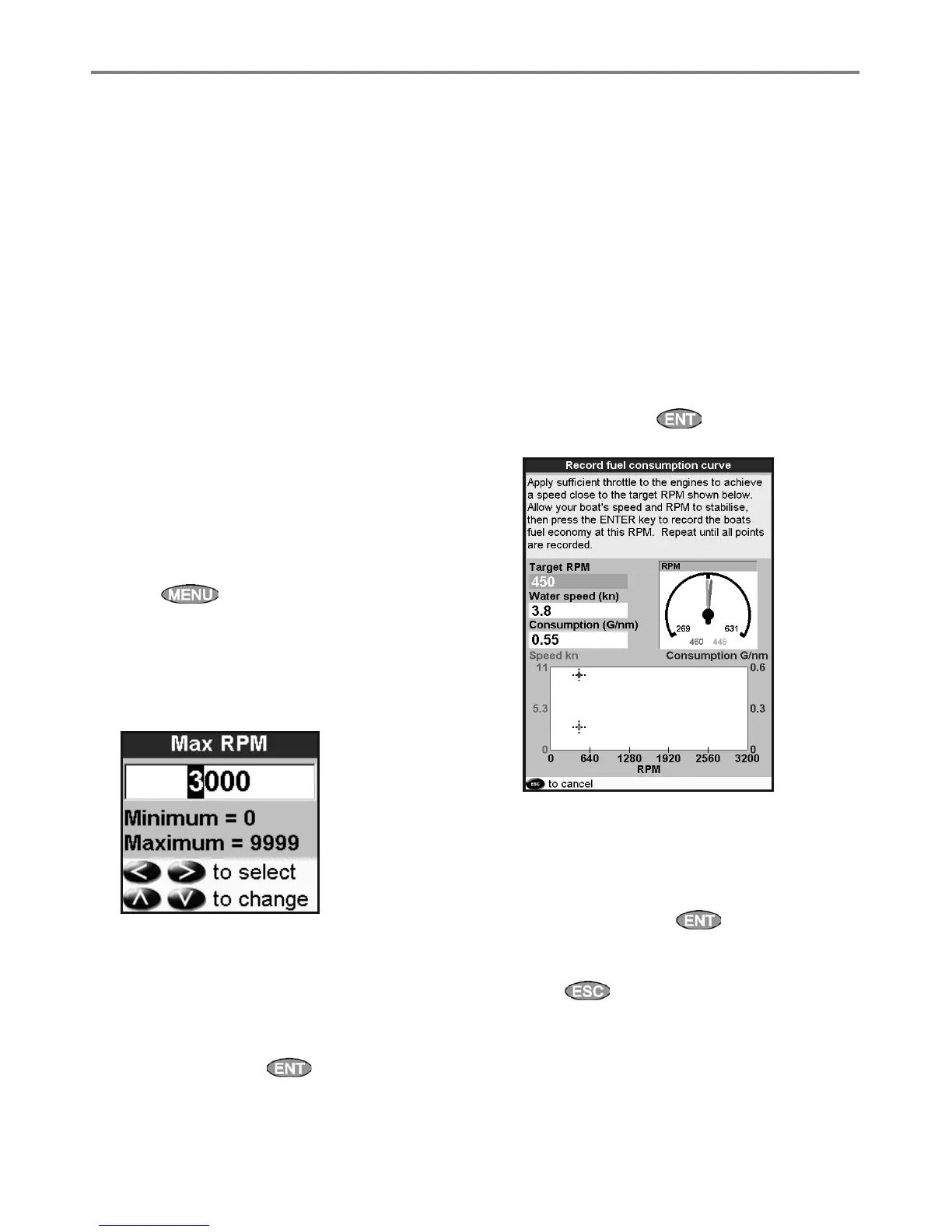
7 The 457/467 then asks you to set the throttle
to achieve a target RPM. On a multi engine
boat set all engines to about the target RPM.
When the engine RPMs are correct, the Target
RPM box will turn green.
Now, do not change the engine speed.
Wait for about 60 seconds for the boat to
stabilise, ensuring the Target RPM box stays
green. Then press
. Wait while the fuel
computer records the data.
8 The 457/467 repeats the above step to record
data up to the maximum RPM. Then the
457/467 asks if you want to save the curve.
Select Yes. The fuel computer asks for a name
for the curve. Change the default name if
required. Then press . The 457/467
stores the new curve.
Note To interrupt making the curve at any time,
press
.
7-6-1 Making a fuel consumption curve
To make a fuel consumption curve you will need
to run the boat in a straight line for about 15
minutes using the engine’s full RPM range. For
your first curve, choose a calm day with light
wind and little current; have a typical load and
a freshly cleaned hull. Later, you can make fuel
consumption curves for different boat, weather
or sea conditions. Compare these with your
first curve to see how your boat’s performance
changes with conditions.
Making a curve
1 Start running the boat in a straight line.
2 Choose a speed source for the curve (see
section 7-5-1). Normally choose Water speed
to measure the boat’s potential performance.
3 Press
twice, then select Fuel.
4 Select Fuel consumption curve, then
select New.
5 Enter the comfortable maximum RPM you
know you can achieve for the engine rather
than the maker’s value.
6 The 457/467 then asks you to set the
minimum RPM. Set the throttle to idle; on a
multi engine boat set all engines to about the
same idle RPM.
Now, do not change the engine speed.
Wait for about 60 seconds for the boat to
stabilise, then press . Wait while the fuel
computer records the data.
7-6 Fuel consumption curves
A fuel consumption curve shows fuel consumption (fuel used per unit of distance travelled) and boat
speed as a function of engine RPM. Fuel consumption curves require engine RPM, which requires
SmartCraft or diesel sensors to be installed. Fuel consumption curves are powerful tools for assessing
boat performance in different conditions and for helping you to run at the most economical speed for
the conditions.



 To Next Page