Northstar FISH 457/467 Installation and Operation Manual 43
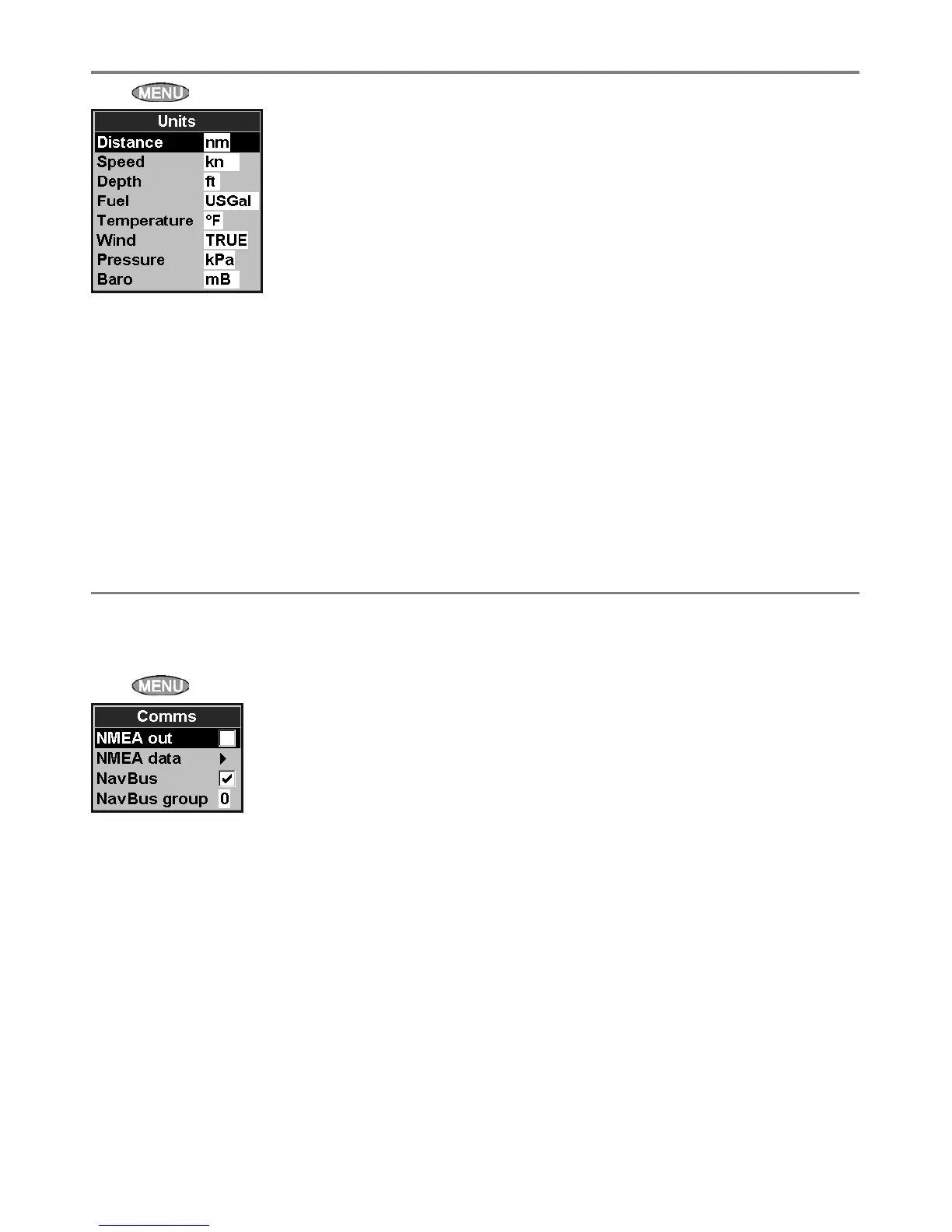
Press twice, then select Units:
The default units are shown above.
Distance
nm (nautical miles), mi (miles) or km (kilometres)
Speed
kn (knots), mph (miles per hour) or kph
(kilometres per hour)
Depth
ft (feet), m (metres) or fa (fathoms)
8-6 Setup > Units
Fuel
Litres, USGal (US gallons) or ImpGal (Imperial
Gallons)
Temperature
°F (Fahrenheit) or °C (Celsius)
Wind (optional)
Requires a wind instrument: True or App
(Apparent)
Note: that the units for wind speed are the speed
units.
Pressure
Requires SmartCraft: kPa or psi
Baro (Barometric pressure)
Requires a Northstar VHF receiver with barometer
connected by NavBus: inHg or mB.
Use this feature when the 457/467 is connected
to other Northstar instruments through NavBus
or any compatible NMEA instrument.
Press
twice, then select Comms:
NMEA out
NMEA is generally used with third party
instruments (see section 9-9). Select this to
transmit NMEA sentences.
NMEA data
Use this to specify which NMEA sentences will be
transmitted (see section 9-9 and Appendix A).
8-7 Setup > Comms
NavBus
NavBus is the preferred method for connecting
the 457/467 to other Northstar instruments.
Select this if the instruments are connected using
NavBus.
NavBus Group
Use this when a group of Northstar instruments
are connected together using NavBus, to specify
a group of instruments for backlighting, if
required. Then, if the backlight setting on one
instrument in the group is adjusted, the other
instruments change automatically. Otherwise,
select 0. See section 9-8.



 To Next Page