Northstar FISH 457/467 Installation and Operation Manual 39
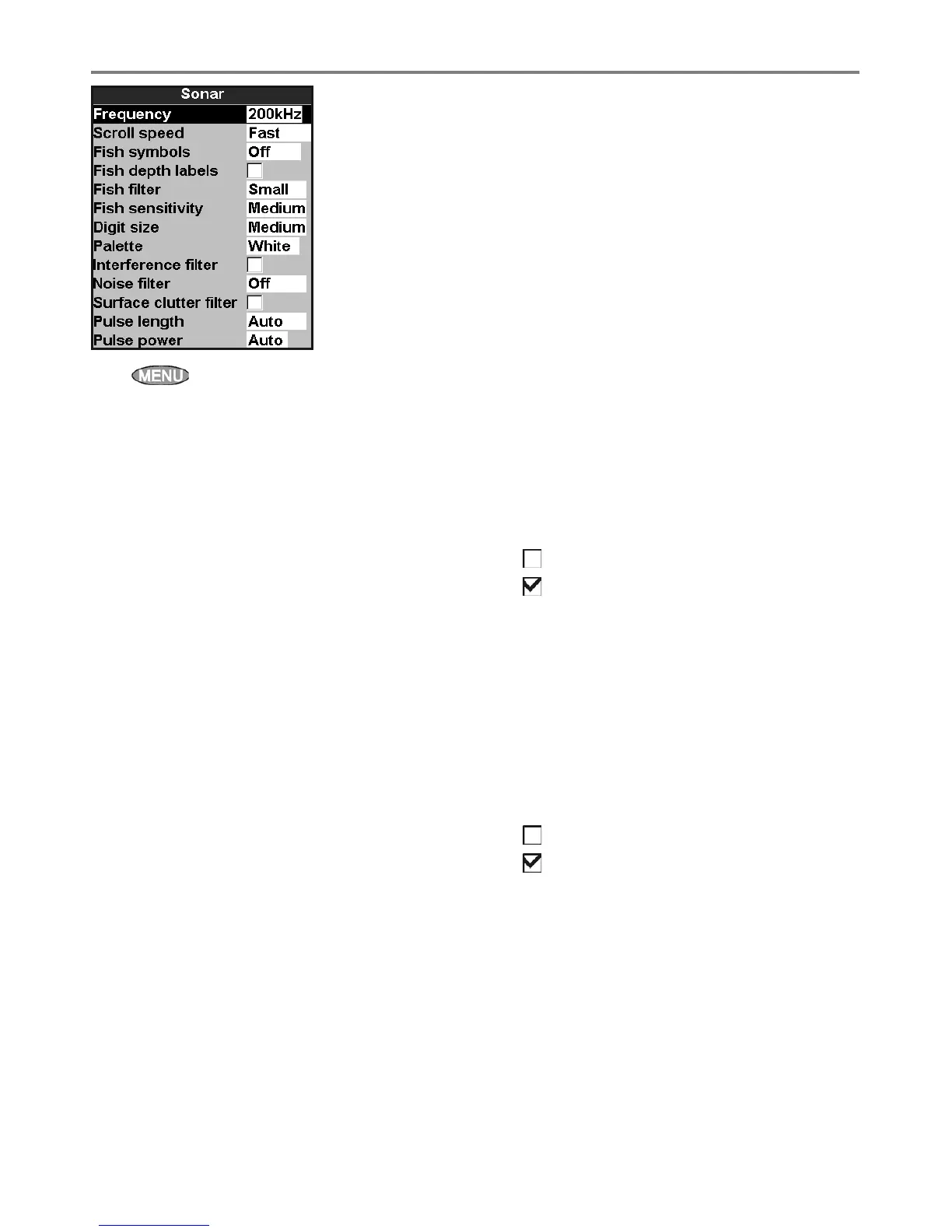
Press twice, then select Sonar:
Frequency
There is a choice of: 200 kHz, 50 kHz and
Mixed. For information about selecting a suitable
frequency for the water conditions, see section
3-3.
Scroll speed
Use this to set the scroll speed on the display.
There is a choice of: Very Fast, Fast,
Medium, Slow and Pause. The depth of the
water also affects the speed of the display.
Faster scroll speeds combined with a slow boat
speed (typically between 2 and 6 knots) shows the
most fish detail. Medium or Slow scroll speeds
result in sonar information being displayed over a
longer period, but with less detail (see Section 3-2).
Fish symbols
The 457/467 always displays echoes from fish (fish
arches, see section 3-4). If fish symbols are on, a
symbol is displayed over the arch (see section 3-4).
The options are:
• Off: No fish symbol is displayed.
• Fun or Normal: A fish symbol is displayed.
Depth
The depth of the fish is displayed.
Fish filter
Use this to select the minimum fish size that will
be displayed as a fish symbol and to trigger the
Fish alarm. The options are: Small, Medium
and Large.
8-2 Setup > Sonar
Fish sensitivity
Selects the minimum strength fish echo that will
be displayed as a fish symbol. Higher values will
display more fish symbols.
Digit size
Use this to remove or change the size of the depth
display on the sonar displays. There is a choice of:
Small, Medium and Large.
Palette
Use this to select a color palette. Each color within
the palette represents a different echo strength, as
shown on the sonar displays.
There is a choice of five color palettes: Black,
Blue, White, Vivid and 8 color. The first
four palettes display more detail, and each color
covers a 1.5 dB signal range. The 8 color
palette displays less detail, and each color covers a
3 dB signal range.
Interference filter
No filter, normal setting.
Filters the echo signal to remove spiky
interference such as engine noise or depth
sounders on nearby boats.
Noise filter
Averages the echo signal to remove rapid
changes. Select Meduim or High to give a
smoother bottom trace–this may help to detect a
deeper bottom; however these settings may also
remove fish echoes. Select Off for best fishfinding.
Surface clutter filter
No filter.
Filters the echo signal to reduce false
echoes close to the surface.
Pulse length
This can be used to specify the length of the
transmitted ultrasonic pulse. A short pulse length
improves the display detail but contains less
energy, therefore it does not penetrate as deeply
into the water as a longer pulse.
There is a choice of Auto, Short, Medium or
Long. The Auto setting is recommended.



 To Next Page