Northstar FISH 457/467 Installation and Operation Manual42
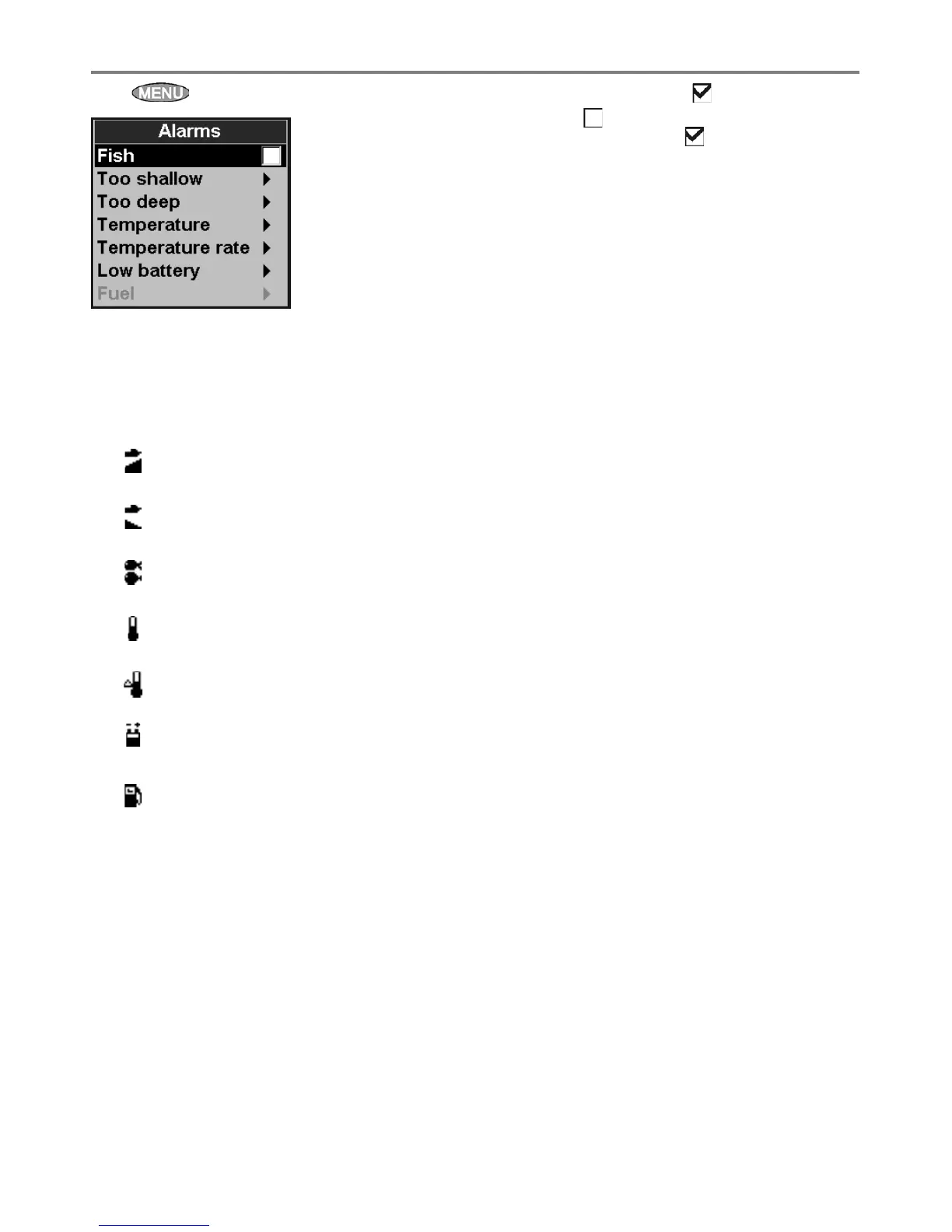
Press twice, then select Alarms:
8-5 Setup > Alarms
For the Fish alarm, select to turn the alarm
on or select to turn the alarm off. For the other
alarms, select Enabled from the submenu
and enter a trigger value to turn the alarm on.
The alarm will sound each time the alarm value
passes the trigger value. For example, the shallow
alarm sounds if the depth is less than the trigger
value.
Icons for alarms that are on can be displayed in
the data header (see section 2-6-1). An alarm icon
is normally black and turns red when the alarm
sounds.
Symbol Alarm Alarm sounds when it is on and the:
Too shallow Depth is less than the alarm trigger value
Too deep Depth is greater than the alarm trigger value
Fish Echo matches the profi le of a fi sh
Temperature Temperature equals the alarm trigger value
Temperature rate Rate of change of temperature equals the alarm trigger value
Low battery Battery voltage is less than the alarm trigger value
Low fuel
Low fuel remaining equals the alarm trigger value; on a multi-tank
boat you can set separate alarms for each tank
(see section 7-4)



 To Next Page