19
EN
4 / PROGRAMMING YOUR APPLIANCE
• OPERATIONS POSSIBLE DURING A PROGRAM
— During the cycle or during the delayed start, you can make
certain program changes if needed.
To find out which program changes are possible, refer to
the chapter on "CHANGING A WASHING PROGRAM".
•Changing the program during the cycle
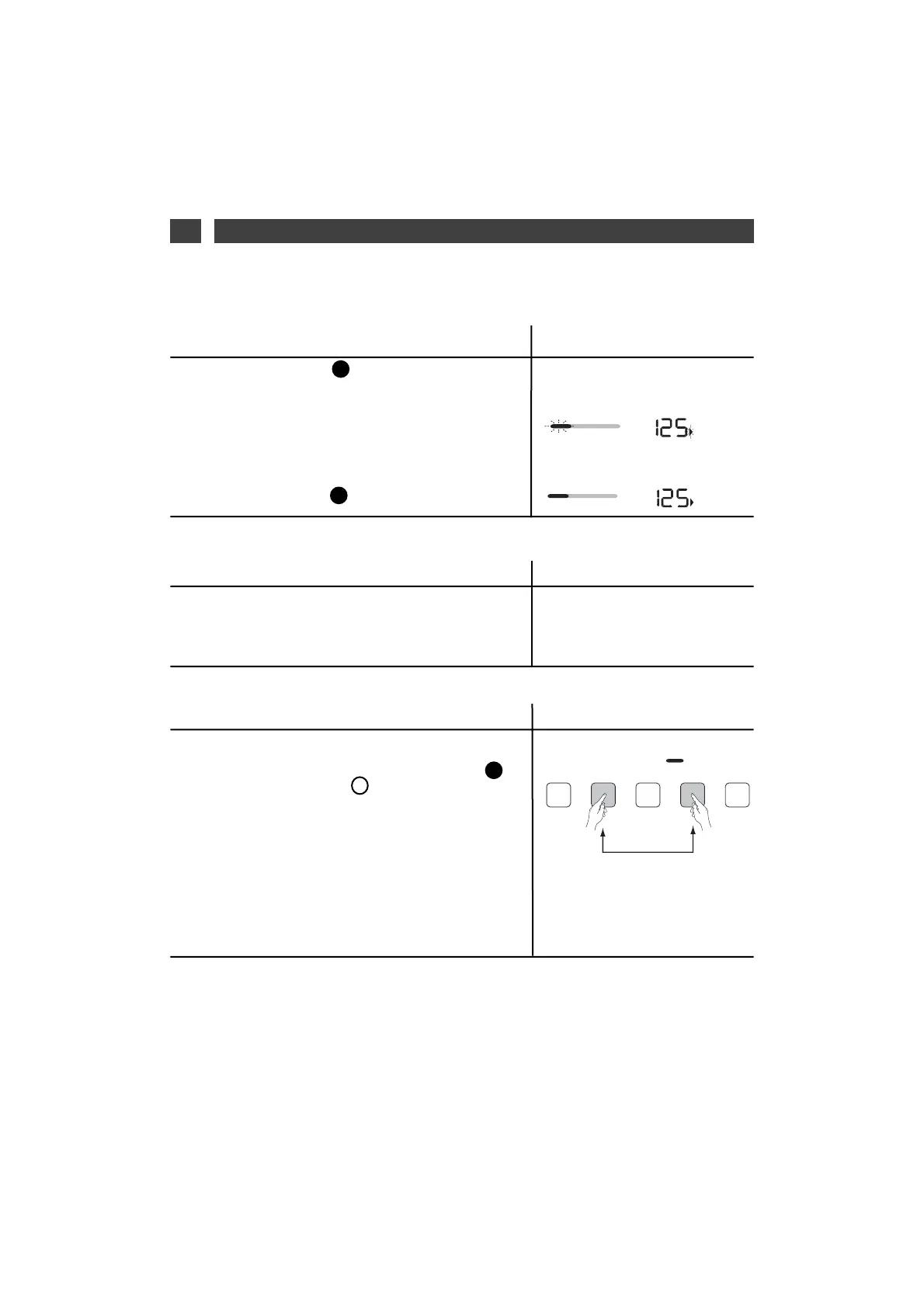
— Press the “Start/Pause” button to interrupt the wash
cycle.
— Add or remove the item(s) of laundry
The time taken for the lid to unlock depends on the tem-
perature inside the machine and, for safety reasons, this
may take several minutes if interrupting a cycle at more
than 40°C.
— Press the “Start/Pause” button to continue the cycle.
EE
EE
•Add or remove an item during the cycle
(not possible during spin)
Display
— To avoid unintended changes during a program, you have
the option to activate the "Child safety" device.
To do this, press on the 2nd and 4th option buttons at
CC
•Child safety device
Display
Display
Dauer/min
Dauer/min
The time countdown stops. The
cycle sequence and "Remaining
time" lights flash alternately.
Countdown starts again and indica-
tor lights "steady" again.
the same time (the "Padlock” indicator comes on).
When the "Child safety" is activated, the buttons and pro-
gram selection are locked.
— If you wish to change your program, you must first deac-
tivate the "Child safety" device.
To do this, press on the same 2 buttons at the same time,
until the "Padlock” indicator goes off.
NB : You can activate or deactivate the "Child safety"
device at any time. Of course, we recommend that you acti-
vate it only after programming and launching the cycle.
44


 To Next Page