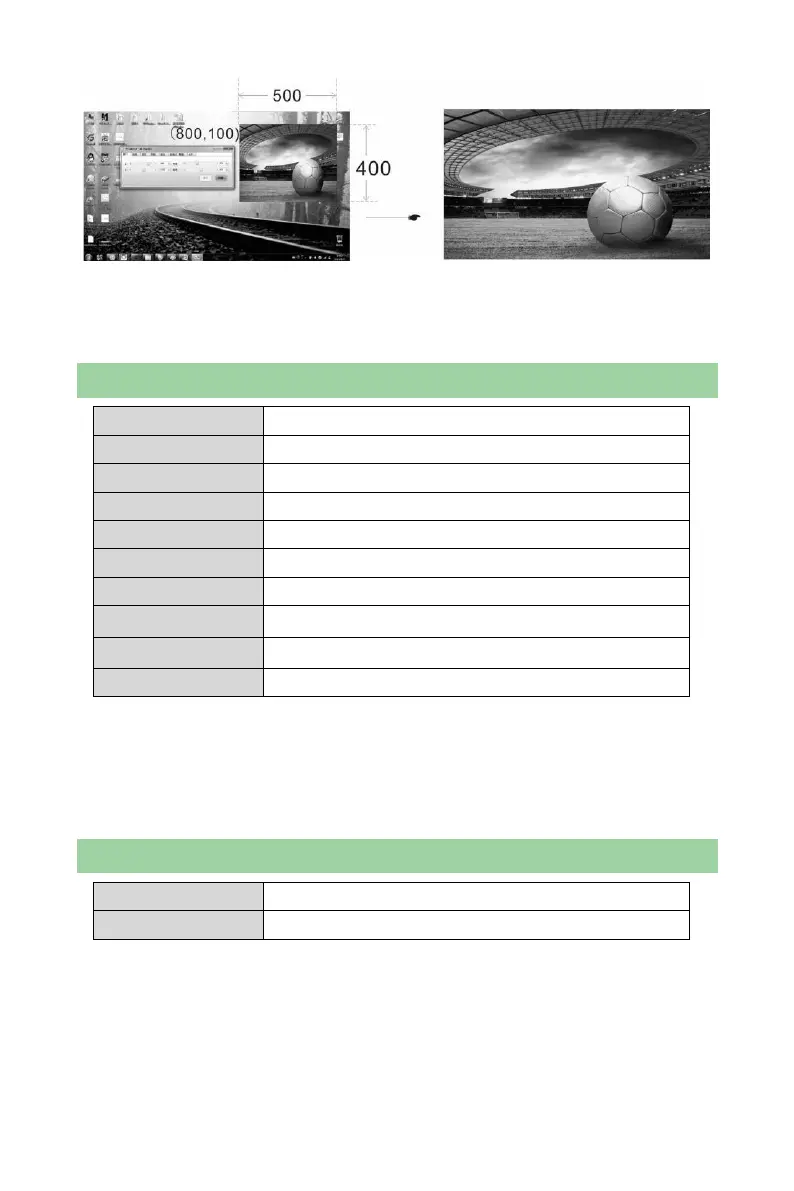
The start point of the video window in the figure is(800,100), horizontal width is 500
and vertical height is 400. Only the image in this window will be outputted as shown
in the figure above.
Picture Settings
Custom/Normal/Soft/Dynamic
Close/Gorgeous/Theatre/Game/Sports
Normal/Cool Color/Warm Color/Custom
Off/Low/Self-adaption/Medium/High
Image Mode: Custom/Normal/Soft/Dynamic;
Brightness, contrast and color can be adjusted only in custom mode and
parameters will be saved automatically after adjustment.
Brightness: Press and hold the knob when in main interface to call out brightness
menu.
Image Switching
Note: Image switching is between CH1 and CH2. It is required to manually set the
position and size of PIP before switching.


 To Next Page