Chapter 3 Signal Connection
Signal Connection
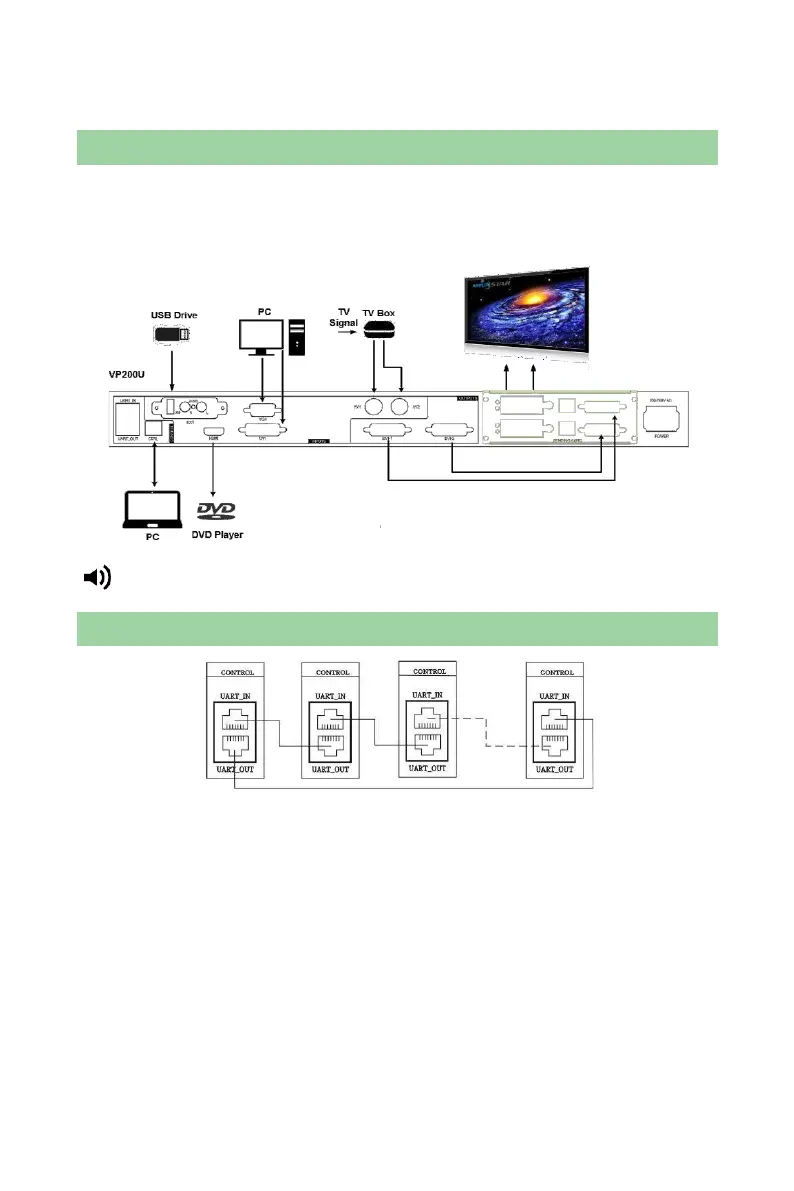
Two sending cards can be installed in the unit and a single unit can drive a LED
display with 2048×1152 pixels.
The unit supports 8-channel analog and digital signal inputs at most.
Tip: Please turn off the power during signal connection.
Multiple Units Connection
Note: This connection mode is applied to synchronous loading of processor models,
namely, save the models in advance and then press one button for synchronous
load when multiple units are connected.
Load model: Press “MODE” on the front panel and the Load Model interface
appears. Press NUM key to load model.
Save model: Enter “Load Model” interface via shortcut and press “AUTO” to switch to
“Save Model” interface. Then press NUM key to save. It only can save for each unit
separately.



 To Next Page