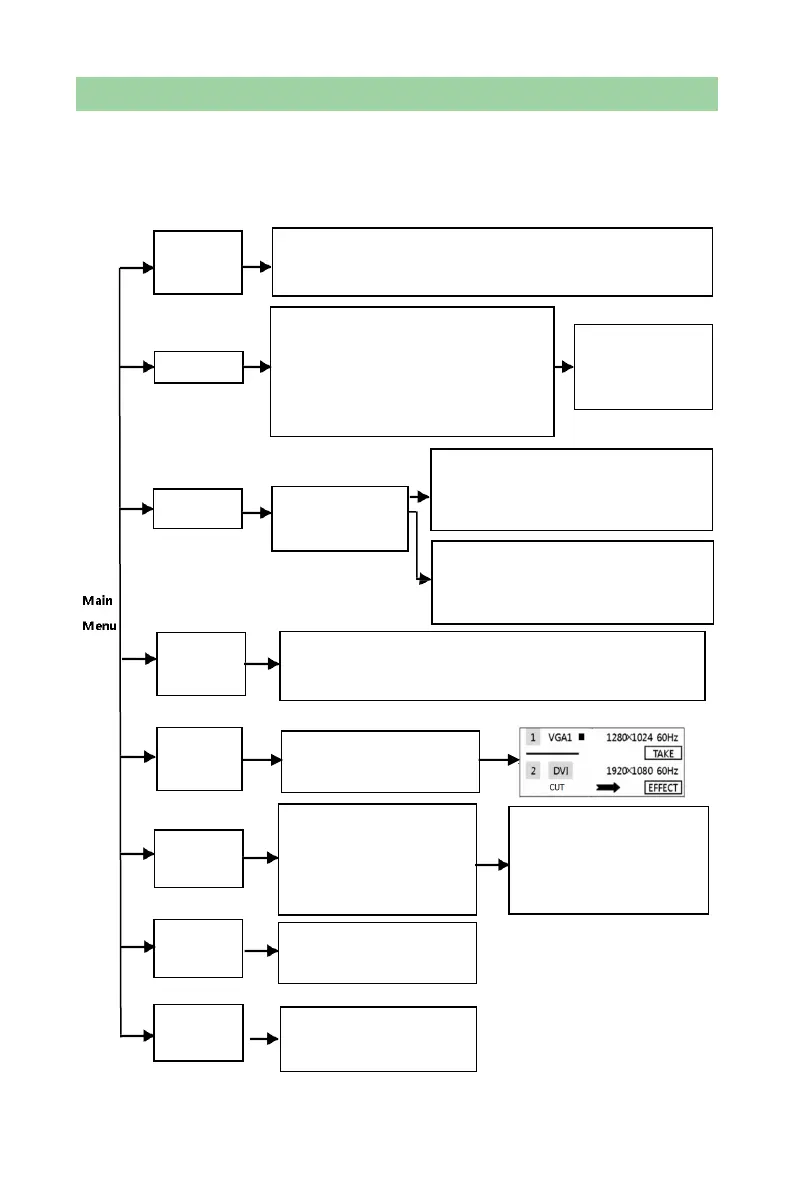
Main Menu
Press the knob when in the main interface to enter menu operation interface, then
press the knob to enter submenus. Press “ESC” button to back to previous level
and press and hold the knob to directly back to the main interface.
Effect (Cut/Fade)
Switch Image
Image Crop(Open/Close),Horizontal
Width, Vertical Height, Horizontal Start,
Vertical Start
CH1 Video Crop
CH2 Video Crop
Voice, Volume, TRK Select,
Round Mode (List/Single)
Match Method, Horizontal
Resolution,
Vertical Resolution, Apply,
Restore Default
Freeze, Instant, Save Model,
Load Model, Lock Input
Resolution,
Factory Reset
Image Mode, Brightness, Contrast, Color, Sharpness, Hue,
Scene Mode, Color Temp, Gama, 3DNR, Configure Reset
Image Crop (Open/Close), Horizontal
Width, Vertical Height, Horizontal Start,
Vertical Start
Text Overlay
(Open/Close),
Preset, Blend Level
PIP(Open/Close),CH2 signal(signal
source selecting, Layer, Diaphaneity,
Horizontal Width, Vertical Height,
Horizontal Start, Vertical Start, Text
Overlay
Resolution, Horizontal Width, Vertical Height, Horizontal Start,
Vertical Start, Display (Part/Full), Custom Resolution



 To Next Page