ML0042 October 15, 2019 - 81 - Copyright 2019 Bitronics, LLC
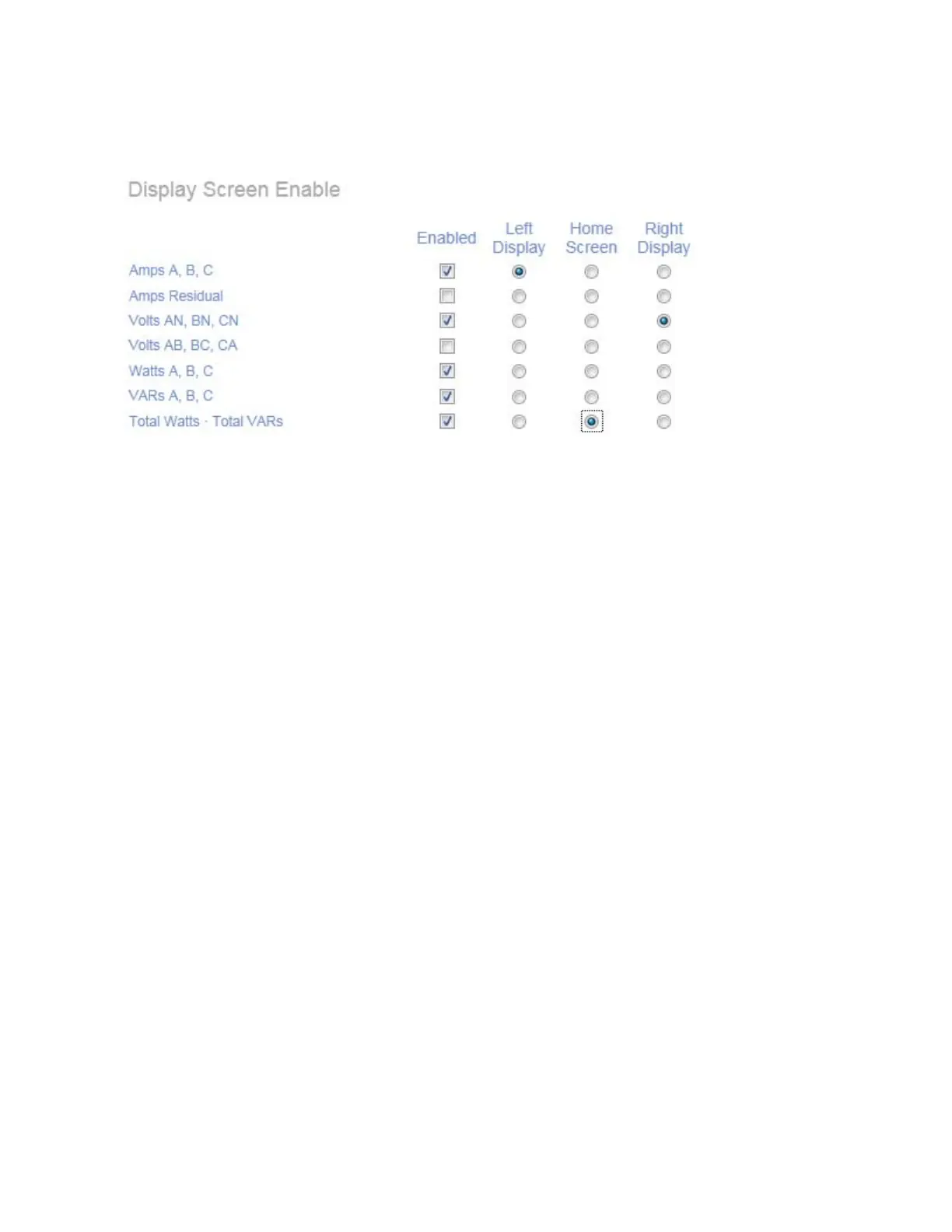
The M663 is similar but adds the ability to select what is to be displayed on the left and
right displays.
Custom Display Screen Settings (M660):Two Sections – Build/Edit and Summary
The Custom Display Screen Configuration page contains two sections: the Build/Edit
panel and the Summary panel. One custom display screen is built at a time in the
Build/Edit panel and is then added to the Summary panel, which presents a list of all
the custom screens that have been built. The Build/Edit panel is presented if there are
no custom screens stored on the IED when the page is loaded; otherwise, the
Summary panel is presented. Only one panel is visible at a time.
Build/Edit panel
Select a measurement to be displayed on each display line from the dropdown lists
and enter an alphanumeric label that describes the display screen.
Special character buttons insert the characters shown on the buttons into the “Label”
field. The “k/M/G” (kilo/Mega/Giga) button inserts an underscore character into the
“Label” field, which is automatically replaced with the appropriate unit prefix when
displayed on the IED’s front panel. The dot character is used to separate parts of a
single label into multiple labels that apply to the different display lines. It is necessary
to place dots between underscore that apply to different display lines.
The MIN, MAX, AVG, line and phase LEDs are automatically lit by the IED, based on
the selected measurements.
Click the “Next >” button to view the summary panel.


 To Next Page