—18—
A13
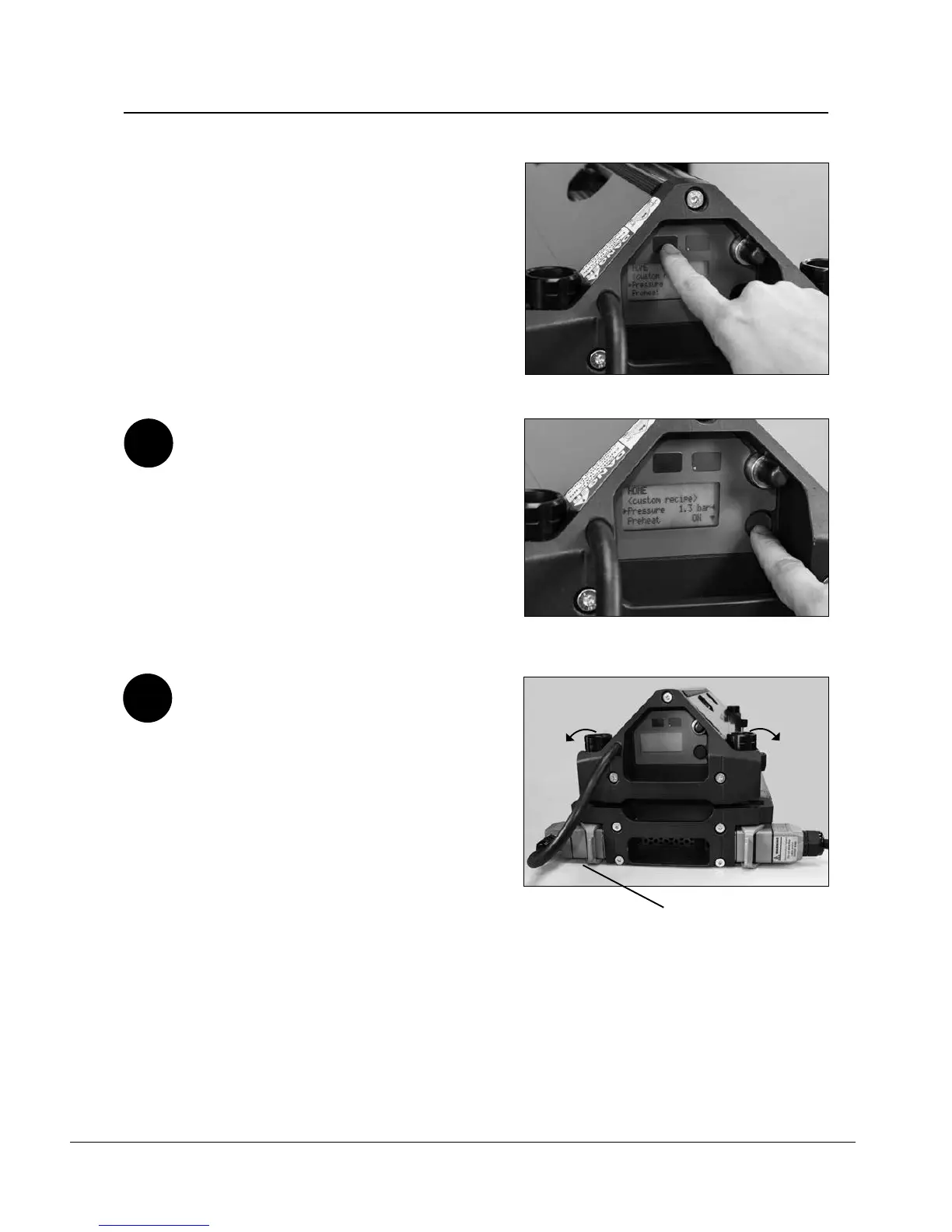
Remove spliced belt from press.
a. Disconnect umbilical cable.
b. Loosen the four press connector bolts and
rotate bolts outwards.
c. Remove press top beam. Depending upon
width and weight of press, you may require
assistance from another person. Do not
place beam with platens facing downward,
as this can cause costly platen damage.
WARNING: Platen surfaces may still be
warm.
d. Remove silicone pads and belt.
Operation of the Aero
®
Press
a.
b.
c.
b.
vi. Release Pressure
1. Pressure
2. Cycle time
WARNING: Keep ngers clear of deected
beams during splicing cycle.
STOP: If press needs to be stopped mid-cycle,
depress amber stop button.
A12
When splice is complete, an audible noise
will occur and display will indicate it is
complete. Push blue button on end plate to
manually release pressure. When pressure is
released, display will return to main screen.
WARNING: Keep ngers clear of deected
beams while pressure deates.
Stop Button


 To Next Page