21
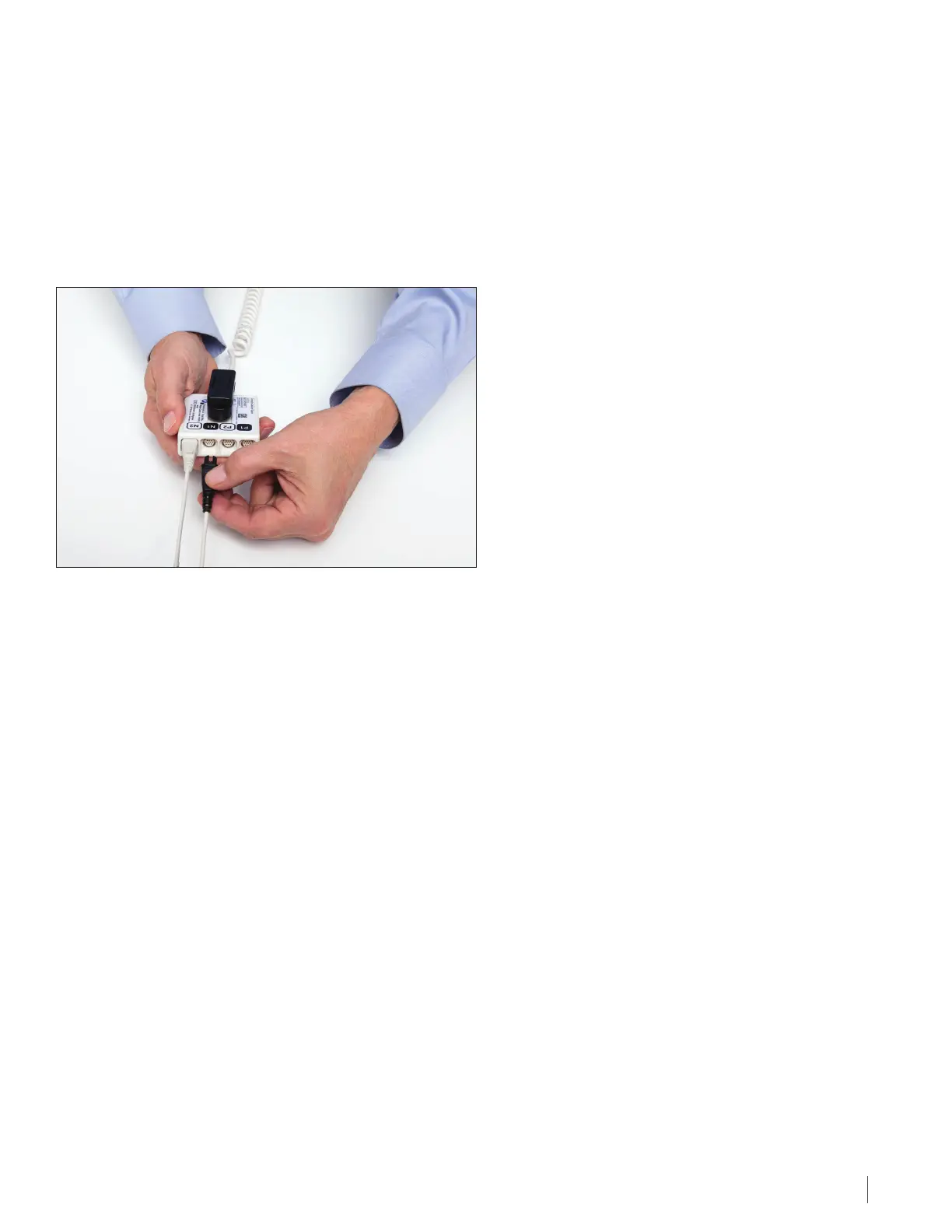
15 Connect the Transducer Arrays to the Device
Connect each of the four transducer array connectors with black and white connection ends to the matching sockets
on the connection cable. Plug the transducer array connectors with the black connection ends into the two black
sockets (there will be one labeled “P1” and one labeled “N1”) and the two white connection ends into the white sockets
(there will be one labeled “P2” and one labeled “N2”) (see diagram).
Press firmly to be sure the connectors are pushed in all the way. Hold the transducer array wires together. Wrap them
with a small piece of tape, if you wish.
16 Disposal
Please contact Novocure to arrange for proper disposal of used transducer arrays. Do not throw them in the trash.
Connect the Transducer Arrays to the Device, Disposal \\DC - 099263/000001 - 12620961 v1


 To Next Page