25
18 Charging the Portable Battery
The battery charger recharges used batteries. The battery charger uses power from a standard wall outlet. Each battery
sits in a slot that connects it directly to the charger.
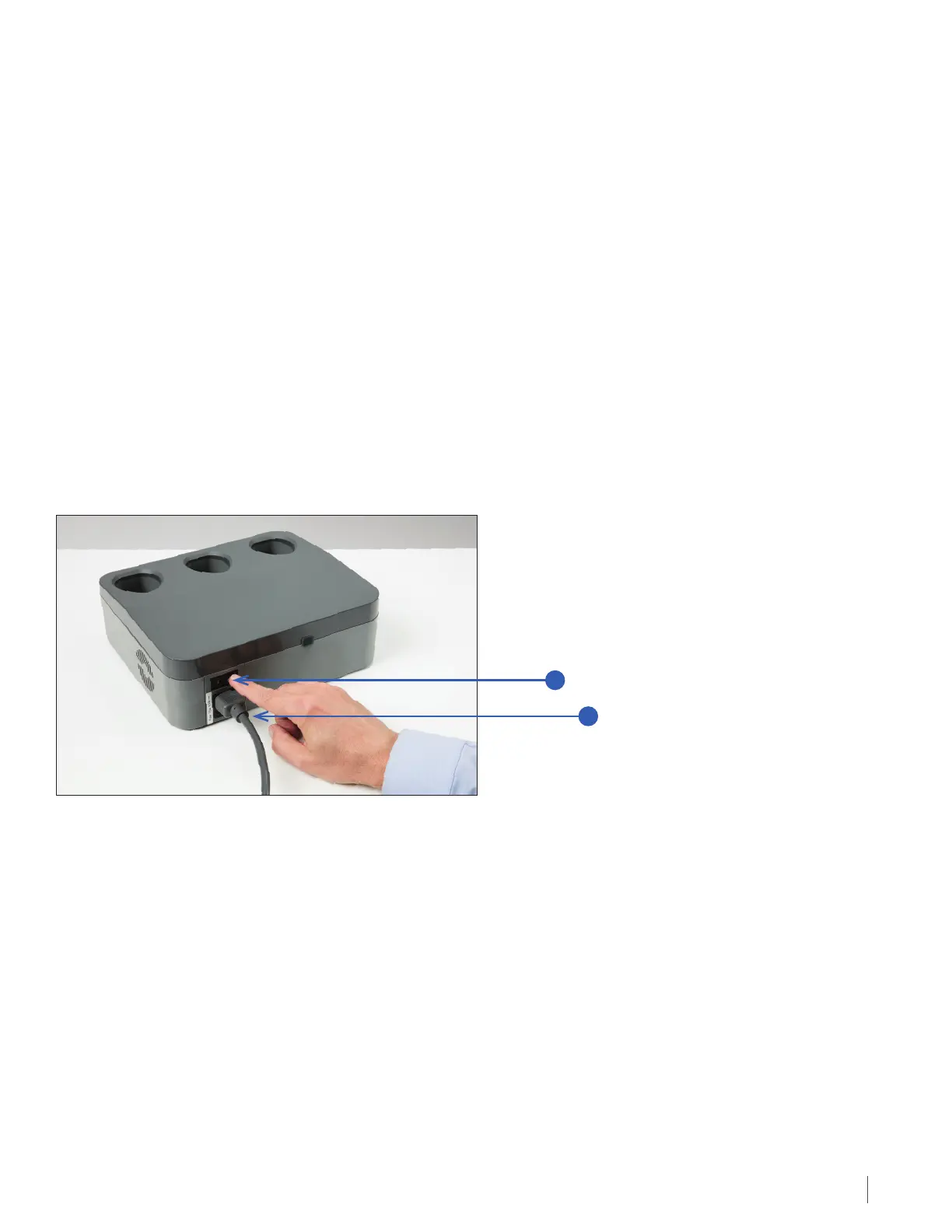
Before charging the batteries, plug the charger power cord into a standard wall outlet and turn on the power button
at the back of the charger. The front lights of the charger will come on during a self-check then the small light in the
center of the front panel will light up green indicating power is applied.
To recharge a used battery:
1. Place the used battery in one of the three openings in the top of the charger. Slide the battery in until it is fully in place.
2. The light directly in front of the opening where the battery is plugged in will illuminate flashing green. This indicates
the battery is charging. The green light will flash faster once the battery has been charged to 95% of its capacity.
You can also check the battery gauge while charging to get information regarding the amount of charge in the battery.
3. When the battery is fully charged (about 2 to 4 hours), the charge light will turn from flashing green to solid green.
The solid green light will disappear upon removal of the battery or the disconnection of the charger from the standard
wall outlet.
If a light on the front panel turns red, this indicates that there is a fault with the battery or charger and you should
contact technical support for assistance. Do not use a battery if it creates a red light on the charger.
Keep the batteries in the charger even after they are fully charged. This will not harm the batteries.
Charging the Portable Battery
1. Charger Power Cord
2. Power Switch
Back View of the Battery Charger Showing the Power Switch
and Where the Power Cord Connects
2
1


 To Next Page