EasyManua.ls Logo

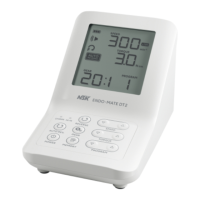
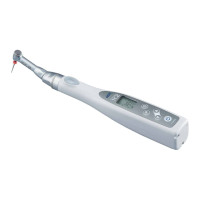
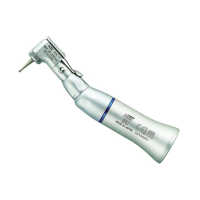
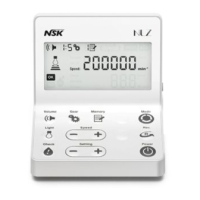
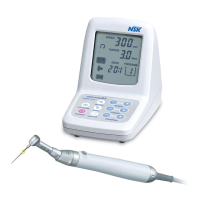
NSK ENDO-MATE DT - User Manual

NSK ENDO-MATE DT
23 pages
Print Icon
To Next Page IconTo Next Page
Loading...
OPERATION MANUAL
Please read this Operation Manual carefully
before use, and file for future reference.
OM-E0202E 002
Motor Handpiece System for Root Canal Enlargement
Specifications are subject to change without notice. 2014.11.20 02
M
The EU directive 93/42/EEC was applied in the design and production of this medical device.

Questions and Answers

  • K
    Kimberly FullerAug 1, 2025
    What to do if alarm sounds and motor handpiece doesn't rotate on NSK ENDO-MATE DT Dental equipment?
    • L
      Laura PowellAug 1, 2025
      If an alarm sounds and the motor handpiece doesn't rotate when you power on your NSK Dental equipment: * **ON/OFF Button**: Make sure you're not pressing the ON/OFF button while turning on the power. Check the button itself. * **Foot Control**: Ensure that you are not pressing on the Foot Control (if equipped) while turning on the power. Remove the foot control (Option), and rotate the motor handpiece by the ON/OFF button, or contact your dealer.
  • D
    Dawn GarciaAug 5, 2025
    What does it mean if the motor handpiece of NSK Dental equipment doesn't rotate and shows an error code?
    • H
      Heather MooreAug 5, 2025
      If the motor handpiece on your NSK Dental equipment isn't rotating and an error code is displayed, it may be because: * **Clogged Contra Angle Head**: The contra angle head might be clogged. Try cleaning or replacing it. * **Short Circuit**: There could be a short circuit inside the motor. Contact your dealer.
  • D
    David HayesAug 10, 2025
    Why does the motor handpiece keep rotating and the Foot Control doesn't react on NSK ENDO-MATE DT?
    • D
      Darren OrozcoAug 10, 2025
      If the motor handpiece continues to rotate and the foot control does not react on your NSK Dental equipment, it may be because: * **ON/OFF Button**: The motor may be running because of the ON/OFF button. Try stopping the rotation by pressing the ON/OFF button.
  • M
    melanie70Aug 14, 2025
    What to do if motor handpiece keeps rotating and the ON/OFF button does not react on NSK ENDO-MATE DT Dental equipment?
    • J
      James MorrisAug 14, 2025
      If the motor handpiece keeps rotating and the ON/OFF button doesn't respond on your NSK Dental equipment: * **Foot Control**: The motor may be running because of the Foot Control. Release your foot from the Foot Control to stop, or pull out the plug of the Foot Control.
  • O
    Olivia PowellAug 18, 2025
    Why AC IN lamp does not light on NSK ENDO-MATE DT Dental equipment?
    • K
      Karen ThomasAug 18, 2025
      If the AC IN lamp on your NSK Dental equipment isn't lighting up, it could be due to these reasons: * **AC Adapter Connection**: Make sure the AC adapter is properly connected to both the equipment and the electrical outlet. Verify that the outlet is functioning correctly. * **Fuse Issues**: The fuse in the device or the AC adapter might be burnt out. Contact your dealer.
  • K
    Karina CarterAug 22, 2025
    What to do if the motor handpiece does not rotate on NSK ENDO-MATE DT?
    • C
      Crystal YoungAug 22, 2025
      If the motor handpiece on your NSK Dental equipment isn't rotating, consider the following: * **Cord Connection**: Check that the motor handpiece cord is securely connected. * **Foot Control**: Verify the Foot Control (if you're using one) is properly connected. * **Internal Damage**: If connections are correct and it still doesn't work, there might be damage to the handpiece or cord. Contact your dealer.
  • A
    aflynnAug 27, 2025
    Why is the CHARGE lamp not lighting on my NSK ENDO-MATE DT?
    • G
      gregoryrobertAug 27, 2025
      If the CHARGE lamp isn't lighting on your NSK Dental equipment, it could be due to: * **Missing Batteries**: Ensure batteries are correctly inserted. * **Temperature**: If the batteries are too cold (below 0°C or 32°F), they won't charge. Warm them up in a room, being careful of moisture. * **High temperature**: If the batteries are hot under normal operating conditions, not right after charging, there may be an abnormality. Contact your dealer.

Summary

Safety Precautions and Warnings

Safety Classification Symbols

Explains the meaning of danger, warning, caution, and notice symbols.

DANGER, WARNING, and CAUTION Levels

NOTICE Advisories and Product Features

1. PRODUCT FEATURES

2. TECHNICAL SPECIFICATIONS

3. COMPONENT IDENTIFICATION

6. OPERATION PANEL AND LCD DISPLAY

Control Panel Key Functions

Explanation of POWER, SPEED, and TORQUE key operations.

Advanced Control Key Functions

Auto Reverse, Memory, and Indicator Functions

4. CONNECTION PROCEDURES

Connecting Handpiece, Adaptor, and Foot Control

Procedures for connecting the motor handpiece, AC adaptor, and optional foot control.

5. OPERATIONAL GUIDELINES

Initial Setup and Component Handling

Steps for charging batteries, changing heads, and mounting files.

Preparatory Operations

Steps before starting operation, including setting gear ratio and direction.

Handpiece Operation and Auto Reverse Function

6. CONVENIENT FUNCTIONS

Auto Reverse Modes and Convenient Functions

Explanation of auto reverse modes and program management.

Program Initialization and Battery Refresh

Calibration and Alarm Volume Control

7. CLEANING AND LUBRICATION

Handpiece Cleaning and Lubrication

Proper methods for lubricating the contra angle head and cleaning the motor handpiece.

8. STERILIZATION PROCEDURES

Autoclaving Sterilization Method

Detailed steps for autoclave sterilization of the contra angle head.

9. BATTERY MANAGEMENT

Battery Replacement Precautions and Procedure

Safety warnings and step-by-step instructions for changing batteries.

10. ERROR CODE REFERENCE

11. TROUBLESHOOTING GUIDE

Control Unit and Motor Handpiece Troubleshooting

Common issues and solutions for the control unit and motor handpiece.

12. OPTIONAL CONTRA ANGLE HEADS

Contra Angle Head Specifications

Details on models, product numbers, and specifications of optional heads.

13. PRODUCT WARRANTY

14. PRODUCT DISPOSAL

ELECTROMAGNETIC EMISSIONS DECLARATION

ELECTROMAGNETIC IMMUNITY DECLARATION

Cables, Accessories, and RF Separation Distances

NSK ENDO-MATE DT Specifications

General IconGeneral
BrandNSK
ModelENDO-MATE DT
CategoryDental equipment
LanguageEnglish

Related product manuals