EasyManua.ls Logo

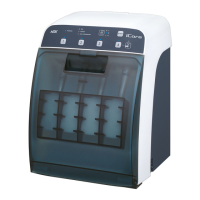
NSK iCare - User Manual

NSK iCare
22 pages
Print Icon
To Next Page IconTo Next Page
Loading...

Other manuals for NSK iCare

Questions and Answers

  • S
    Sarah KellyJul 25, 2025
    What to do if my NSK Dental equipment doesn't turn on?
    • H
      Heather MaddenJul 25, 2025
      If your NSK Dental equipment isn't turning on, the issue might stem from several causes. First, ensure the power cord is securely connected both to the outlet and the unit itself, and that electricity is available. Verify that the power switch is in the ON position. If these steps don't resolve the issue, the internal fuse may have malfunctioned and needs replacement.
  • I
    icohenJul 30, 2025
    Why is my NSK Dental equipment not operating?
    • L
      Lisa MorrisJul 30, 2025
      Your NSK Dental equipment might not be operating due to several reasons. Check if a connector is selected by pressing the Connector Select Button. Ensure the door is closed before and during operation, but open for Chuck Lubrication. If the Error LED (Oil) is lit, fill the oil chamber with NSK maintenance oil. Also, check the air supply and pressure if the Error LED (Air Pressure) is on. Finally, ensure the room temperature is within 10-40°C; wait until the room warms up, especially in winter.
  • T
    Tara PalmerAug 4, 2025
    How to fix maintenance oil and air not flowing from the Chuck Lubricate Nozzle in my NSK Dental equipment?
    • M
      Monica WardAug 4, 2025
      If maintenance oil and air aren't flowing from the Chuck Lubricate Nozzle, the hole might be clogged with debris. Clear the obstruction using a brush, but avoid using a metal brush.
  • Q
    qduffyAug 9, 2025
    What to do if my NSK Industrial Equipment does not operate?
    • E
      Erica JonesAug 9, 2025
      If your NSK Industrial Equipment isn't operating, several factors could be at play. First, ensure that the correct joint is selected by pressing the Joint Select Button until the Joint LED is ON. Confirm that the door is closed during operation, but open for Chuck Cleaning. Check the oil chamber and refill it with NSK maintenance oil if the Error LED (Oil) is lit. Also, verify that the air supply and pressure are adequate if the Error LED (Air Pressure) is illuminated. Finally, ensure the room temperature is within the operating range of 10-40°C; if it's too cold, especially in winter, allow the room to warm up.
  • T
    Tracy ScottAug 14, 2025
    How to fix NSK Industrial Equipment when the power cannot be turned on?
    • N
      nicholsonalyssaAug 14, 2025
      If your NSK Industrial Equipment isn't turning on, start by checking that the power cord is securely connected to both the equipment and the power outlet, and that electricity is available. Make sure the power switch (l side) is turned ON. If the issue persists, the internal fuse may have malfunctioned and needs replacement.
  • A
    Aaron MooreAug 19, 2025
    What to do if maintenance oil and air do not flow from the Chuck Cleaning Nozzle in NSK Industrial Equipment?
    • A
      Amanda MillsAug 19, 2025
      If maintenance oil and air aren't flowing from the Chuck Cleaning Nozzle of your NSK Industrial Equipment, the nozzle hole is likely clogged with debris. Clear the obstruction using a brush, but avoid using a metal brush to prevent damage.

Summary

Precautions for Handling and Operation

General Safety Instructions and Risk Classification

Details safety instructions and classifies potential hazards (Danger, Warning, Caution, Notice) for device use.

Operational Safety and Environmental Warnings

Covers additional safety precautions, environmental considerations, and EMC-related warnings for safe operation.

Package Contents

Part Names

Control Panel Overview

Details the buttons and indicators present on the iCare unit's control panel for operation.

Checking and Connecting Parts

Connecting the Air Tube

Step-by-step guide for connecting the air supply tube to the iCare unit and air compressor.

Filling with Maintenance Oil

Procedure and safety precautions for filling the iCare unit's oil tank with maintenance oil.

Oil Priming

Initial Oil Priming Procedure

Steps to perform oil priming on the iCare unit before initial use or after oil draining.

Check Before Use

Pre-Operation Inspection Checklist

Key points to check before operating the iCare unit to ensure proper function and safety.

Operation Procedures

Attaching Air Turbine Handpieces

Instructions for securely attaching various types of air turbine handpieces to the iCare unit.

Handpiece Lubrication and Cleaning

Details on selecting lubrication modes and performing internal cleaning for different handpiece types.

Maintenance of iCare

Periodical Maintenance Checks

Error LED Indicators

Error Code Interpretation and Solutions

Explains the meaning of illuminated error LEDs, their causes, and recommended troubleshooting steps.

Troubleshooting

Common Issues and Resolution Guide

Provides solutions for common operational problems encountered with the iCare unit.

Specifications

EMC Information

NSK iCare Specifications

General IconGeneral
BrandNSK
ModeliCare
CategoryDental equipment
LanguageEnglish

Related product manuals