90
420012001500 - 03182024 - Rev. 04
Part 9 - Controls
J. Connectivity
Navigate the Connectivity menu as follows:
1. From the Main Menu, turn the dial to highlight “Connectivity” and press ENTER.
2. Turn the dial to highlight the option you wish to access then press ENTER.
3. Press ESC to return to the previous screen.
Connectivity
Wi-Fi Enable
Network Configuration
Serial Number
Connectivity reset
Signal Level 40
Wi-Fi Enable
Activation/Deactivation
Wi-Fi Network of the system
OFF ON
Wi-Fi Enable
Wifi Network has been activated.
In the case of first time activation,
proceded to the Wifi configuration by way
of an Access Point
OFF ON
Connectivity
Wi-Fi Enable
Network Configuration
Serial Number
Connectivity reset
Signal Level 40
Connectivity
Wi-Fi Enable
Network Configuration
Serial Number
Connectivity reset
Signal Level 40
Connectivity
Connectivity reset
Signal Level
Internet Time
Internet Weather
Homekit unpair
90
Network Configuration
The procedure permits to create Wifi
Access Point to connect the system with
the Internet network
OFF ON
Network Configuration
Log in to the App to start network configuration
Serial Number
The serial number to be used for
the product registration is:
392021263013
Signal Level
90%
Connectivity
Connectivity reset
Signal Level
Internet Time
Internet Weather
Homekit unpair
40
Internet Time
Connectivity Reset
Would you like to proceed with
cancelling the connectivity configuration?
NO YES
If you enable this functionality,
the data and the time will be
requested at the Internet Time Service
NO YES
Connectivity
Connectivity reset
Signal Level
Internet Time
Internet Weather
Homekit unpair
40
Internet Weather
?????
NO YES
Connectivity
Connectivity reset
Signal Level
Internet Time
Internet Weather
Homekit unpair
40
Homekit unpair
Would you disassociate HomeKit?
NO YES
Connectivity
Wi-Fi Enable
Network Configuration
Serial Number
Connectivity reset
Signal Level 40
Table 41 - Main Menu - Connectivity menu
Figure 100 - Connectivity Menu
Read the NTI net Quick Start Guide
to connect the boiler.
NOTICE
TRX
FTVN
TRX
FTVN
Series ii
Series ii
compatible with
- TRX / FTVN SERIES II
- COMPASS FLOOR MOUNT
NTI NET
Quick Start Guide
Residential Condensing Gas Boiler
COMPASS
COMPASS
Floor Mount
Floor Mount
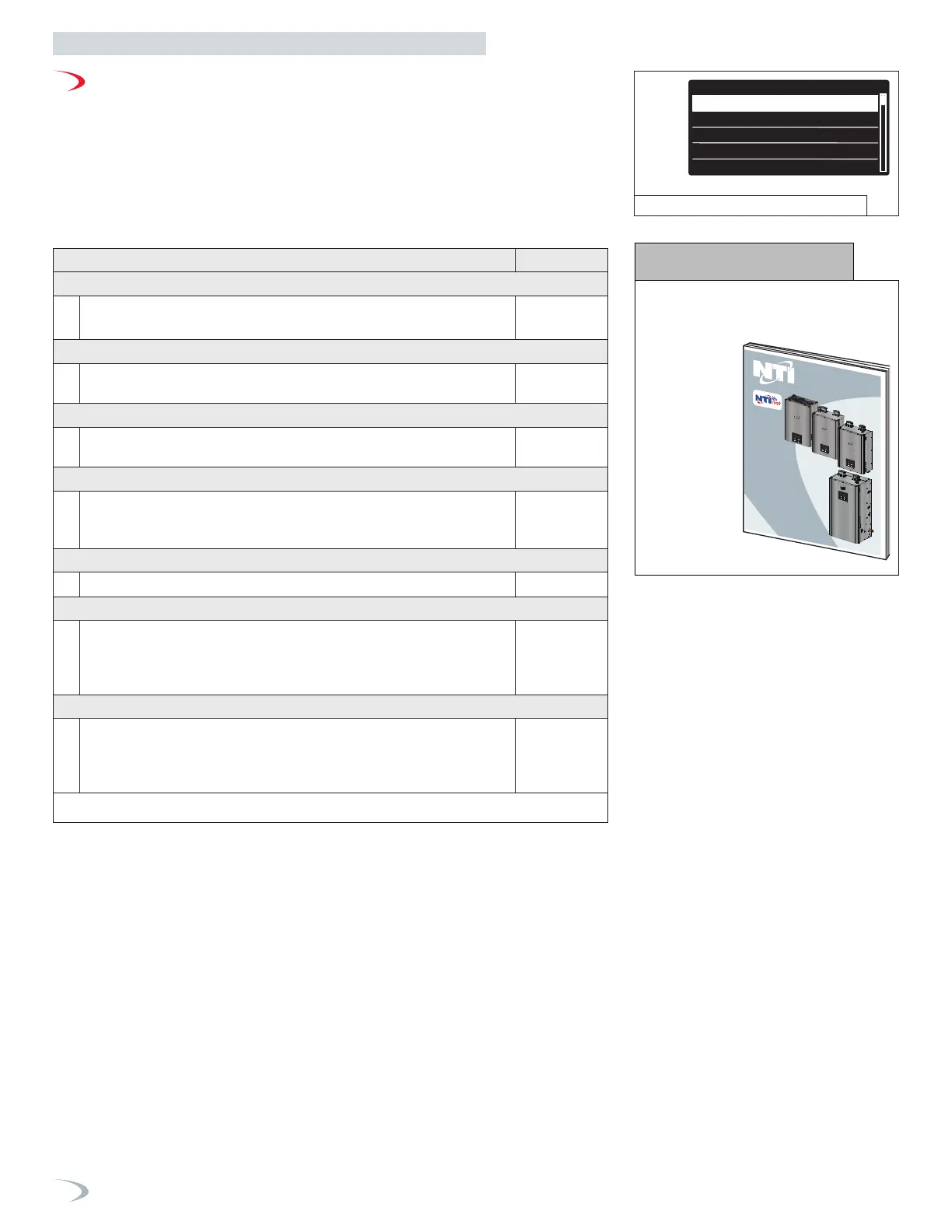
Menu Option | Description (Range Default
WIFI ENABLE (19.0.0)
On – connection to WiFi is possible
Off – disconnects boiler from WiFi
0
NETWORK CONFIGURATION (NA)
Select Enter to commence the process of connecting the boiler to a
local WiFi network using the “NTI net” mobile App
NA
SERIAL NUMBER (19.1.3)
Serial number of the boiler’s WiFi gateway. Serial number is required when
registering the boiler on the “NTI net” connectivity platform.
NA
CONNECTIVITY RESET (19.2.0)
Select if you need to reconfigure the WiFi connection, i.e., if you need to select
a different WiFi network. To re-establish WiFi connection, enter the Network
Configuration.
NA
SIGNAL LEVEL (19.1.1)
Displays the WiFi router signal strength.
NA
INTERNET TIME (19.0.3)
Set to “On” to have the time automatically set via the internet connection based on
the boiler’s entered address.
Note: the address is entered when registering the boiler to an “NTI net” End User
or Service Center.
OFF
INTERNET WEATHER (19.0.4)
Set to “On” to have the outdoor temperature reading acquired via the internet
connection based on the boiler’s entered address.
Note: the address is entered when registering the boiler to an “NTI net” End User
or Service Center.
OFF


 To Next Page
 Loading...