N4
N4
Test Operations after Installation
How to Use Controller
How to Use Product by Mode
How to Use External Projector(Abdomen heating pad)
How to Use Low Frequency Pad
How to Use Product
How to Set Temperature for Auxiliary heating part
28
28
33
34
36
38
How to Use Product
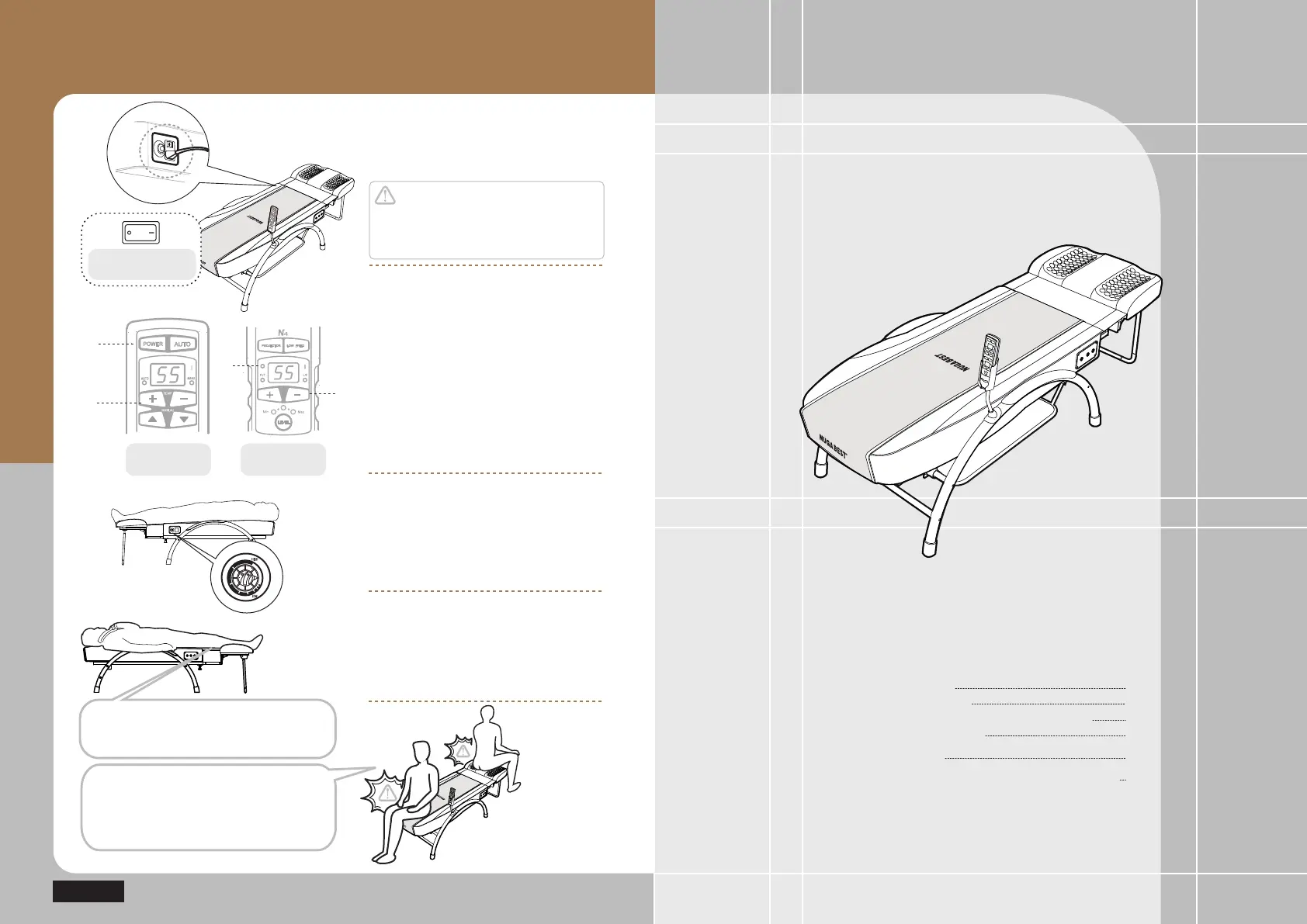
Checking out the power
supply for the product
Caution
Ensure the power supply to be turned off
after use or during no use.
Otherwise, it might cause failure.
Controller for
main assembly
Controller for
external projector
ⴘ
ⴚ
ྜ
Turn on the power switch.
Checking out operations
of controller
① Press the power button on the controller
② Adjust temperature for the internal projector
(+ / – button)
③ Adjust temperature for the external projector
(+ / – button)
④ Sub mat power indication
Refer to ‘How to Use the controller’ for each
mode (Page 28)
Checking out operations
of sub mat
After turning on the power of the main assembly,
turn the dial clockwise to set a desired
temperature in the sub mat.
Using the product
Lay yourself down with your legs toward the
sub mat and press the Auto button in the
controller for the automatic operations in the
product.
Power switch
in the main assembly
Off On
Avoid sitting or placing an object on the
part of cervical vertebrae projector or
auxiliary heating part.
Otherwise, it might cause damage to the
product.
Do not sit or step on the synthetic leather
at the middle between the main and
auxiliary devices.


 To Next Page