N4
Product Storage and Care
How to Store and Clean
Product after Use
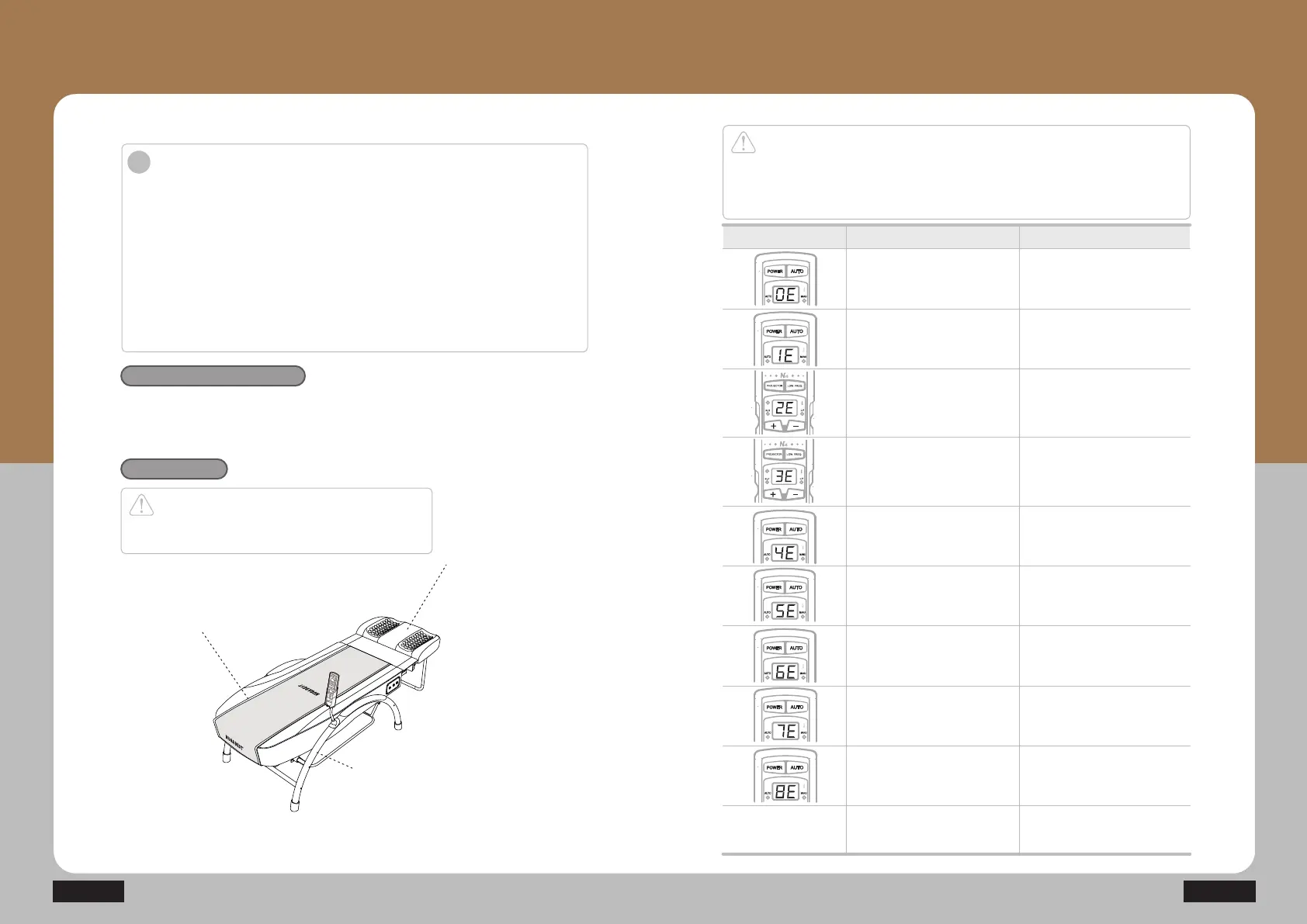
Check Indicator
Window of Controller
Mat cover
Wipe out the mat cover
with wax for leather or
dry cloth.
Product frame
Apply a little of water
to dry cloth and softly
wipe it out.
Outside cover
Separate and wash
the outside cover.
Introduction
1. Separate the power cord while the product is not in use for a long time.
2. Be aware of the following for the storage place.
ྙ Keep the product in a place with no water.
ྚ Keep the product in a place with no concern of any adverse effect such as the air
pressure, temperature, humidity, ventilation, sunlight and/or air containing dust,
salt, sulfur, etc.
ྛ Be careful of safety conditions such as the slope, vibration, shock, etc.
(including those during transportation).
ྜ Do not keep the product in a place near any chemical or gas.
ྜྷ Avoid any direct sunlight during the storage.
3. Store the product after cleaning the components.
i
'XULQJRSHUDWLRQ7HPSHUDWXUHaKXPLGLW\a
7UDQVSRUWDQGVWRUDJHFRQGLWLRQV7HPSHUDWXUHaKXPLGLW\a
DWPRVSKHULFSUHVVXUHaK3D
Environmental conditions
How to clean
Caution
Ensure unplugging of the power plug before cleaning.
Otherwise, it might cause electric shocks.
Display Descriptions
Abnormal temperature
sensor in the
internal projector
Indicator window
for the internal projector
conditions
Disconnection of
heater bar in the
internal projector
Indicator window
for the internal projector
conditions
Indicator window
for the internal projector
conditions
Indicator window
for the internal projector
conditions
Indicator window
for the internal projector
conditions
Indicator window
for the internal projector
conditions
Abnormal temperature
sensor in the
external projector
Disconnection of
lamp in the
external projector
Indicator window
for the external projector
temperature
Disconnection in the
cervical vertebrae projector
temperature sensor
6KRUWFLUFXLWLQWKH
cervical vertebrae projector
temperature sensor
Disconnection of
heater bar in the
cervical vertebrae projector
Disconnection
in the upper or
lower limit switch
Indicator window
for the external projector
temperature
Overheating of the
temperature sensor
Power off
Display location
Indicator window
for the internal projector
conditions
Motor current overflow
Caution
Do not disassemble the product arbitrarily if any error occurs, but remove the power
plug, turn off the power switch, and then contact your supplier.
If you disassemble the product arbitrarily, it might cause serious injuries and/or damage
to the product.


 To Next Page