N4
N4
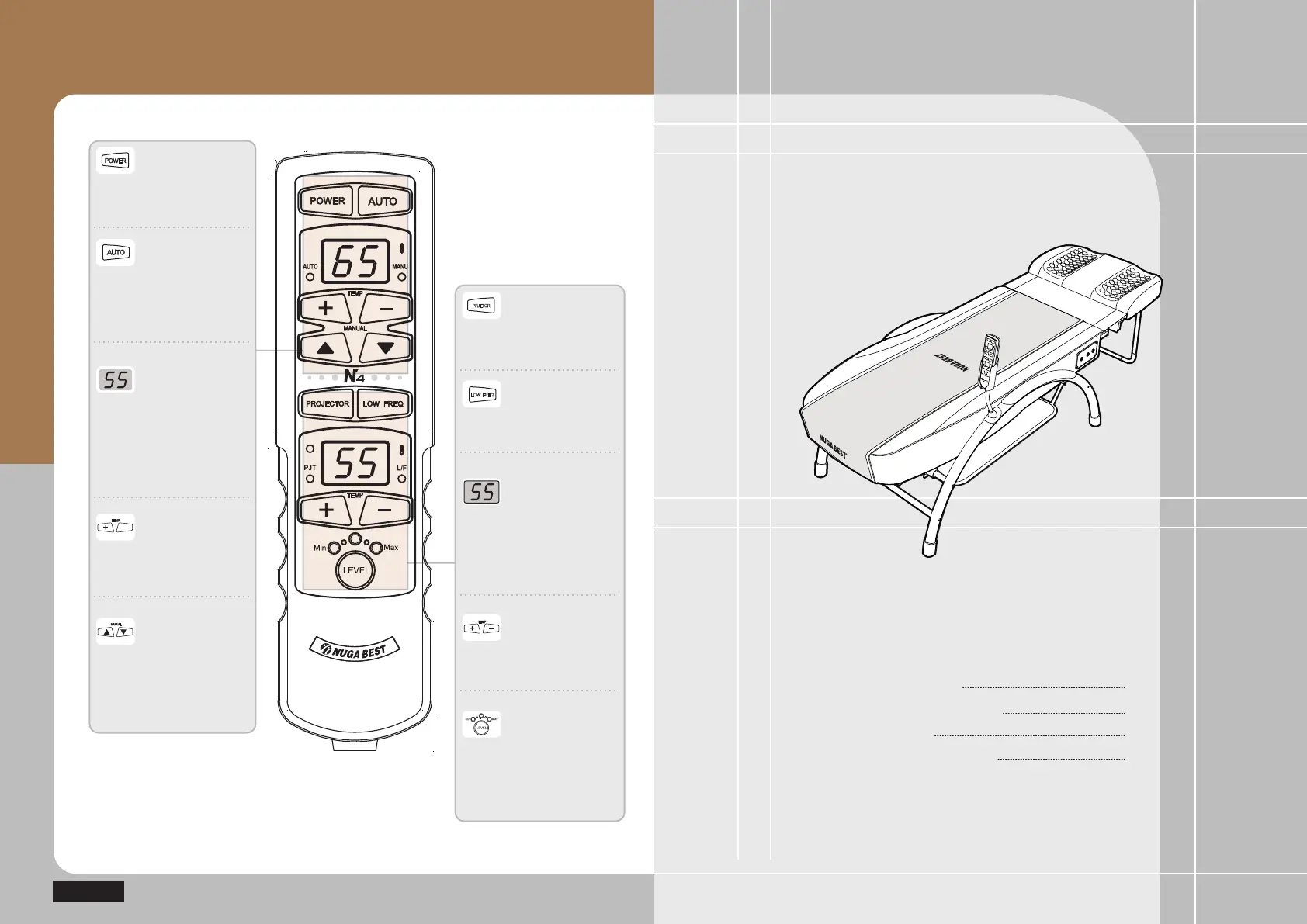
Descriptions for Controller Buttons
Power button
108&3
Button to turn on/off the power
for the product, internal projector,
and cervical vertebrae projector
Power Button for
External Projector
Button to turn on/off the power
for the external projector
Temperature
Control Button for
Internal Project
Button to increase or decrease
temperature of internal projector
Auto/Manual
Switch Button
Button to set the operating
mode for the internal projector
/ cervical vertebrae projector
in Auto/Manual mode
"650
Indicator Window
for Temperature
and Condition of
Internal Projector
Window to display temperature
and error message of internal
projector / cervical vertebrae
projector (refer to Page 41 for
error messages)
Manual Mode
Button for Internal
Projector
Button to adjust the position
of internal projector up/down
during the manual mode
setting
13+&503
Power Button for
Low Frequency Pad
Button to turn on/off the power
for the low frequency pad
-08'3&2
Temperature
Control Button for
External Projector
Button to increase or decrease
temperature of external projector
Indicator Window
for Temperature
and Condition of
External Projector
Window to display temperature
and error message of external
projector (refer to Page 41 for
error messages)
Button to control
the intensity of
low frequency
Button to control the intensity of
low frequency to a range of the
low frequency pad
( weak~strong )
Before Product Installation
How to Assemble Product Frame
How to Install Product
Test Operations after Installation
18
20
24
26
Production Installation
and Use


 To Next Page