N4
Product Storage and Care
How to Take Emergency
Actions during Use
Self-check Items
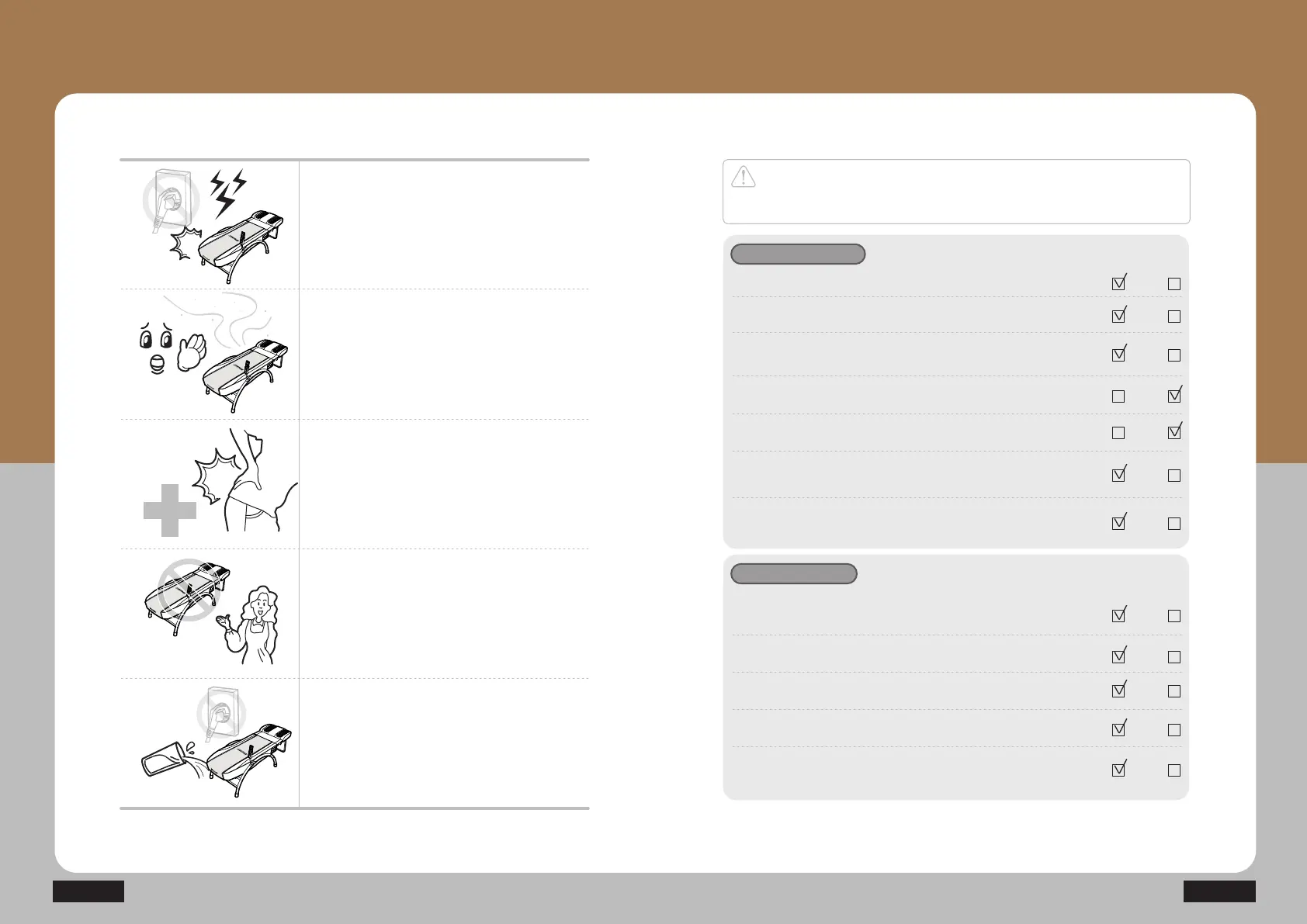
Stop using the product immediately and
remove the power plug if there is any
lightning.
Stop using the product immediately and
contact your supplier branch or our
company if you smell any burn or detect
any smoke from the product.
Stop using the product immediately and
consult with a doctor if any abnormality
occurs to the human body.
Turn off the power switch immediately, stop
using the product and contact our company
if you find out any failure or power failure
from the product.
Turn off the power switch, remove the
power plug immediately, and then contact
our company if you have poured water
into the product.
Caution
There might be risk of injuries or fire if you fail to check out the followings.
Make sure that you check out the following.
Check before use
1. Is the power cord connected to an outlet ?
2. Is the controller operating well?
3. Is the temperature indication displayed on the
temperature indicator window on the controller?
4. Is the temperature of the projector not too high?
5. Is the temperature of the auxiliary heating part not too high?
6. Is the power supply for both the internal and external
projectors turned on?
7. Did you check out conditions for any damage to the
power cord or cable conditions?
Yes No
Yes No
Yes No
Yes No
Yes No
Yes No
Yes No
Check after use
1. Is the temperature on the temperature indicator window
of the controller turned off?
2. Is the operating lamp on the controller turned off?
3. Is the power lamp on the projector turned off?
4. Is the power switch turned off appropriately?
5. Is the power cord separated from the socket?
Yes No
Yes No
Yes No
Yes No
Yes No


 To Next Page