en-938821/2 5 - 81
CNC Operation
5
5.9.4 NUM Diskette Drive
5.9.4.1 Description of the NUM Diskette Drive
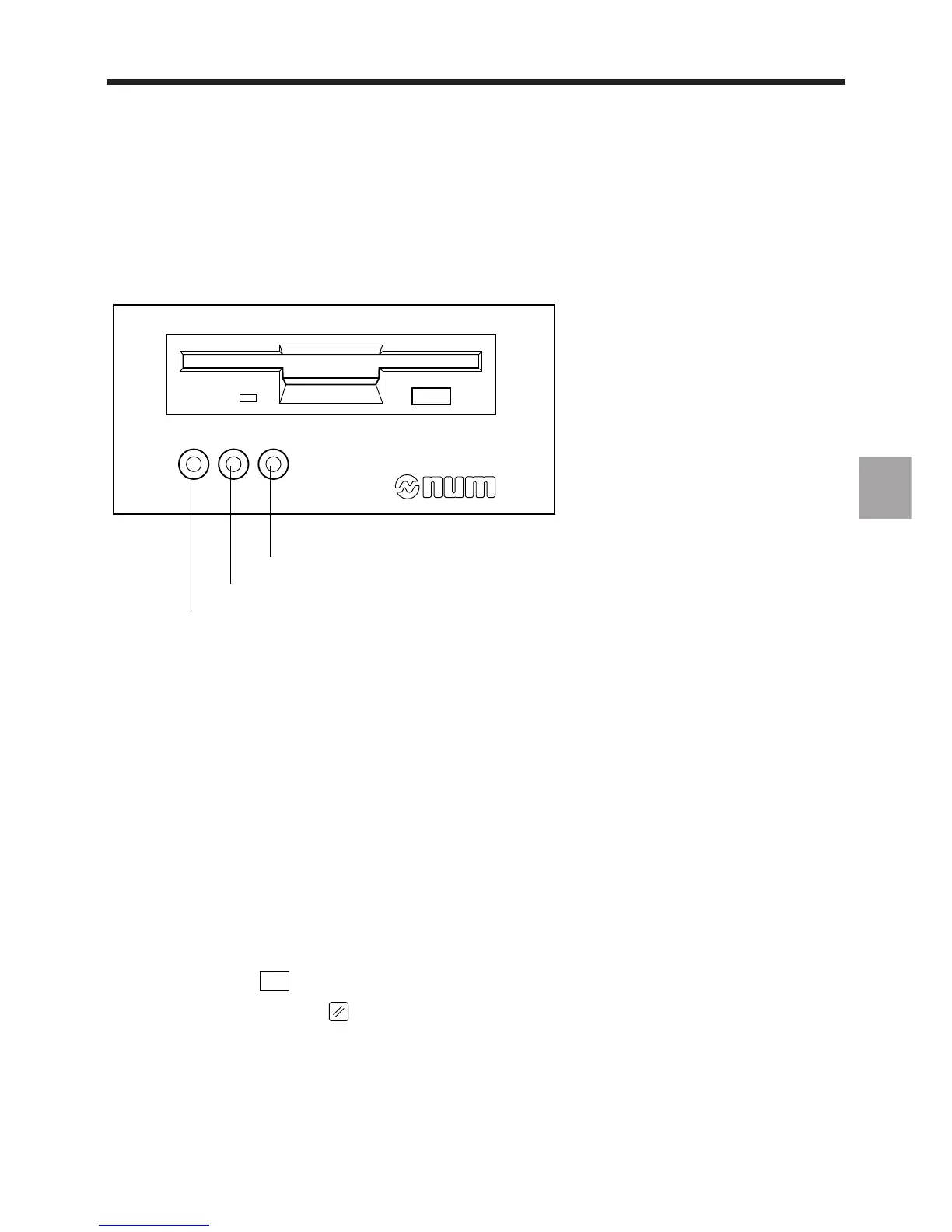
The NUM diskette drive is used for part programme and tool offset file save and restore operations.
PWR ERR ACC
Yellow command being executed LED
Green drive power-on LED
Red drive error LED
The drive includes an on/off switch at the rear.
5.9.4.2 Syntax Rules and Control of the Drive
The drive is controlled from the CNC by a language similar to MS-DOS. The drive/CNC interface is a serial link. The
drive saves the data (part programmes, tool offsets) on a diskette in files that can be organised in directories and
subdirectories.
The drive is controlled by commands whose syntax is detailed in Sections 5.9.5 to 5.9.7. Brackets in the command
syntax enclose optional arguments.
The filename format is [filename].[ext] ([filename]: maximum 8 characters and [ext]: maximum 3 characters.
Directory names have a maximum of 8 characters and no extension.
Characters allowed in filenames:
- letters A to Z (not case sensitive)
- numbers 0 to 9
- special characters _, -, $, ~, !, #, {, }, %, @.
Commands can be entered using the softkeys (in some cases also using the keyboard) or entirely from the keyboard.
The last command entered is displayed at the top of the screen. During execution, commands (except diskette format)
can be aborted by the
ABORT
key.
REMARK A reset (key ) or the end of a programme may cause interference on the serial
line and interrupt transmission (the red LED on the drive comes on and an error
message may be displayed). In this case, repeat the command.



 To Next Page