25
February 2017
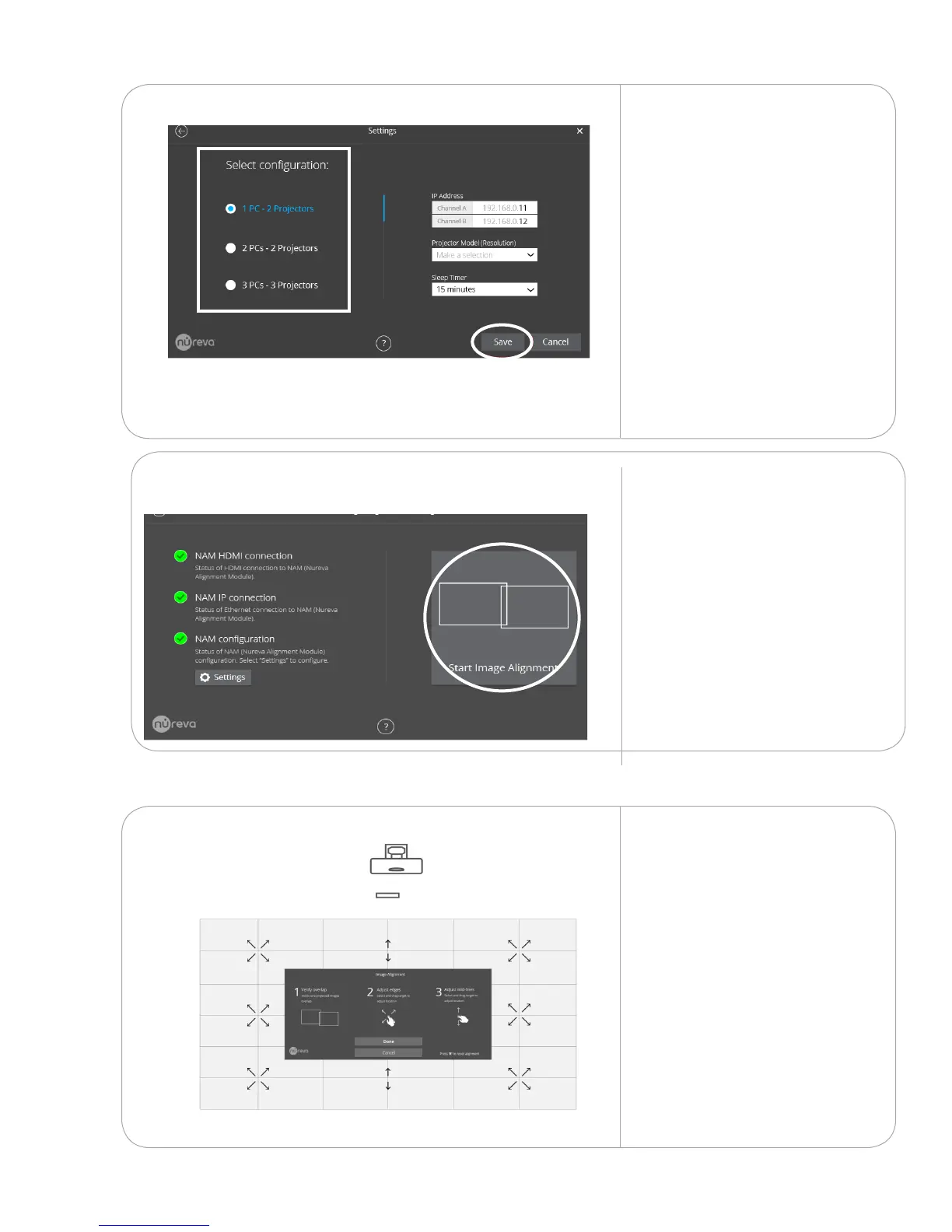
1. Select your system’s PC/
projector conguration.
NOTE: If you have 1 projector and
1 PC, select 2PCs - 2 Projectors
2. Ensure the IP addresses are
192.168.0.11 and 192.168.0.12
3. Ensure the correct Projector
Model (Resolution) is set.
NPSi-1 projectors
1920 x 720
NPSi1080-1 projectors
1920 x 1080
4. Ensure Sleep Timer is
set to 15 minutes
5. Tap Save
9.1.4
Next, tap Start Image
Alignment.
Repeat these steps on
any remaining screens.
9.1.5
Drag and adjust the image
into precise alignment.
If you have a double or triple
conguration, start with the
largest image and adjust it
to t the smaller images.
If you have a corner or
surround conguration,
reference your installation
drawing for the minimum
clearance needed
between the images.
9.1.6



 To Next Page