20
February 2017
8.1.1
Set up the touch module laser curtain8.1
ADJUSTMENT ON/OFFADJUSTMENT ON/OFF
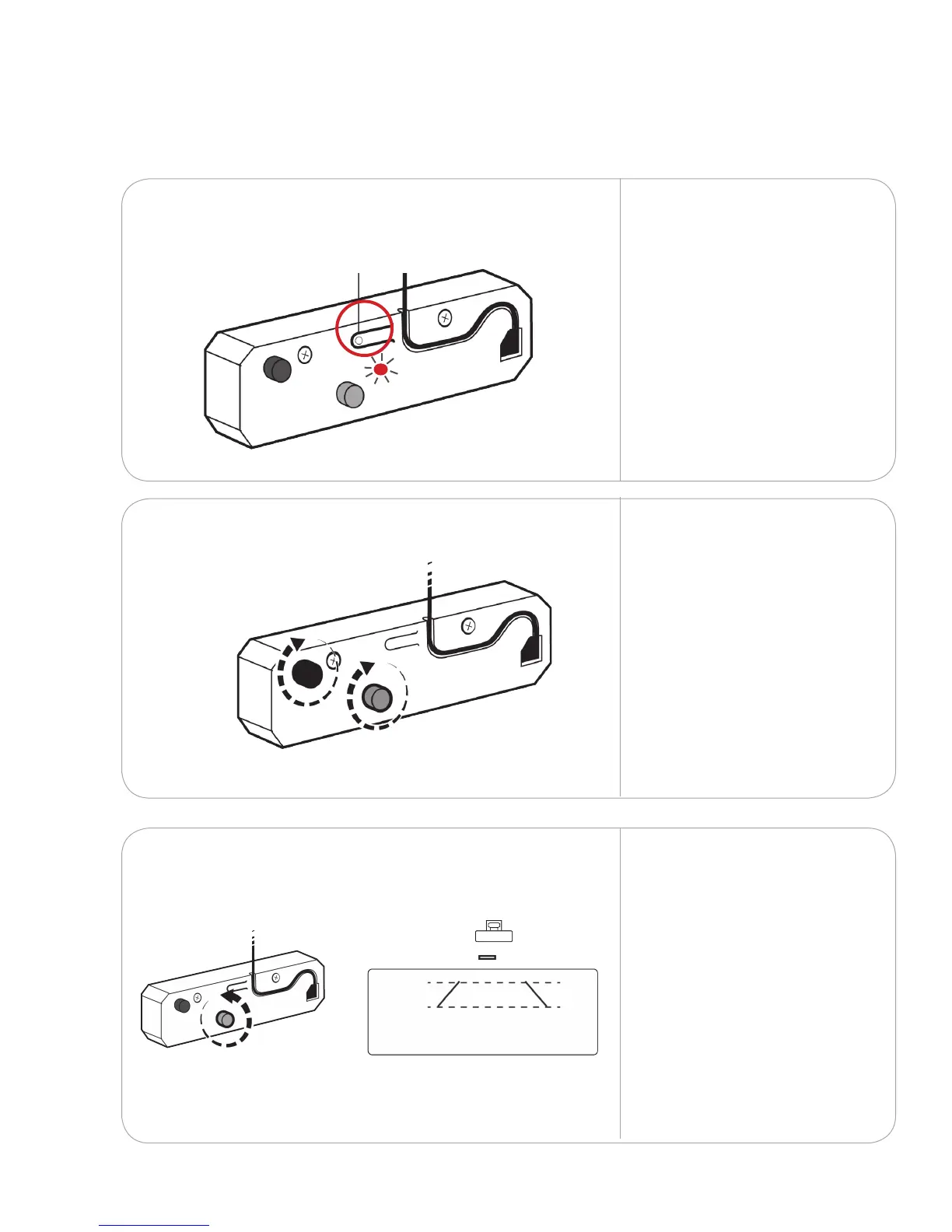
Press the adjustment button
to turn the touch module to
adjustment mode. This will
emit two visible laser beams
from the bottom of the unit.
The LED light will blink red
and blue when the touch
module is in adjustment
mode.
Adjustment mode on/o
Rotate the grey knob
counterclockwise until
both lasers beams that
are being emitted from
the bottom of the touch
module align symmetrically.
Rotate both the black and
grey knobs clockwise until
they cannot be turned any
further.
8.1.2
8.1.3
Set up touch
8.



 To Next Page