21
February 2017
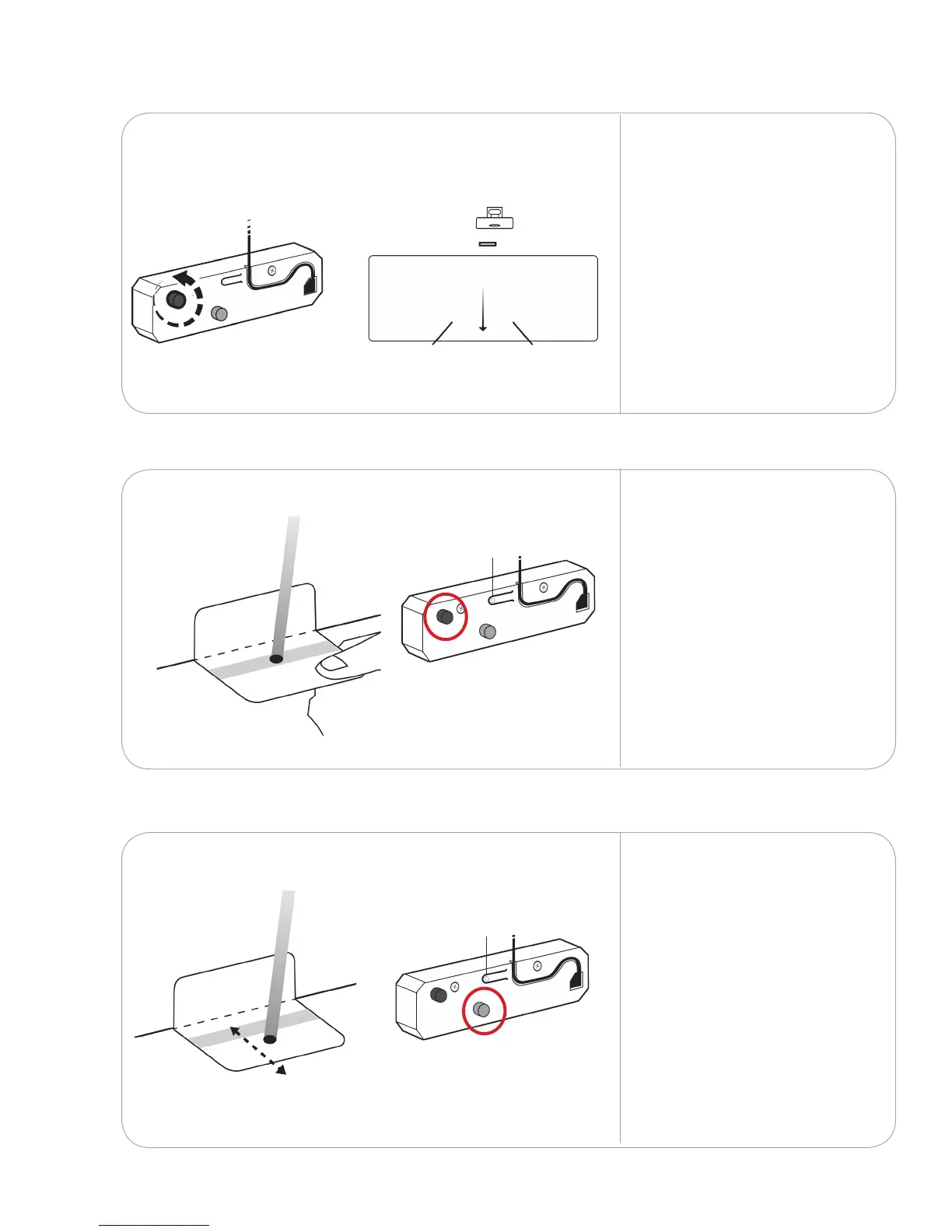
Rotate the black knob
counterclockwise to move
the laser beams downward
until they appear on the
oor or surface below
the projected image.
8.1.4
If your wall atness varies
causing the laser to fall
outside of the grey zone,
use the grey knob to
adjust the distance of
the laser from the wall.
Repeat with the other laser.
Fold the laser alignment
cards along the dotted line.
Hold the alignment cards
against the wall to check
if the laser falls within the
grey zone. If the dots are
blurred or scattered, adjust
the black knob until they
are properly dened.
Repeat with the other laser.
8.1.5
8.1.6
ADJUSTMENT ON/OFFADJUSTMENT ON/OFF
ADJUSTMENT ON/OFFADJUSTMENT ON/OFF



 To Next Page